AI Agents for Legal
Legal enquiries are no longer limited to office hours. AvaritCall's AI agents answer callers to your firm at any hour, record the matter and book an initial consultation in the lawyer's calendar. Hearing and document reminder calls go out at the scheduled time.
- Initial consultation booking
- Hearing reminders
- Firm information line
- Transfer to a lawyer

Hear the AI agent on a legal client call
Initial consultation request on an employment matter
Listen to the call
0:55
Initial consultation added to the AvaritCall calendar · summary in the dashboard
These calls are fictional examples. The AI agent's flow, the information it provides and its limits are configured in the scenario for each law firm.
Why AvaritCall
Every legal enquiry call is answered, no request is missed.
Consultation, reminder and information requests follow the firm's scenario. Legal assessment stays with the lawyer.
Inbound call
The enquiry line stays open after hours.
- Enquiry calls arriving in the evening and at weekends are answered 24/7.
- The AI agent records the subject of the matter and books an initial consultation at an available time in the lawyer's calendar.
- Within the concurrent capacity of the plan, callers never hear a busy tone.

22:15
I'd like an initial consultation with a lawyer about my lease, is tomorrow afternoon possible?
Outbound call
Hearing and document reminders go out at the scheduled time.
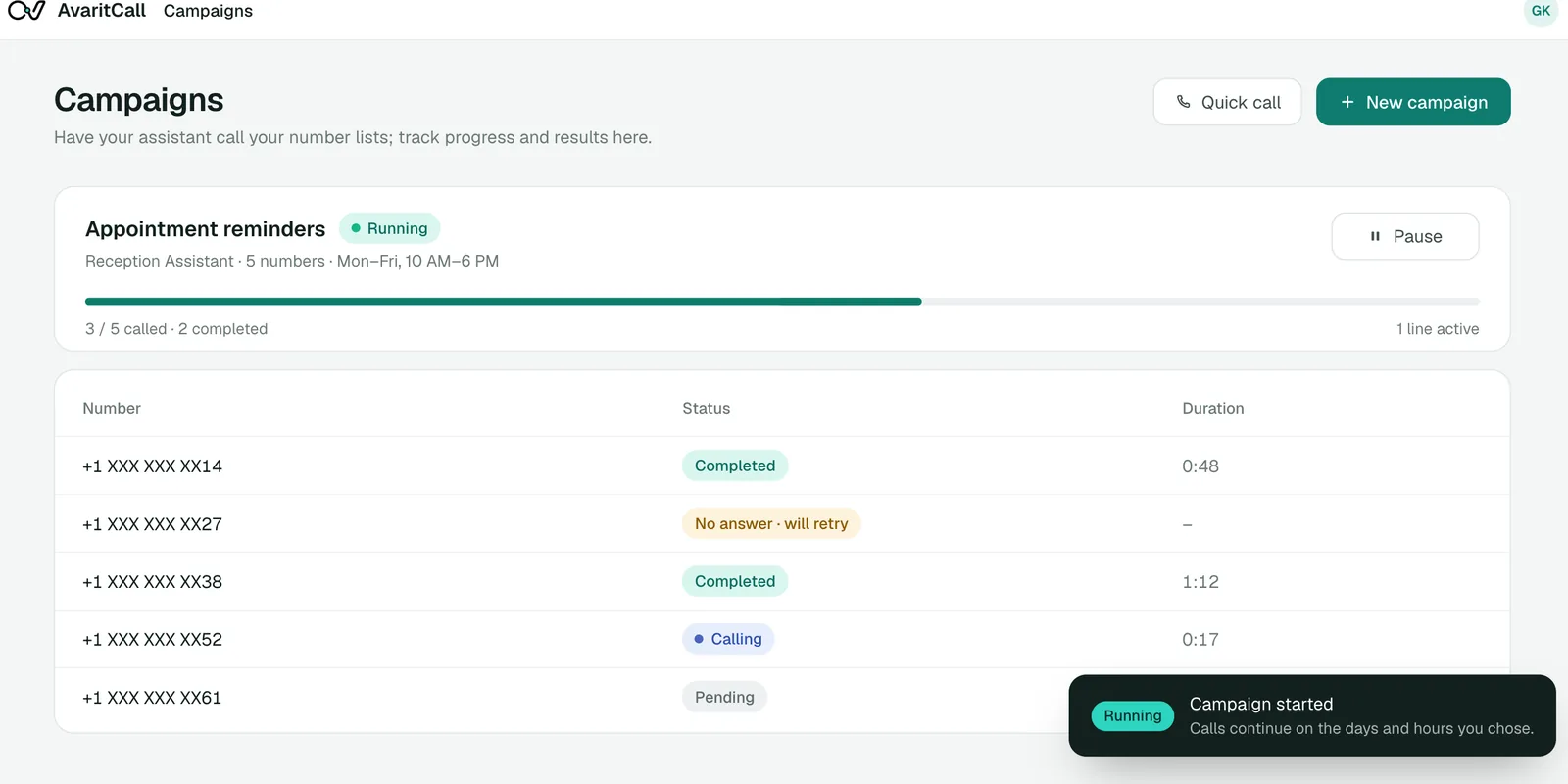
- The client list is uploaded and calls are made within the selected days and hours.
- Clients with missing documents are reminded of the document list and an appointment is booked to hand them in at the firm.
- Unreached numbers are called again at the defined interval.
0:18
I'd like to speak with my lawyer before the hearing, would Monday at 5 pm work?
Panel and CRM
Every call transcript and summary is in front of the lawyer.
- The transcript, summary and tags of each call are in the panel and in AvaritCall CRM.
- Calls are transferred to the firm's team when the caller asks to speak to a lawyer or in cases defined in the scenario.
- The lawyer takes over with the call summary; the caller is not asked for the same information again.

Summary
Caller requested an initial consultation on an employment matter; booked for Thursday 4:30 pm.
AI agent pricing: 0.08 USD per talk minute
0.08USD
/ talk minute
Charges are based on minutes of conversation; speech recognition, response generation and speech synthesis are included in this rate. There is no setup fee and no commitment.
- 5 USD credit at sign-up, no card details required
- No setup fee and no commitment
- Reports, messages, IVR and VAT are charged separately
Sample calculation: initial consultation booking line
- Daily calls
- 100
- Average call duration (min)
- 2
- Daily talk cost
- 16 USD
- Monthly talk cost (30 days)
- 480 USD
The example shows the talk-minute charge only; reports, messages, IVR and VAT are calculated separately.
How law firms use AI agents for legal calls
Inbound call
Initial consultation booking line
The caller describes the matter and a preferred day. The AI agent offers available times from the lawyer's calendar and books the initial consultation at the chosen time.
Outbound call
Hearing and appointment reminder calls
The AI agent calls clients with an upcoming hearing or consultation to remind them of the date, and offers a new meeting time to those who cannot attend.
Inbound call
Firm information line
Callers asking about the address, opening hours, consultation fees or practice areas receive answers based on the information defined by the firm.
Inbound call
Call handling after hours and during court hours
Callers are answered in the evening, at weekends and while lawyers are in court; their requests are recorded and wait for the firm's team in the dashboard.
Outbound call
Missing document and signature reminders
You upload the list of clients with missing documents. The AI agent calls each one, reminds them of the firm's document list and books a time to hand them in.
Inbound call
Transfer to a lawyer or the firm's team
When the caller asks to speak to a lawyer, or in situations defined in the scenario, the call is transferred to your team; the lawyer takes over the call along with its summary.
Use by practice area
Initial consultation bookings and pre-appointment reminder calls for divorce, custody and maintenance matters.
Enquiries from employees and employers, initial consultation bookings and relaying the list of required documents.
Meeting requests from corporate clients, appointments for contract review and transfer to the lawyer.
First enquiries and initial consultation bookings on leases, title deeds and evictions.
Enquiries from heirs and relaying the document list defined by the firm.
Calls mentioning an emergency are transferred to the responsible lawyer as defined in the scenario.
Payment date reminder calls on behalf of creditor clients; payment details are not taken over the phone. Enforcement and debt collection
First information and relaying the list of required documents for compensation claims arising from accidents and damage. Insurance and compensation
The legal client journey from first call to hearing day
The AI agent handles the phone steps from a caller's first contact with the firm through to the pre-hearing reminder.
Inbound call
Enquiry
The caller's matter and contact details are recorded and an initial consultation is booked at an available time in the lawyer's calendar.
Outbound call
Consultation reminder
The caller is contacted before the appointment; attendance is confirmed and the time is changed if needed.
Outbound call
Document reminder
Clients with missing documents are reminded of the list defined by the firm and an appointment is booked to hand them in.
Inbound call
Client questions
Address, opening hours and other information defined by the firm are relayed; questions about the case are passed to the lawyer with a summary.
Outbound call
Hearing reminder
The client is reminded of the hearing date and time; any request to meet the lawyer is entered in the calendar.
How AI agents for legal work are set up at your firm
Prepared before getting started
- Practice areas, lawyers and consultation hours
- Consultation duration, fee information and cancellation and rescheduling rules
- Situations to transfer to a lawyer and the transfer number
- KVKK information notice and the list of clients to receive reminder calls
Scenario and information
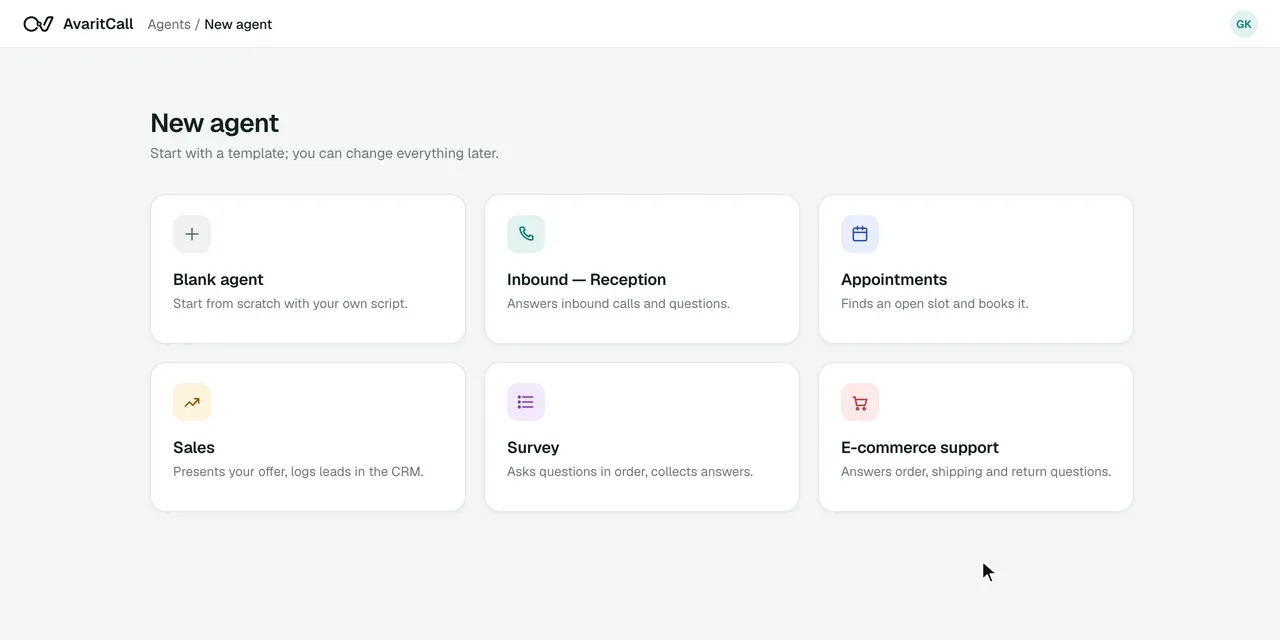
Practice areas, lawyers' availability, consultation rules, transfer conditions and the topics the AI agent will not answer are configured for the firm.
Calendar and line connection
The AvaritCall calendar or Cal.com (beta) is connected; an existing SIP-enabled number is kept or a new number is obtained.
Test calls
The firm's team calls the AI agent from their own phones. Consultation bookings, transfers and edge cases are tested before going live.
Go-live and monitoring
The AI agent answers inbound calls and reminder campaigns run at the scheduled times. Transcripts, summaries and tags are monitored in the dashboard.
Integrations
Calendar, CRM and phone infrastructure the AI agent connects to
AvaritCall works with its built-in calendar and CRM; the Cal.com connection is in beta, and SIP-enabled lines and PBXs are supported. Practice management software can be connected via REST API and webhook; the scope depends on the API capabilities of the software in use.
 AvaritCall CalendarThe AI agent checks the lawyer's availability and creates the consultation.
 Cal.com (beta)Appointments based on available times in the Cal.com calendar.
 WhatsAppPost-call information message; set up together with our team.
- AvaritCall CRMCall transcript, summary and tags in the contact record.
- REST API and webhookPractice management software can be connected via the API.
 MCPAccess to call data through Claude and ChatGPT.
- SIP line and PBXSIP-enabled lines and PBXs; the existing number is kept.
Legal client data, KVKK and security
AvaritCall operates in compliance with KVKK and GDPR. The text transcript of each call is stored and deleted on request.
KVKK and GDPR compliance
Information notice, explicit consent management and data deletion flows are built into the platform.
Transcript retention and deletion
The text transcript of the call is stored and deleted on request.
Automatic masking
Personal data within the transcript is masked automatically.
Encrypted audio stream
The audio stream is protected with TLS 1.3 and AES-256.
Limits defined in the scenario
- The scenario instructs the AI agent not to give legal advice or express any view on the outcome of a case. Such questions are transferred to a lawyer or the firm's team.
- The extent to which case details are shared over the phone, and how the caller's identity is verified, are limited in the firm's scenario.
- The AI agent does not ask for or accept card numbers, IBANs or passwords over the phone. Fee and payment matters are passed to the firm's team.
- When an urgent situation is mentioned, such as a detention or a legal deadline about to expire, the call is transferred to the responsible lawyer as defined in the scenario.
AI agents for legal: frequently asked questions
Which tasks do AI agents take on at a law firm?
AvaritCall answers enquiry calls to the firm 24/7, records the subject of the matter and books an initial consultation after checking the lawyer's availability in the AvaritCall calendar. It handles hearing, appointment and missing document reminder calls; the call transcript, summary and tags appear in the dashboard.
How is the price calculated?
The rate is 0.08 USD per talk minute; speech recognition, response generation and speech synthesis are included. A 5 USD credit is provided at sign-up and no card details are required; there is no setup fee and no commitment. Reports, messages, IVR and VAT are charged separately.
Does the AI agent answer legal questions?
No. The scenario instructs the AI agent not to give legal advice or express any view on the outcome of a case. Such questions are added to the call notes and, depending on the scenario, the call is transferred to a lawyer or an initial consultation is booked. On transfer, the call summary is passed to the lawyer.
Which calendars or practice management software does it work with?
The AI agent checks availability and creates appointments in AvaritCall's built-in calendar. The Cal.com connection is in beta. Practice management software connects via REST API and webhook, and the scope of the connection depends on the API capabilities of the software in use.
How are client confidentiality and KVKK protected?
AvaritCall is KVKK and GDPR compliant and provides an information notice, explicit consent management and data deletion flows. The text transcript of each call is stored and deleted on request. Personal data is masked automatically, and the audio stream is protected with TLS 1.3 and AES-256. The firm defines in the scenario the extent to which case details are shared over the phone.
What happens with calls outside working hours or calls arriving at the same time?
The AI agent answers calls 24/7. Concurrent call capacity depends on the plan, and within that capacity callers do not hear a busy tone. According to internal measurements, the average voice response time in Türkiye is approximately 0.8 seconds.
How is setup done, and can the existing number be used?
The scenario, calendar and transfer rules are configured for the firm, followed by test calls. AvaritCall works with SIP-enabled lines and PBXs. The existing number is kept or a new number is obtained. The AI agent's language and voice are selected at setup.