
AI Agents for Banking
AvaritCall gives banks AI agents that answer incoming calls and make follow-up calls for account applications and new account setup. The agent covers the path from a customer's first question about an account type to a finished application and a first deposit, and it sends anything account-specific to your staff.

Sample call
- AI agent
- Your application only needs proof of address now. You can bring it to a branch visit.
- Caller
- Could I come in on Thursday morning?
- AI agent
- Thursday at 10 am is open. I've booked it for you.
Branch Appointment Booked
- Application
- Checking account
- Missing item
- Proof of address
- Branch visit
- Thursday, 10 am
Next step: Branch team completes identity verification at the visit
Hear How AI Handles Banking Calls From Application to Account Setup
Pick a scenario to read the call. Each one shows why the call started, what the customer asks and the outcome your team sees.
Inbound call
Business Account Inquiry
Result
Branch Appointment Booked
- Request
- Business account opening
- Branch
- Main Street
- Appointment
- Tuesday, 2 pm
- Document list
- Sent by email
Next step: Branch banker sees the booking in the calendar
The calls, customers and accounts are made up. Each bank sets its own verification steps, the information the agent may share and when a call goes to staff.
Outbound call
Incomplete Account Application
Result
Next Application Step Shared
- Application
- Savings account
- Verification
- Completed
- Open step
- ID upload
- Customer says
- Will retry tonight
Next step: Completion shows once the application system confirms it
The calls, customers and accounts are made up. Each bank sets its own verification steps, the information the agent may share and when a call goes to staff.
Inbound call
First Deposit Setup
Result
First Deposit Instructions Shared
- Request
- First deposit
- Channels shared
- App transfer, mobile check, branch
- Open question
- Account not active in the app
- Transfer
- Connected to customer team
Next step: Customer team checks the account status
The calls, customers and accounts are made up. Each bank sets its own verification steps, the information the agent may share and when a call goes to staff.
Support Customers Before and After They Open an Account
Personal and Business Account Inquiries
The agent explains the ways to apply, the documents needed and the terms your bank has published for personal and business accounts. A customer who wants personal advice on choosing an account goes to the right banking team.
Account Opening Form Follow-Ups
Customers who left their details or started an account opening form without finishing it get a call back. The agent finds out where they got stuck and explains which channel can sort it out.
Missing Documents and Branch Verification
For applications waiting on identity checks or documents, the agent shares the next step shown in your records. If the customer needs to visit a branch, it reminds them what to bring and can book the visit in a connected calendar.
New Account Welcome Calls
From a list of new accounts your bank provides, the agent makes welcome calls. It explains the approved ways to set up mobile banking, make a first deposit or move a paycheck to the new account.
Banker Appointment Confirmations
Before a branch or banker meeting, the customer hears the date, time and meeting format. If they want a new time, the agent updates the booking when the calendar allows it. If staff need to approve the change, the preferred time is saved.
Digital Banking and Card Support Routing
Customers locked out of mobile banking or waiting on a card delivery reach the right support team with their request noted. Calls about an unrecognized transaction or a lost card follow the priority routing your bank sets.
AI agents for financial services
Set Call Rules for Each Stage of Account Opening
Build
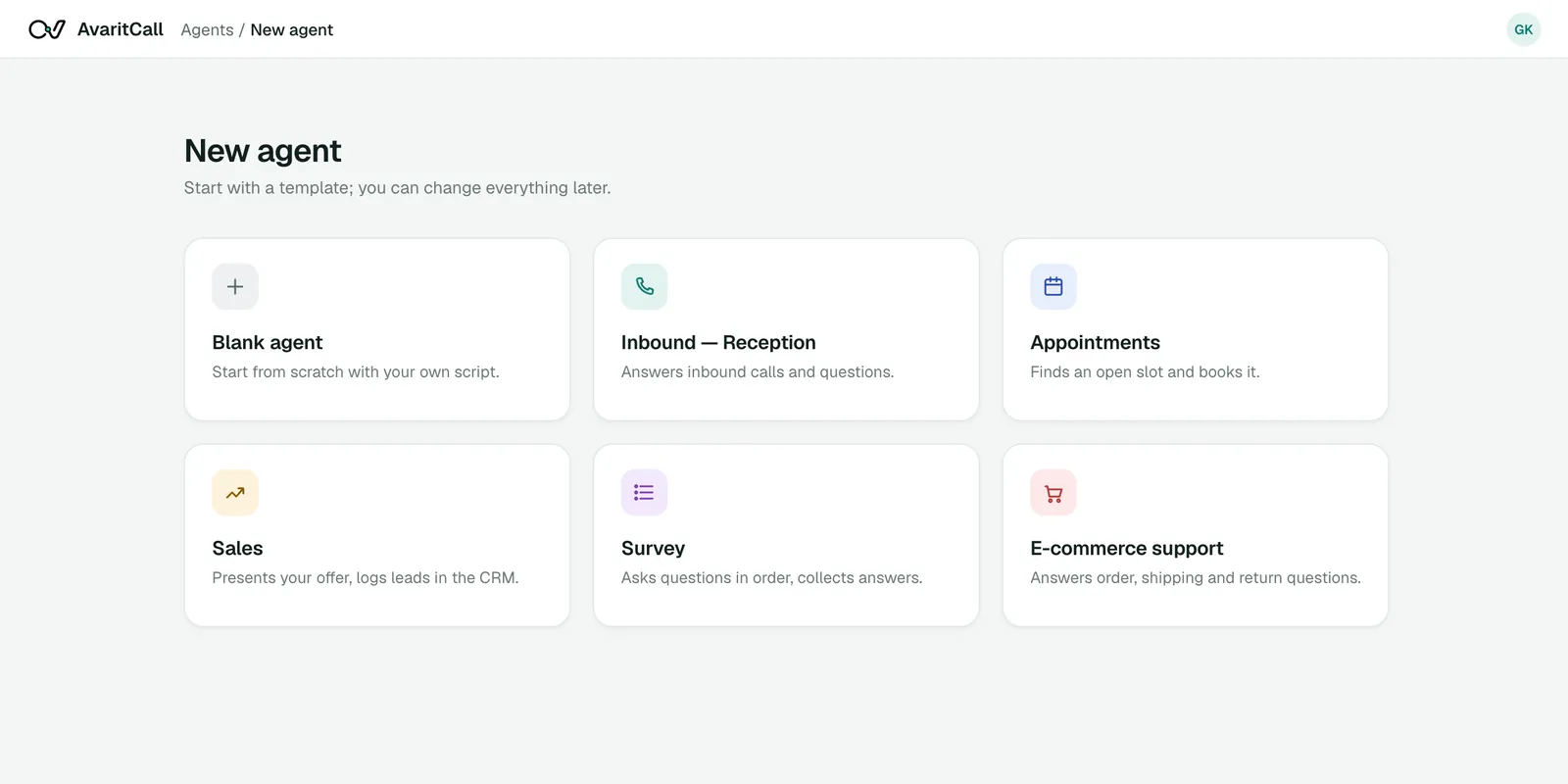
Build a Call Flow for Each Stage
Give new customer questions, unfinished applications and new account holders their own call flows. Each flow names its information source, what the agent asks and when the call goes to staff.
- Separate flows for inquiries, applications and new accounts
- The bank-approved information each flow answers from
- Details the agent collects on the call
- Situations that go to bank staff
Deploy
Start Calls From a List or Your CRM
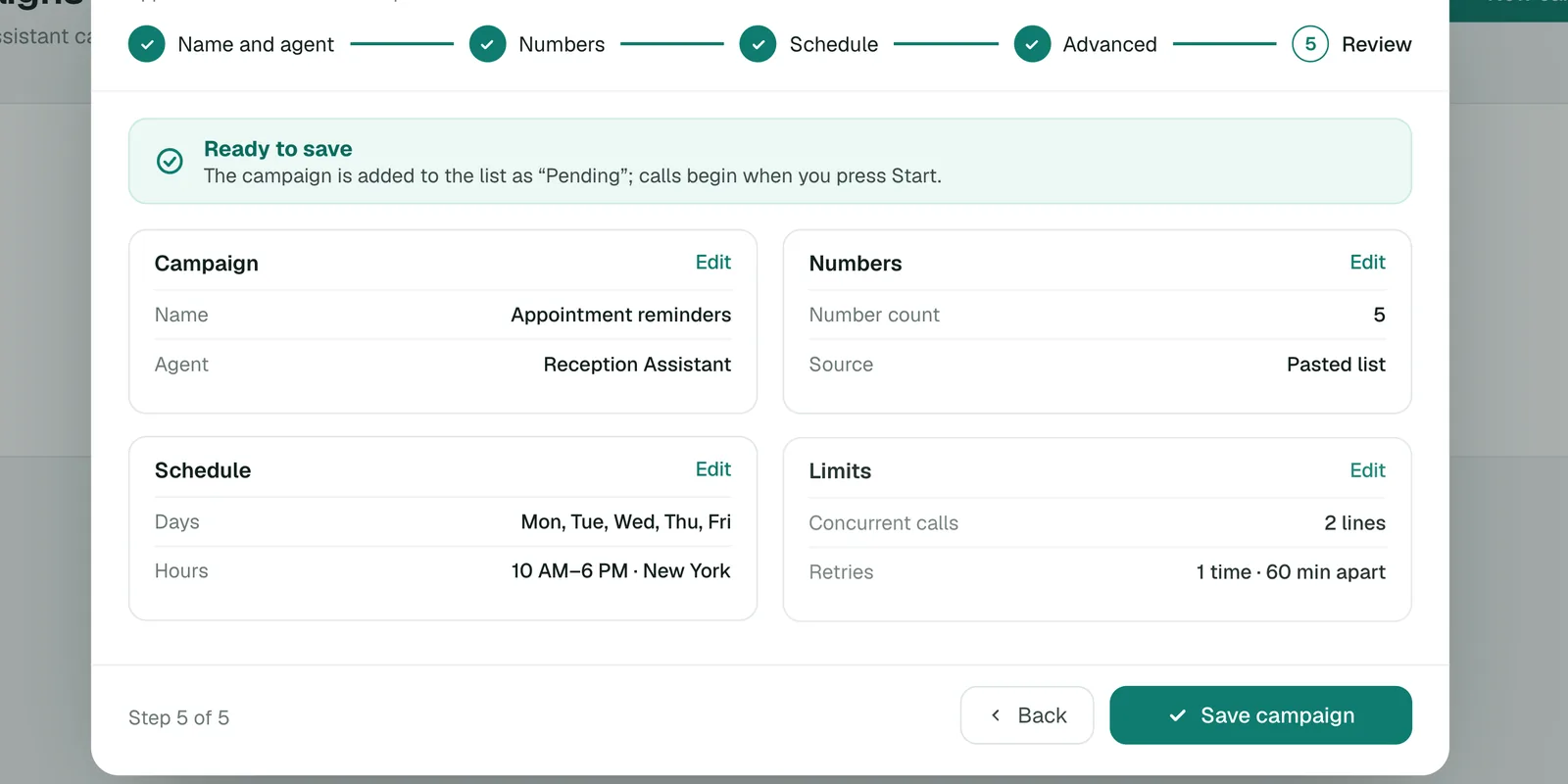
Start follow-up calls from a list your bank prepares or from a supported CRM connection, and decide when the calls go out and when they stop.
- Calling days, hours and time zone
- A retry count from 0 to 5 and the gap between attempts
- Follow-up stops once the application is finished or the customer opts out
- Customers who ask not to be called are marked do-not-call automatically
Monitor
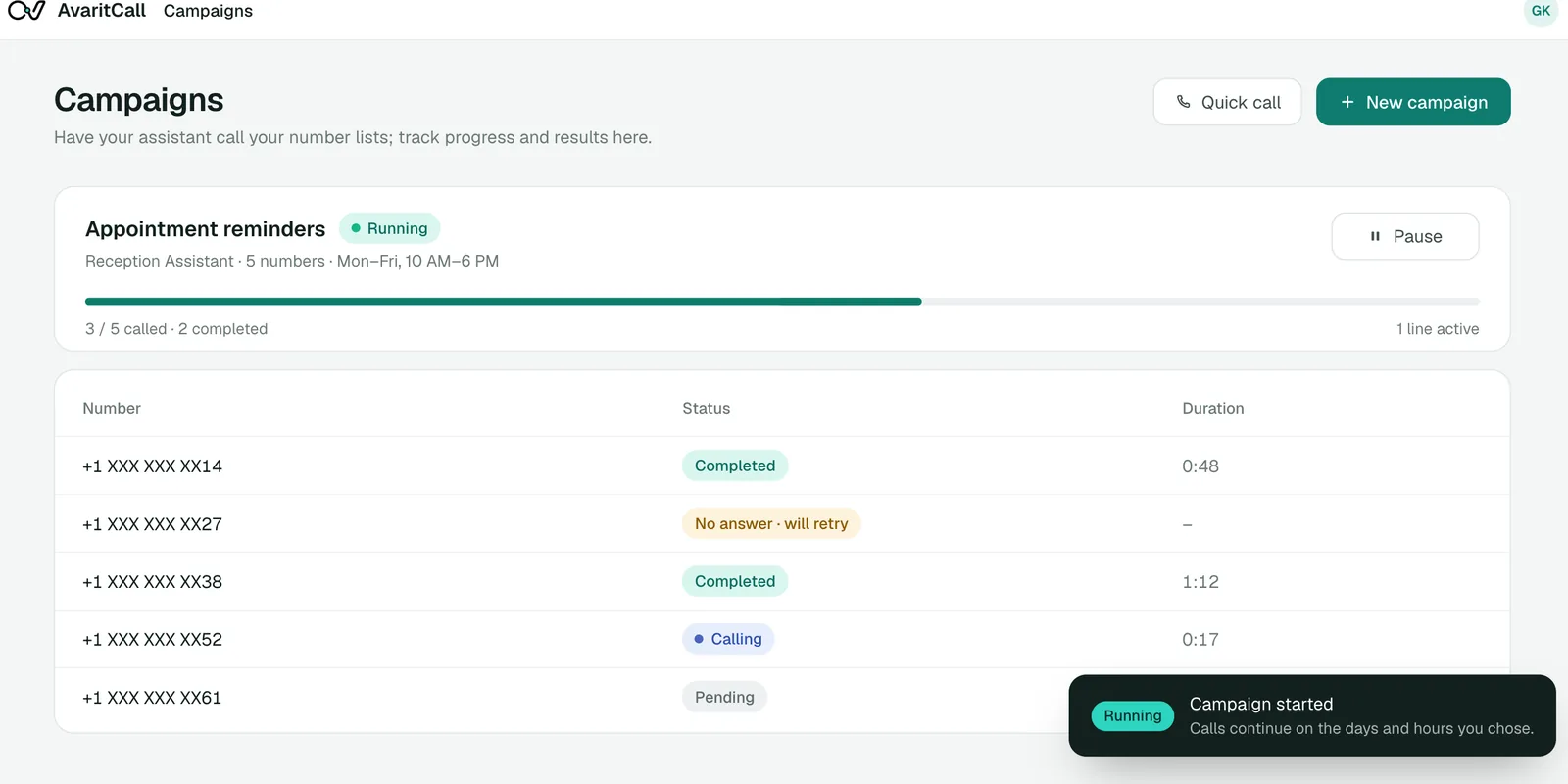
See Where Each Application Stands
See what happened on each call. A finished application confirmed by your bank's system shows separately from a step the customer said they would take.
- Branch visits booked
- Applications with the next step explained
- Requests waiting for a staff callback
- Completed applications confirmed by your bank's system (when connected)
Protect Account Information and Route Calls to Bank Staff
These controls back up your bank's own policies. They're product settings, not a compliance certification.
Use Bank-Approved Verification and Secure Channels
Before sharing anything about a specific application or account, the agent runs the verification steps your bank defines. If the caller doesn't complete them, it shares nothing personal and offers a callback. The agent never asks for card numbers, PINs, passwords or full account numbers. For password resets, ID uploads and card activation, it points the customer to your bank's official channels.
Give the Right Team the Context to Follow Up
Application reviews go to the account opening team, access problems to digital support and card issues to the card team, each with a summary of the call. If nobody is free, a callback request is saved. Lost cards and unrecognized transactions follow your priority routing.
Example handoff
Transferred to Card Services
- Request
- New debit card not received
- Application ref.
- AP-3317
- Target team
- Card services
- Transfer
- Connected, summary shared
Connect Your Phone Lines, CRM, and Account Opening Systems
Connections that work today are listed apart from those that need a custom integration. An application counts as finished only after your bank's system confirms it.
Ready
Phone & Branch Routing
- Twilio
- Telnyx
- Plivo
- Any SIP trunk or PBX
Connect your existing bank line over SIP and transfer calls to a branch or the right support team, with a fallback number if nobody answers.
Ready
CRM & Banker Calendars
 Cal.com (beta)
- AvaritCall CRM
- AvaritCall Calendar
Add account opening requests to a follow-up list, save each call outcome in the AvaritCall CRM and book banker meetings in a connected calendar.
Set up by our team
Account Opening & Core Banking Systems
Reading application status, getting the missing document list and sending call outcomes back to your bank's system are each looked at separately, through REST API and webhook, depending on the access your bank provides. There's no ready-made connector.
Choose Your First Banking Call Workflow
Start with one flow, such as unfinished applications for a single account type.
Connect Your Phone Line and Data Sources
Bring your line over SIP and upload a follow-up list, or have our team look at your bank's API.
Set Verification and Staff Handoff Rules
Choose the questions customers answer before hearing application details, and the teams that take transfers.
Test Sample Calls and Launch
Play the customer in a test call from your browser, then start the campaign.
| Connection | Import Follow-Up Lists | Read Application Status | Book a Banker Appointment | Log Call Outcomes |
|---|---|---|---|---|
| Follow-up list upload | Yes | Yes, from the uploaded list | No | Yes, in the AvaritCall CRM |
| AvaritCall CRM and calendar | Yes | No | Yes | Yes, with follow-up tasks |
| Custom API connection to your bank's systems | Depends on the API | Depends on the API | Depends on the API | Depends on the API |
AI Agents for Banking Pricing
You pay for talk time on your calls. There are no plans with bundled minutes and no overage fees.
$0.08
per talk minute, billed per second
Example calculation
- 45-second call
- $0.06
- 2 min 30 s call
- $0.20
- 5-minute call
- $0.40
- Pay as you go, billed per second of talk time
- Ringing and unanswered calls are free
- Outbound campaigns run 5 concurrent calls per agent by default
- Emails and WhatsApp messages you choose to send are billed per message
- A custom connection to your bank's systems is scoped with you
Frequently Asked Questions
What can AI agents do for banks?
They take the routine calls around opening an account. The agent answers questions about account types and required documents, calls customers who didn't finish an application, books branch and banker meetings and sends account-specific requests to your staff with a summary of the call.
Can an AI agent follow up on incomplete account applications?
Yes. Put unfinished applications on a follow-up list, or connect a supported CRM. The agent calls each customer, finds out where they got stuck and explains how to pick the application back up.
Can it tell customers what documents are missing?
Yes, after verification. The agent shares the missing item from your uploaded list or, with a custom connection, from your application system. If the document has to be shown at a branch, it can book the visit.
Can it help new customers with digital banking or first deposit questions?
Yes. The agent explains the channels your bank approves for setting up mobile banking, making a first deposit or moving a paycheck. If the question needs a look at the customer's own account, the call goes to your customer team.
Can it book and confirm appointments with a banker?
Yes. With the AvaritCall calendar or Cal.com (beta) connected, the agent offers open times and books the meeting. Before the day, it can call to confirm, and it saves a preferred new time when staff need to approve a change.
How does it verify a caller before sharing application information?
With the steps your bank defines. You choose the questions, and the check can run against your own system through a custom tool. Nothing about a specific application is shared until the caller passes them, and the agent never asks for card numbers, PINs, passwords or full account numbers.
What happens if a customer reports a lost card or an account access issue?
The call follows the priority routing your bank sets. The agent records the request and transfers the call to the card or digital support team, or points the customer to your official card blocking channel. It doesn't block cards or change access itself.
Can it connect to our CRM or core banking system?
You can start today with an uploaded follow-up list and the AvaritCall CRM. A connection to your CRM, account opening or core banking system goes through REST API and webhook, and our team looks at each action separately based on the access your bank provides.
How much do AI agents for banking cost?
It's $0.08 per talk minute, billed per second, so an account opening follow-up of 2 minutes 30 seconds costs $0.20. Unanswered calls are free, and you start with $5 in credit with no card required. There's no setup fee. A custom connection to your bank's systems is scoped separately.
Start With Your Next Batch of Incomplete Account Applications
Your team can start with one list of unfinished applications for a single account type. After the calls, you'll see which customers heard their next step, who booked a branch visit and which applications are waiting for your team to call back.