

AI Auto Dialer Software for Automated Outbound Calls

The AvaritCall AI auto dialer starts outbound calls from your contact list, the API or a CRM stage, and an AI agent holds the conversation when someone answers. Based on what the contact says, it collects information, books an appointment, schedules a callback or transfers the call to your team. Every call ends with a recorded outcome and summary.

Customer answering a follow-up call at home

Sample call

Callback Scheduled

Reached
Yes
Callback
Tomorrow afternoon

Next step: Agent calls back at the requested time

Hear What Happens After Your AI Auto Dialer Connects

Dialing is only the first step. Listen to how the agent handles three different answers and which outcome each call records.

Outbound call

Play sample call

0:32

AI agentHi, is this Sophia? This is the virtual assistant from Crestview Insurance. You asked for a home insurance quote on our website today. Do you have two minutes?
CallerYes, I do.
AI agentThanks. Is this for a home you own now, or one you're buying?
CallerWe're closing on a house next month.
AI agentCongratulations. Would you like one of our agents to call you with quote options this week?
CallerYes. Thursday afternoon is best.
AI agentNoted. An agent will call you on Thursday afternoon. Thanks, Sophia.

Result

Follow-Up Requested

Need
Home insurance quote
Situation
Closing on a house next month
Preferred time
Thursday afternoon
Lead label
Hot

Next step: Sales agent calls on Thursday

These are fictional sample calls. Names, businesses and details are examples.

Move from Automated Dialing to Meaningful Next Steps

  • Automated Call Initiation

    Calls start from an uploaded list, a single number, the REST API or a stage in the AvaritCall CRM. Your team no longer dials each number by hand.

  • Responsive AI Conversations

    The agent follows what the contact says, asks relevant questions and collects the details you need. Contacts can interrupt, and the agent stops and responds.

  • Lead Qualification During Calls

    Your questions reveal the contact's need, interest and timing. Each call gets a hot, warm or cold label and a 0–10 lead score, so sales starts the next call better informed.

  • Appointment Booking & Confirmation

    With a connected calendar, the agent books new appointments. For existing appointments, it records whether the contact will attend or wants a change.

  • Live Transfers & Callback Requests

    Calls that need a person are transferred to your team. When a contact asks to be called later, a callback is scheduled automatically.

  • Call Outcomes & Contact Preferences

    Every call is saved with its outcome and summary. Calls that reach voicemail are detected and reported separately, and contacts who ask not to be called are marked do-not-call automatically.

Configure What Your AI Auto Dialer Says and Does

  1. Choose Your Contacts or Trigger

    Upload a list, add numbers through the API or let a CRM stage start the call automatically.

  2. Define the Conversation Goal

    Write the agent's questions, the information it can share and the outcome you want from each call.

  3. Set Calling and Handoff Rules

    Choose calling days, hours and time zone, the number of retries and the retry interval, and when to transfer to a person. Then test the flow in your browser.

  4. Start Calls and Review Outcomes

    Launch the calls, then review each contact's answers, outcome and next step in the dashboard.

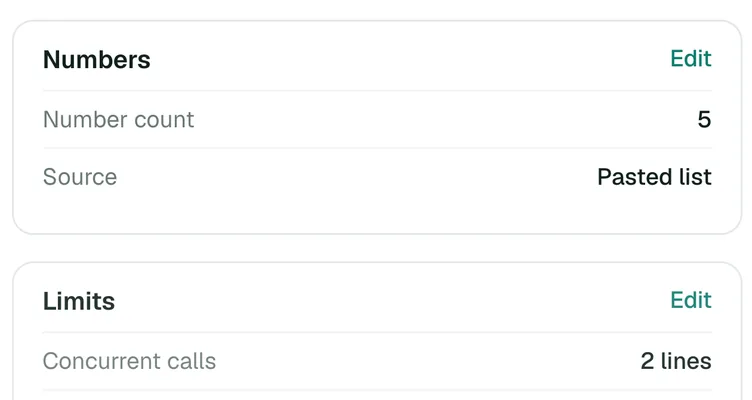
Campaign numbers and concurrent call limit in the dashboard
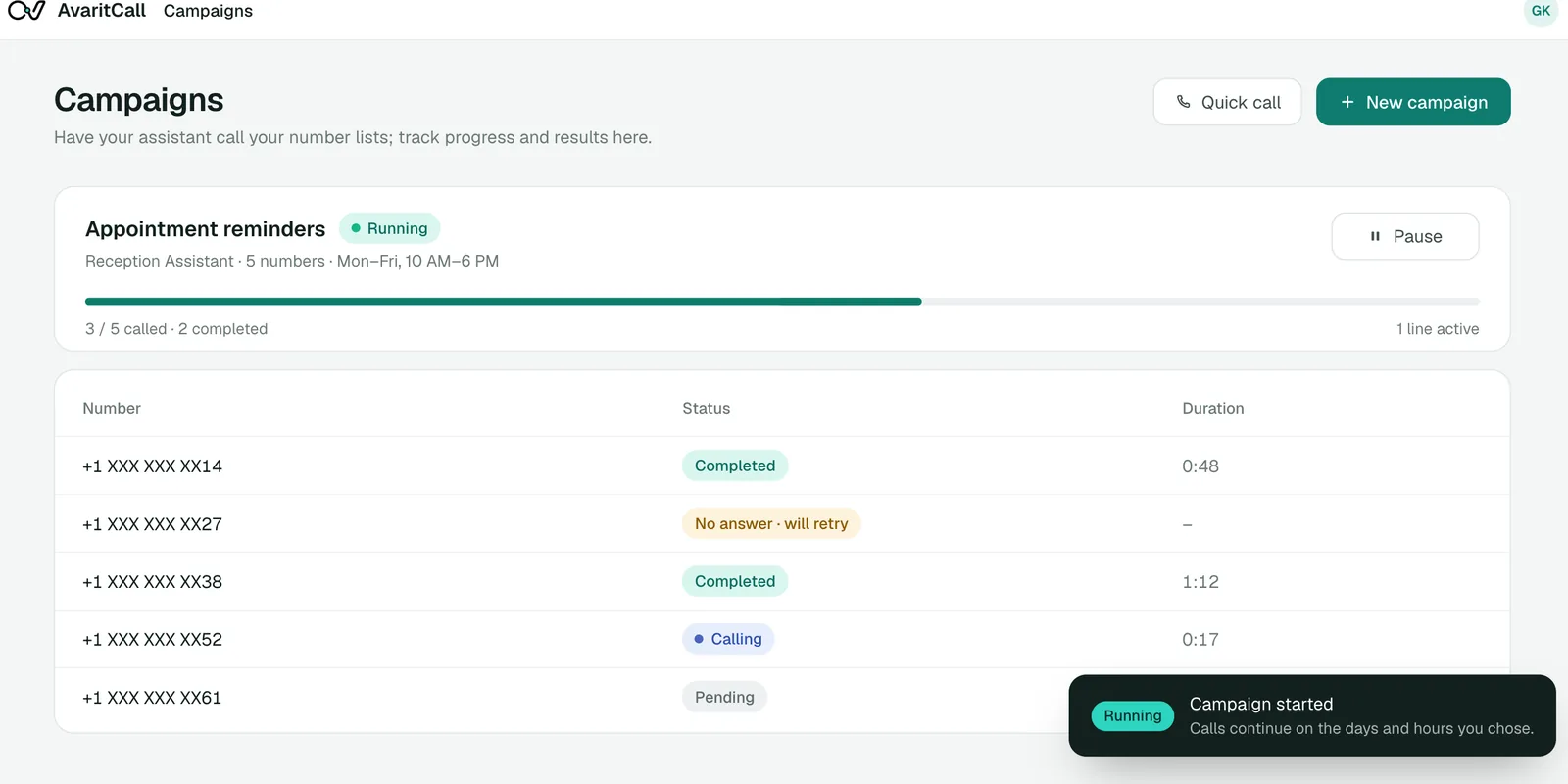
Running outbound campaign with masked phone numbers

See How AI Responds When a Prospect Wants a Callback

The contact is busy, so the agent changes course and schedules a callback instead of continuing the pitch.

Example conversation

AI agent
Hi Jordan, I'm calling from ClearDesk about the product information you requested. Is now a convenient time?
Caller
I'm about to join a meeting.
AI agent
No problem. Would you prefer a callback?
Caller
Yes, tomorrow afternoon would be better.
AI agent
What time in the afternoon works best for you?
Caller
Around 3 PM.
AI agent
Thank you. I've recorded your callback preference.

Call outcome

Callback Scheduled

Contact reached
Yes
Callback time
Tomorrow, around 3 PM
Summary
Busy now, interested in a callback

Example data. In campaigns, callbacks are scheduled automatically and can be moved or canceled in the dashboard.

Use AI Calling Where Customer Follow-Up Matters

  • New Lead Follow-Ups

    Call people who filled out a form or asked for information, learn what they need and offer the right next step, such as a sales call.

  • Appointment Confirmations

    Call customers before their appointments, confirm attendance and record change requests for your staff.

  • Renewals & Customer Check-Ins

    Reach customers as a policy or contract renewal approaches, ask about their plans and pass those who want to talk to your team.

  • Feedback & Survey Calls

    Ask a few short questions after a service and save the answers as fields you can filter and export.

Connect Outbound Conversations to Your Business Tools

Each card shows what data moves and whether the connection is ready, in beta or set up with our team.

  • Ready

    CRM & Lead Management

    • AvaritCall CRM

    Calls start from CRM stages and results are logged to the built-in AvaritCall CRM, where rules can move a contact to the next stage. Beta connectors for HubSpot, Pipedrive, Salesforce, Zoho CRM, Bitrix24 and HighLevel create a contact or lead.

  • Ready

    Calendar & Appointment Scheduling

    • Cal.com (beta)
    • AvaritCall calendar

    The agent checks open times and books appointments in the AvaritCall calendar. Cal.com is available in beta.

  • Ready

    Phone Systems & SIP

    • Twilio
    • Telnyx
    • Plivo
    • Any SIP trunk or PBX

    Place calls from your own number over SIP. AvaritCall charges no number or line fees.

  • Ready

    API & Workflow Automation

    • Zapier (beta)
    • Make (beta)
    • REST API
    • Webhooks

    Start a call when something happens in your form, app or business software, and receive the result as a signed webhook. Zapier, Make and n8n connections are in beta.

How Teams Use AvaritCall for Outbound Conversations

An Example Automated Lead Follow-Up Workflow

  1. A new request arrives

    A visitor asks for a quote on the company website. The form sends the lead to an always-on campaign through the REST API.

  2. The call adapts

    The agent calls, confirms what the visitor needs and asks about timing. A busy contact gets a scheduled callback instead of a pitch.

  3. The result is recorded

    The outcome, answers and summary are saved to the CRM, and a webhook sends them to the sales team's own system.

  4. The team follows up

    Sales picks up the hot leads first. Contacts who said no are marked do-not-call and skipped in later campaigns.

Frequently Asked Questions

What is an AI auto dialer?

An AI auto dialer places outbound calls automatically and has an AI agent hold the conversation when someone answers. AvaritCall then records the outcome, such as a booked appointment, a callback or a transfer to sales.

How is an AI auto dialer different from a traditional or predictive dialer?

A traditional or predictive dialer connects answered calls to human agents. AvaritCall isn't a predictive dialer for human agents; the AI agent holds the conversation itself and transfers the call to a person only when needed.

Can an AI auto dialer handle the conversation without a live agent?

Yes. The agent asks questions, answers from the knowledge you provide and records the result without a person on the line. You decide when a call should be transferred to your team.

What happens when a call is unanswered or reaches voicemail?

Unanswered and busy calls are free and can be retried up to 5 times at the interval you set. Calls that reach voicemail are detected and reported separately; the agent does not leave a voicemail message, and the time until voicemail is detected is billed as talk time.

Can AvaritCall qualify leads, book appointments, and transfer calls?

Yes. The agent asks your qualification questions, books appointments in the AvaritCall calendar or Cal.com (beta), and transfers calls to the number you choose. Each call gets a lead label and a 0–10 lead score.

Can I control calling hours, retries, and opt-out requests in AvaritCall?

Yes. You set calling days, hours and time zone, daily limits, retry count and interval for each campaign. Contacts who say they don't want to be called are marked do-not-call automatically and skipped in every campaign. You remain responsible for the calling rules that apply to your business, and you confirm that you have the right to call the numbers you upload.

How many outbound calls can AvaritCall handle at the same time?

By default, 5 concurrent calls per agent. You can request a higher limit from the dashboard, and larger teams can plan capacity with our sales team.

How much does AvaritCall's AI auto dialer cost?

You pay $0.08 per talk minute, billed per second, with speech recognition, response generation and voice included. Ringing and unanswered calls are free, and there is no setup fee or commitment. New accounts get $5 in credit, no card required.

Put Your Next Outbound Conversation into Motion

Start calls automatically, let the agent respond to what each contact says and connect every outcome to the next step. Tell us about your calling scenario, and we'll show you how it would run.

Get Started