
AI Dental Receptionist for 24/7 Calls and Appointment Booking
AvaritCall's AI dental receptionist is a phone assistant that answers your practice's calls, books visits in your connected calendar and passes requests to your front desk when a person needs to step in. When the front desk is checking out a patient, new patients can still book a first visit. When the office is closed, existing patients can move a cleaning or leave a message for the morning.

Sample call
- Caller
- Hi, I need to move my cleaning on Thursday. Something came up at work.
- AI agent
- No problem. I have Friday at 8 AM or Monday at 4:30 PM. Which works better?
- Caller
- Monday at 4:30, please.
- AI agent
- Done. Your cleaning is now on Monday at 4:30 PM.
Appointment Rescheduled
- Visit type
- Cleaning
- New time
- Monday, 4:30 PM
Next step: Front desk sees the change in the daily list
Hear How Your AI Dental Receptionist Handles Patient Calls
Pick a scenario to read the call. Each one shows the request, the details the receptionist collects and how the call ends.
Inbound call
First Dental Visit
Result
Appointment Confirmed
- Patient
- Maya Chen (new)
- Visit
- New patient exam
- Time
- Wednesday, 8:00 AM
- Calendar
- AvaritCall calendar
Next step: Front desk sees the new booking
The calls and patient details are made up. Each practice sets its own booking rules, its transfer conditions and what the receptionist may and may not do.
Inbound call
Treatment Follow-Up Request
Result
Staff Approval Requested
- Patient
- David Owens
- Treatment
- Crown, second visit
- Preferred times
- Tuesday or Thursday mornings
- Dentist
- Dr. Patel
Next step: Front desk calls to confirm the time
The calls and patient details are made up. Each practice sets its own booking rules, its transfer conditions and what the receptionist may and may not do.
Inbound call
After-Hours Patient Call
Result
Callback Requested
- Patient
- Sarah Bell
- Reason
- Temporary filling came out, no pain reported
- Callback
- +1 XXX XXX XXXX
- Routed to
- Morning front desk list, per practice rule
Next step: Front desk calls back when the office opens
The calls and patient details are made up. Each practice sets its own booking rules, its transfer conditions and what the receptionist may and may not do.
Handle the Calls Your Dental Front Desk Gets Every Day
New Patient Inquiries
Callers ask whether you're taking new patients, where you are, which services you offer and what to bring to a first visit. They hear the answers your practice approves.
Appointment Booking, Changes & Cancellations
The receptionist checks open times for exams, check-ups and cleanings and books one. In the AvaritCall calendar it can also move or cancel a visit, so a filling cancelled at 7:50 a.m. frees up the slot right away. With Cal.com (beta), changes and cancellations wait for your front desk to confirm.
AI appointment schedulingAppointment Reminders & Confirmations
Reminder calls go out ahead of upcoming visits, and the receptionist notes who is coming. A patient who wants a different time gets a new slot or a change request.
Batch callingRoutine Checkups & Hygiene Recalls
Recall calls reach the patients on the list your practice sets, those due for a check-up or a cleaning. The receptionist books an open time or saves a follow-up request for your team.
Insurance & Payment Questions
Patients hear the insurance and payment information your practice publishes. Questions about their own coverage or costs go to the right person on your staff.
After-Hours Calls & Callback Requests
Outside office hours, the receptionist writes down why the patient called and how to reach them. What happens next follows the call rules your practice sets.
AI answering service
Set Booking Rules for Each Dentist and Visit Type
Build
Write Your Booking Rules
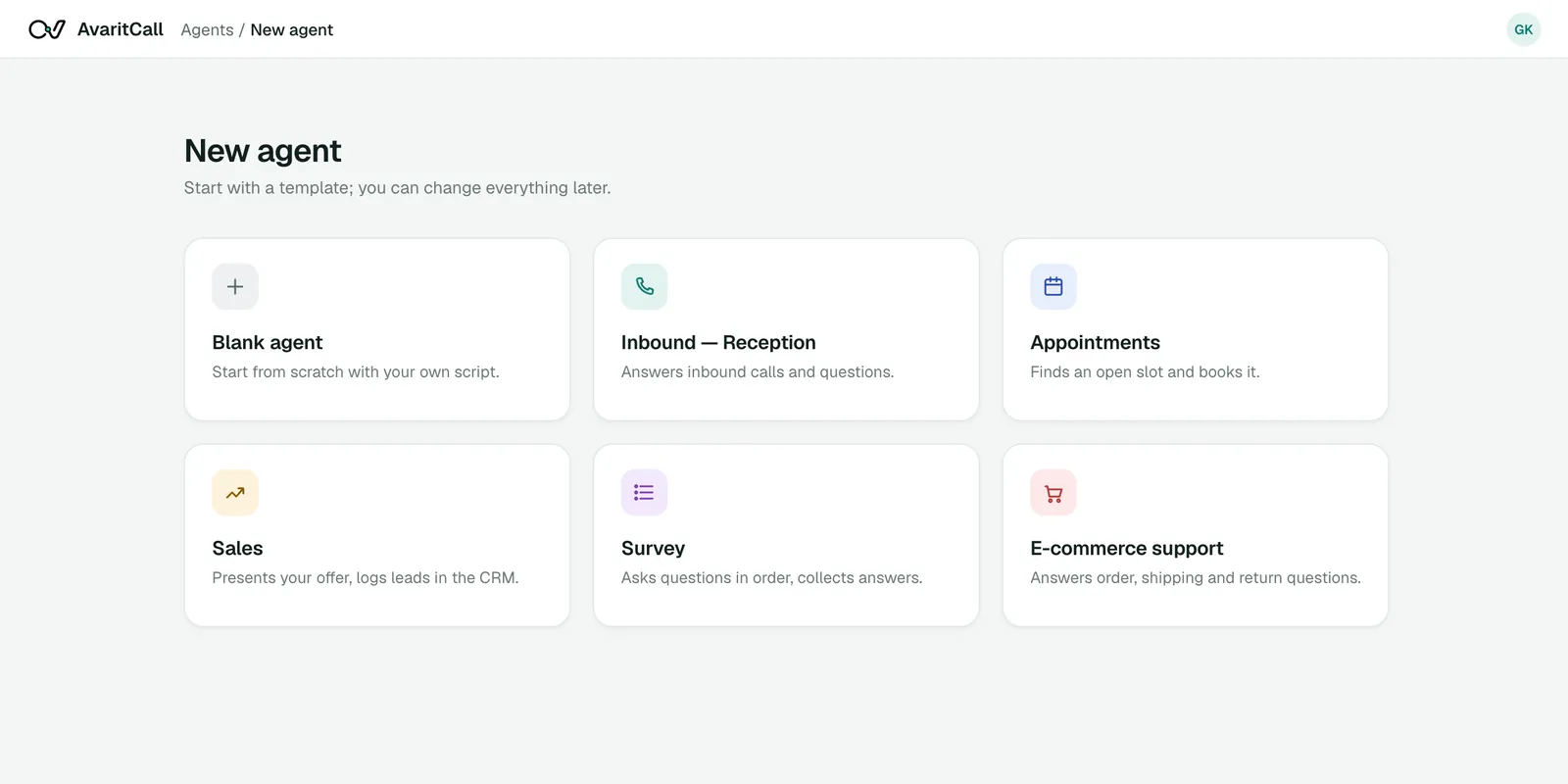
Give the receptionist the rules your front desk already follows. For example, new patient exams open only on weekday mornings, and treatment visits go to your team for approval.
- Visit types such as new patient exams, cleanings and treatment visits
- Visit lengths and days, set with Cal.com event types or separate agents
- Rules per dentist or location in the receptionist's instructions
- Which requests wait for staff approval
Deploy
Choose Which Calls It Takes
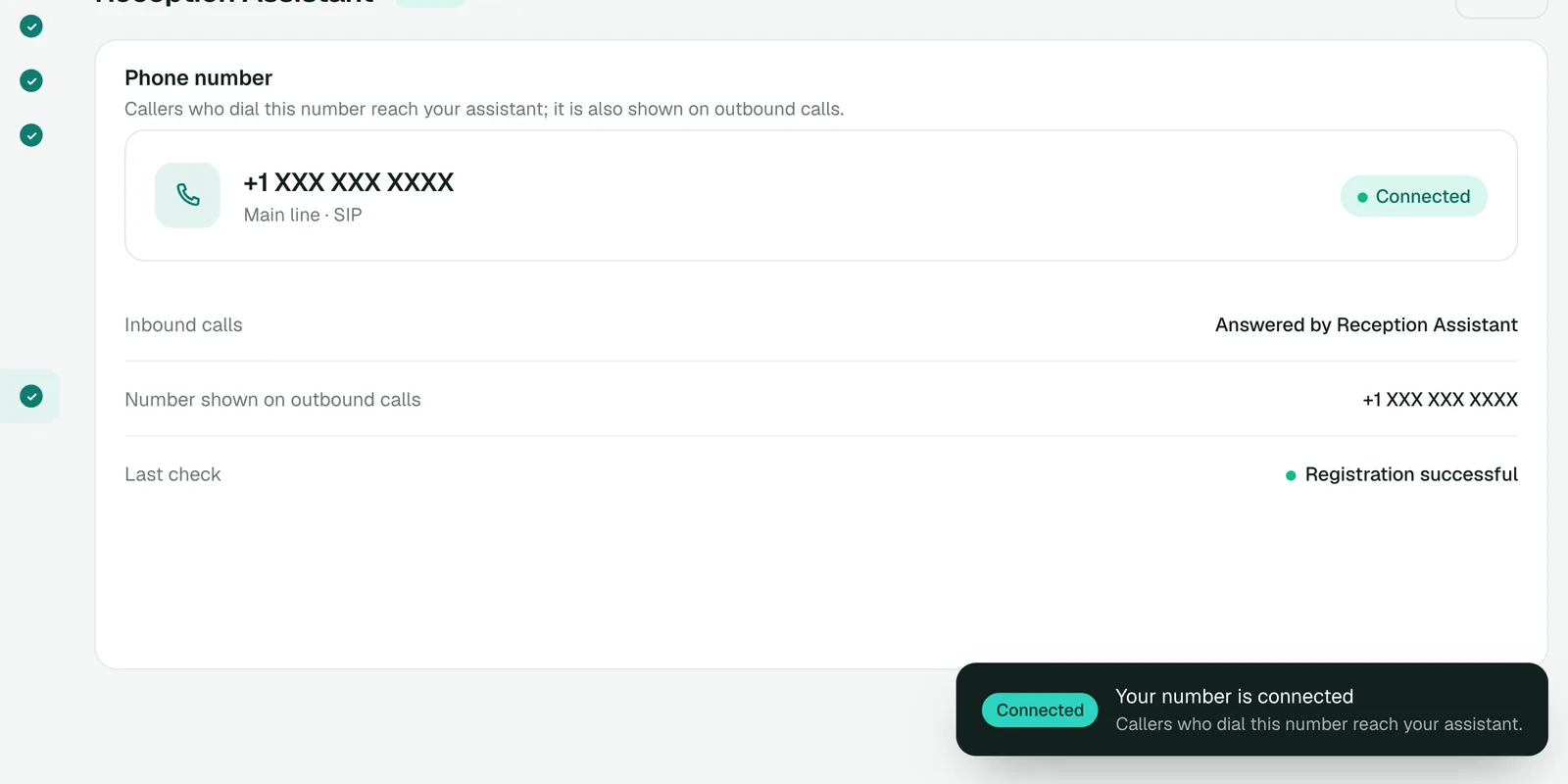
Your carrier's or phone system's forwarding rules decide which calls reach the receptionist.
- Keep your practice number and connect it over SIP
- Send all calls, unanswered calls or after-hours calls
Monitor
Review the Day's Requests
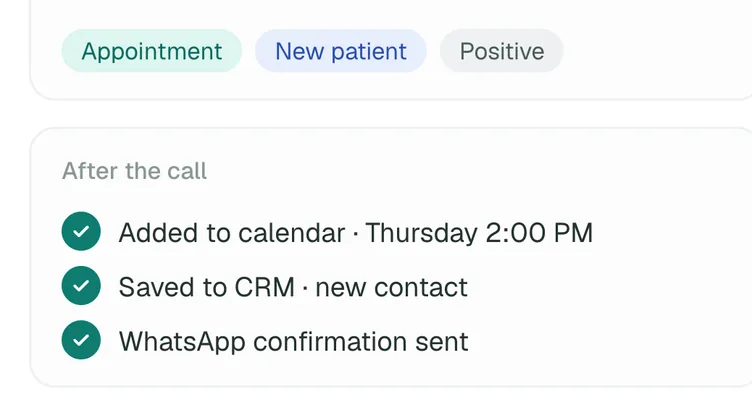
See what happened on each call and what's still on your front desk's list.
- Confirmed appointments
- Requests to change a time
- Patient answers to reminder calls
- Pending callbacks
Bring Your Dental Team In When Patients Need Them
Clinical Questions & Priority Callbacks
When a patient mentions pain, a problem after a procedure or a question about treatment, the receptionist follows the protocol your practice approves. It transfers the call to your team or logs a priority callback with the patient's own words. It doesn't diagnose or give treatment advice, and it is not a replacement for emergency services. Your protocol can tell callers to hang up and dial 911.
Patient Information & Team Access
You choose what the receptionist asks for, such as name, date of birth, callback number and reason for the call. Only team members you give access to this receptionist can see call records. Transcripts are kept for a set retention period and then deleted automatically. AvaritCall supports HIPAA-compliant deployments and signs a Business Associate Agreement (BAA) with healthcare customers, and our sales team reviews the details and your setup with you before go-live.
Talk to sales
Example handoff
Priority Callback Requested
- Patient's words
- My tooth has been throbbing since the extraction yesterday
- Callback number
- +1 XXX XXX XXXX
- Transfer
- Dentist on call didn't answer, callback logged
Connect Your Dental Office Phone, Calendar, and Practice Software
Each connection below says what it can do today. Dental practice management software connects through its API. There's no ready-made connector for it.
Ready
Existing Phone Number
- Twilio
- Telnyx
- Plivo
- Any SIP trunk or PBX
Keep your practice number and connect it over SIP. Forwarding rules decide whether the receptionist gets all calls, only missed calls or only after-hours calls.
Ready
Scheduling Calendars
 Cal.com (beta)
- AvaritCall calendar
In the built-in AvaritCall calendar, the receptionist checks availability and books, moves and cancels visits. Cal.com is in beta. It checks availability and books there, and change or cancellation requests wait for your staff.
Set up by our team
Dental Practice Management Software
Our team can build a custom connection to your practice software through its API. Checking availability, booking and changing visits are each looked at separately, depending on what that API allows.
Add Dentists, Locations & Visit Types
Add your dentists, locations, hours, visit types and the patient information you approve.
Set Booking & Transfer Rules
Choose which visits can be booked on the call, which wait for approval and when a call gets transferred.
Connect Your Phone & Calendar
Connect your number over SIP and pick the calendar the receptionist books into.
Test Patient Calls & Go Live
Try a new patient call, a change request and an after-hours call in your browser, then go live on the calls you choose.
| System | Connection type | Check Availability | Book an Appointment | Reschedule or Cancel |
|---|---|---|---|---|
| AvaritCall calendar | Ready | Yes | Yes | Yes |
| Cal.com | Beta | Yes | Yes | Request recorded for staff |
| Your practice management software | Through its API, with our team | Depends on the API | Depends on the API | Depends on the API |
AI Dental Receptionist Pricing
You pay for the minutes your receptionist spends on the phone. There are no plans with bundled minutes and no overage fees.
$0.08
per talk minute, billed per second
Example calculation
- 45-second call
- $0.06
- 2 min 30 s call
- $0.20
- 5-minute call
- $0.40
- Pay as you go, billed per second of talk time
- Ringing and unanswered calls are free
- Inbound calls are answered at the same time up to your line's channel count. Reminder and recall campaigns run 5 concurrent calls per agent by default
- Emails and WhatsApp messages you choose to send are billed per message
- No setup fee for self-serve. A connection to your practice software built by our team is scoped with you
Frequently Asked Questions
What does an AI dental receptionist do?
It answers your practice's phone, books visits and takes patient requests when your front desk can't get to the call. AvaritCall works from the information your practice approves, logs each call and passes clinical questions to your team.
Can AvaritCall book, reschedule, and cancel dental appointments?
Yes, in the AvaritCall calendar it can do all three on the call. With Cal.com (beta) it books, and reschedule or cancellation requests wait for your front desk to confirm. Treatment visits that need approval are saved as requests, and the patient hears which one it is.
Can AvaritCall follow different booking rules for each dentist and location?
Yes, within limits. You can set rules per dentist, location or visit type in the receptionist's instructions, or use separate Cal.com event types or separate agents. Availability for each dentist from your practice software comes into play only once that software is connected through its API.
Can it call patients who are due for a checkup or cleaning?
Yes. Recall campaigns call the patient list your practice provides, on the schedule you set. The receptionist books an open time or saves a follow-up request for your team.
What happens when a patient calls about tooth pain after hours?
It follows the protocol your practice sets. That can mean a transfer to the dentist on call, a fallback number or a priority callback request with the patient's own words. The receptionist doesn't diagnose, and your protocol can tell callers to hang up and dial 911 in an emergency.
Can we keep our existing number and connect our dental practice software?
Your number, yes. You keep it and connect it over SIP. Dental practice software has no ready-made connector, but our team can connect yours through its API, and until then bookings go into the AvaritCall calendar or Cal.com.
How are patient call records stored, and is a BAA available?
Yes, a BAA is available. AvaritCall supports HIPAA-compliant deployments and signs a Business Associate Agreement (BAA) with healthcare customers, and our sales team reviews the details with you before go-live. Transcripts are kept for a set retention period and then deleted automatically, and only team members you give access to can see them.
How much does an AI dental receptionist cost?
It's $0.08 per talk minute, billed per second, so a call of 2 minutes 30 seconds costs $0.20. Self-serve has no setup fee, and you start with $5 in credit with no card required. A custom connection to your practice software is scoped with our team.
Related Solutions
Keep Your Dental Office Reachable After Hours
After you close, patients can still call and book a visit. Requests your front desk needs to follow up are waiting in the morning list.