
Financial Services Virtual Receptionist That Answers and Routes Client Calls
AvaritCall is an AI phone agent that answers incoming calls for banks, lenders and financial advisory firms. When your team is with a client or the office is closed, it finds out why the client is calling, books advisor meetings and sends the call to the right team.

Sample call
- Caller
- We'd like to go over our retirement plan with Laura. Is she in today?
- AI agent
- She's with a client right now. She has Thursday at 10 AM open for a review. Shall I book it?
- Caller
- Yes, please. Both of us will come in.
Advisor Meeting Booked
- Reason for call
- Retirement plan review
- Advisor
- Laura Chen
- Meeting
- Thursday, 10 AM, in the office
- Callback time
- Not needed
Next step: Laura sees the meeting and the call notes on her calendar
Hear How Your Virtual Receptionist Handles Client Calls
Pick a scenario to read the call. Each one shows why the client called, how the call ends and what your team does next.
Inbound call
New Client Consultation
Result
Consultation Booked
- Client
- Omar Haddad
- Topic
- Equipment financing for a bakery
- Meeting
- Wednesday, 2 PM, in the office
- Calendar
- AvaritCall calendar
Next step: Business advisor sees the consultation on Wednesday's calendar
The calls, clients and firms are made up. Each firm sets the information the agent may share, the transfer numbers and when a call goes to staff.
Inbound call
Call for a Named Advisor
Result
Advisor Callback Requested
- Client
- Ruth Adams
- Advisor
- Daniel Price
- Reason
- College savings plan question
- Callback time
- Today, after 4 PM
Next step: Daniel calls Ruth back after his meeting
The calls, clients and firms are made up. Each firm sets the information the agent may share, the transfer numbers and when a call goes to staff.
Inbound call
Account Access Issue
Result
Transferred to Account Support
- Issue
- Online login locked
- Account type
- Personal
- Transfer
- Connected to account support
Next step: Account support verifies the client and restores access
The calls, clients and firms are made up. Each firm sets the information the agent may share, the transfer numbers and when a call goes to staff.
Answer and Route the Calls That Reach Your Main Line
New Client Inquiries
First-time callers are asked a few short questions you choose, so the agent learns which service they want and why they're calling. The right team then sees their contact details and request in the call summary.
Advisor and Branch Appointment Booking
Clients who want a first advisor meeting or a branch visit hear the open times in your connected calendar for that kind of meeting. They also hear the date, time and format of the booked appointment.
AI appointment schedulingDirect Calls for a Specific Advisor or Team
A caller who asks for a named advisor, a branch or a department is transferred to the number you set. If nobody picks up, the agent takes a message and saves a callback request.
Office Hours, Documents, and Secure Portal Questions
Callers get your approved answers on branch hours, the documents to bring to a first meeting and where to find the client portal. Anyone who wants to send a document is pointed to the upload channel you set.
Account Access and Transaction Support Routing
When a client calls about portal access, a card transaction or account activity, the agent works out what kind of request it is. The call then goes to the account support or transaction review team you choose.
Overflow and After-Hours Call Coverage
Calls are answered while your team is with clients, when the main line is busy and after the office closes. The agent handles routine questions and saves the requests that need someone from your team to call back.
AI answering service
Set Call Coverage Around Office Hours and Team Availability
Build
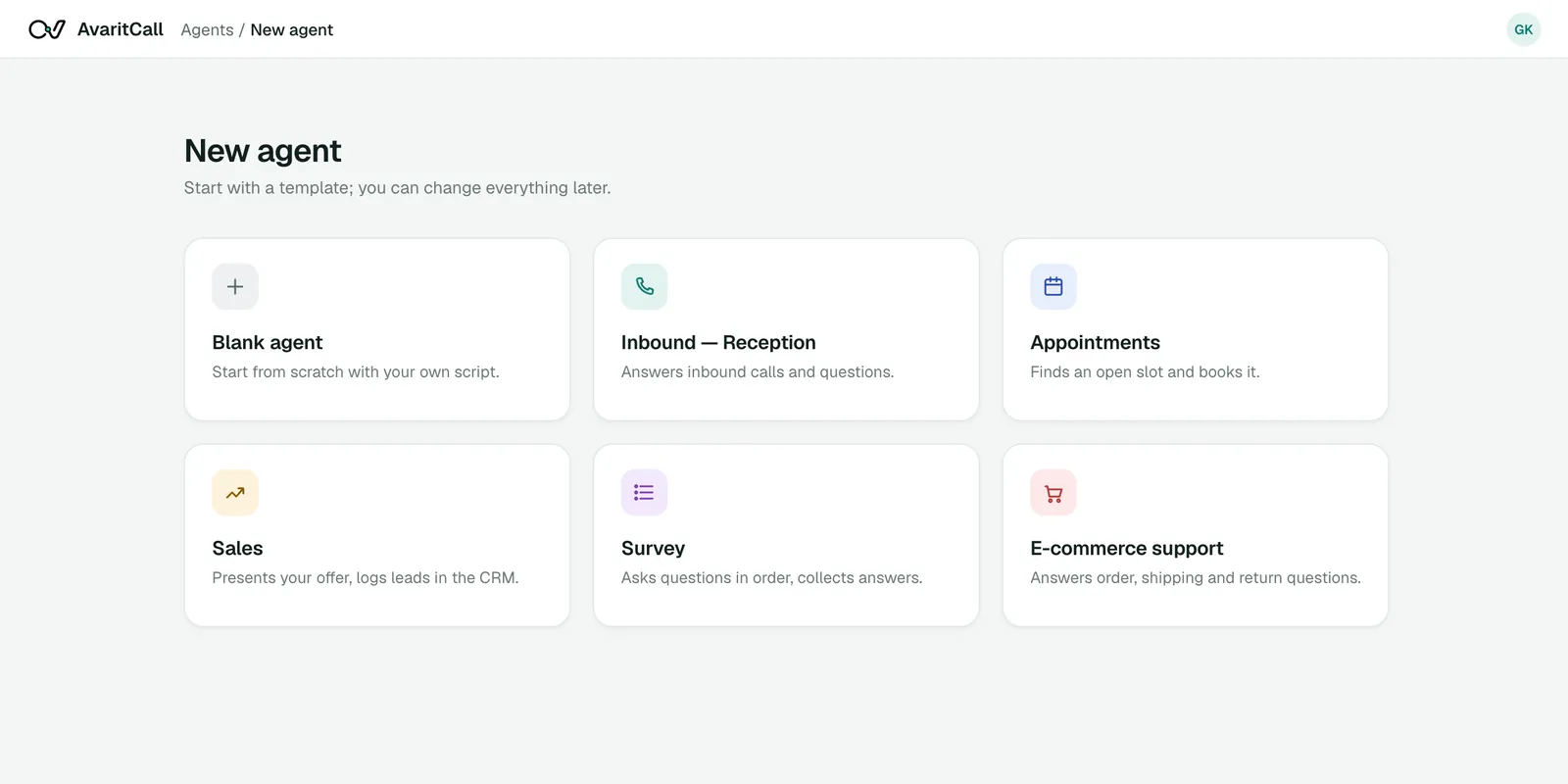
Build Your Greeting and Transfer List
Write the greeting, add the questions the agent may answer and set a transfer number for each advisor, branch or department.
- Greeting and approved answers
- Transfer numbers by advisor, branch or department
- Topics that always go to staff
- Fields saved on each call
Deploy
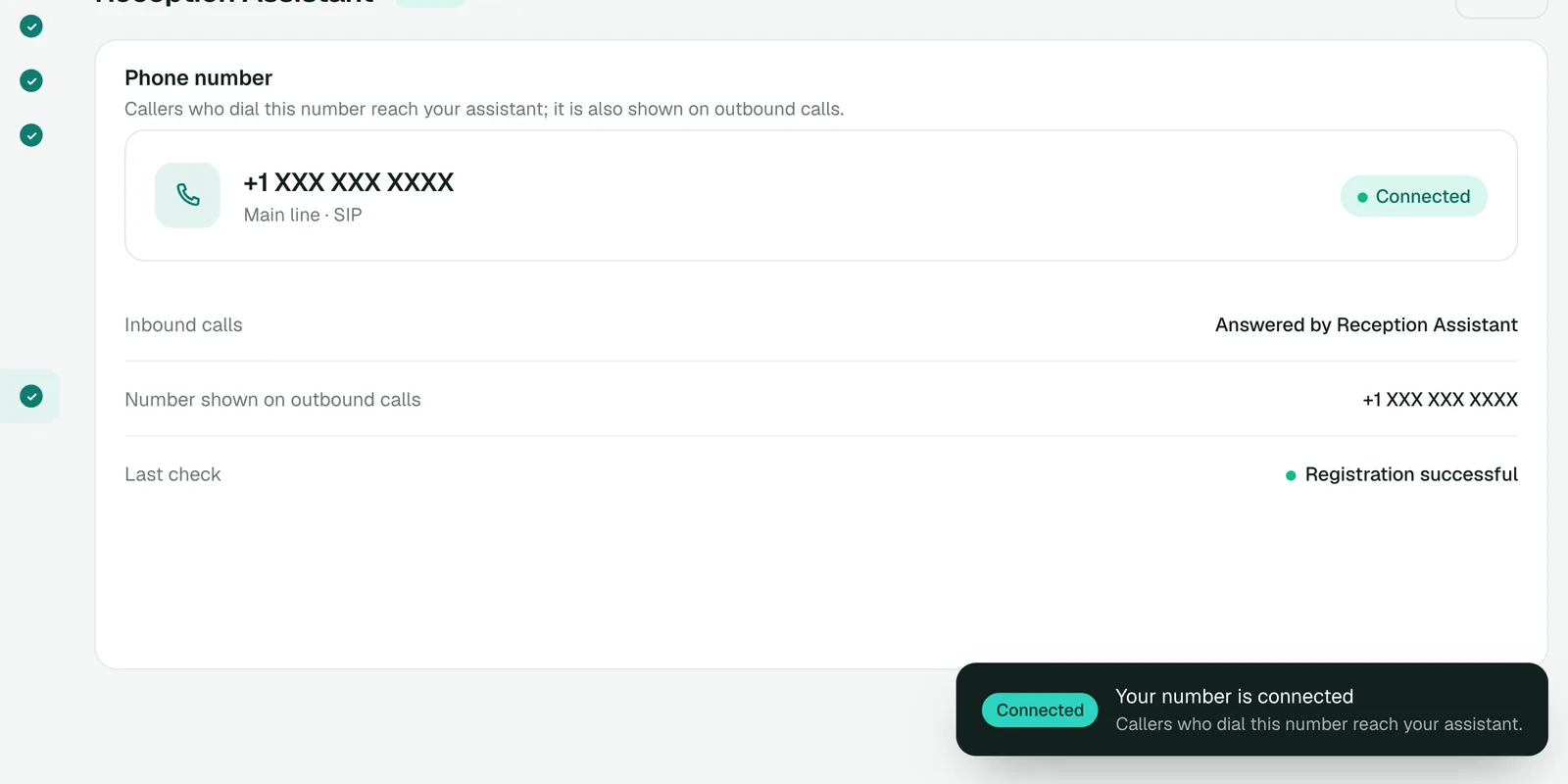
Choose Which Calls Reach the Agent
Send every incoming call to the agent, or only the busy, unanswered and after-hours calls. The options depend on what your phone system supports.
- Main number connected over SIP
- All calls, or busy and unanswered calls only
- After-hours coverage by day and time
- A backup number if the first transfer isn't answered
Monitor
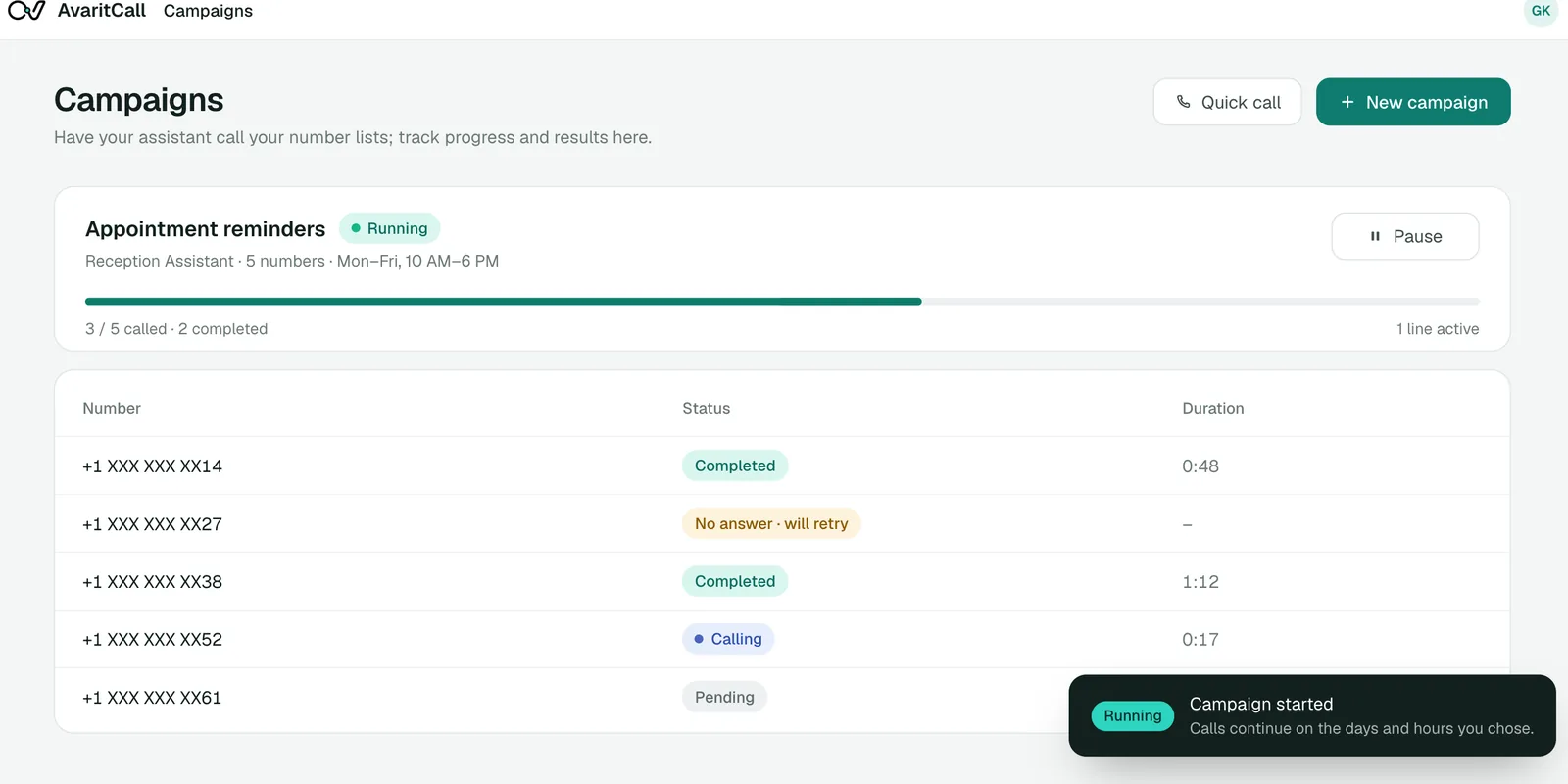
See What Happened on Each Call
Check the outcome of each call and which ones still need your team.
- Advisor meetings booked
- Transfers completed
- Calls waiting for a team callback
- Transcript and summary for every call
Route Sensitive Calls and Give Staff the Context to Follow Up
Keep Reception Intake to the Details Staff Need
At reception the agent only asks for what your team needs, such as the reason for the call and a callback number. Clients who ask about their own account details, want to give a transaction instruction or ask for investment advice go to your authorized staff. The agent doesn't take account numbers, card details or passwords. Who can see call summaries and how long they're kept is agreed in your setup.
Transfer the Call or Leave a Clear Callback Request
If the first transfer point doesn't answer, the agent tries the backup number you set or saves a callback request. The request lists why the client called, the advisor or team they asked for, how the transfer went and when they'd like a call back.
Example handoff
Callback Requested
- Reason for call
- Question about a mortgage rate lock
- Asked for
- Lending team
- Transfer
- No answer, backup line busy
- Preferred time
- Tomorrow, before noon
Keep Your Main Number and Connect Your Advisors' Calendars
Each connection below says what it can do today. Banking cores and advisor CRMs connect through their API, and there's no ready-made connector for them.
Ready
Existing Phone Line
- Twilio
- Telnyx
- Plivo
- Any SIP trunk or PBX
Connect your current office number over SIP. Your carrier or PBX rules decide which calls reach the agent, such as every call or only busy and after-hours calls.
Ready
Advisor Calendars
 Cal.com (beta)
- AvaritCall calendar
The agent checks open times and books advisor meetings in the AvaritCall calendar or Cal.com (beta).
Ready
CRM & Call Notifications
- AvaritCall CRM
- Webhooks
- REST API
Your team sees each call summary in the dashboard and the AvaritCall CRM. Writing outcomes to another CRM goes through its API or webhooks, and our team scopes that connection with you.
Choose Which Calls AI Should Answer
Start with one line, such as busy and after-hours calls for one branch.
Connect Your Main Number and Advisor Calendars
Connect your number over SIP and the calendars your advisors book in.
Set Department Transfers and Callback Rules
Add a transfer number for each team and decide what happens when nobody answers.
Test Sample Calls and Launch
Play a client in your browser, then go live.
| Connection | Route Calls | Check Advisor Availability | Book a Consultation | Log Call Outcomes |
|---|---|---|---|---|
| Phone line over SIP | Yes | No | No | No |
| AvaritCall calendar or Cal.com (beta) | No | Yes | Yes | No |
| AvaritCall CRM, or another CRM through its API | No | No | No | Yes |
Financial Services Virtual Receptionist Pricing
You pay for talk minutes on the calls your agent answers. There are no plans with bundled minutes and no overage fees.
$0.08
per talk minute, billed per second
Example calculation
- 45-second call
- $0.06
- 2 min 30 s call
- $0.20
- 5-minute call
- $0.40
- Pay as you go, billed per second of talk time
- Ringing and unanswered calls are free
- Emails and WhatsApp messages you choose to send are billed per message
- A custom CRM connection is scoped with you
Frequently Asked Questions
What does a financial services virtual receptionist do?
It answers your main line, finds out why the client is calling and handles the next step. That can be a booked advisor meeting, a transfer to the right team or a callback request for your staff.
Can it answer calls only when our team is busy or the office is closed?
Yes. You can send it every call, or only busy, unanswered and after-hours calls. What's possible depends on the routing options in your phone system.
Can we keep our existing office phone number?
Yes. Your current number connects over SIP, so clients keep calling the number they know.
Can it book an appointment with the right advisor?
Yes. It checks open times in the AvaritCall calendar or Cal.com (beta) for the advisor or meeting type and books the slot on the call. A booked meeting is on the calendar, and the client hears the confirmed time.
Can it route calls to a specific branch or department?
Yes. Each advisor, branch or department gets its own transfer number. When the transfer goes through, the call is complete, and the team sees the call summary.
What happens if an advisor is unavailable?
The agent tries the backup number you set, or takes a message. The callback request saves the reason for the call, who the client asked for and when they'd like to be called.
How does it handle calls about account access or transactions?
It works out what kind of request it is and transfers the call to the account support or transaction team you choose. It doesn't look up balances, take card or account numbers or carry out transactions.
Can it connect to our calendars and CRM?
Yes. Calendars connect through the AvaritCall calendar or Cal.com (beta), and outcomes are saved in the AvaritCall CRM. Another CRM connects through its API or webhooks, scoped with our team.
How much does a financial services virtual receptionist cost?
It's $0.08 per talk minute, billed per second, so an advisor booking call of 2 minutes 30 seconds costs $0.20. You start with $5 in credit with no card required, and a custom CRM connection is scoped separately.
Start With the Calls Your Team Can't Pick Up
Begin with one branch or one advisory line and send the agent only the calls that come in while your team is busy. At the end of the day, you'll see the advisor meeting it booked, the call it passed to account support and the client still waiting for a callback.