
AI Collections Agent for Dental Payment Follow-Ups
AvaritCall is an AI collections agent that calls your patients about open balances and upcoming installments on behalf of your dental office. It uses the amount in your practice records, saves the date a patient promises to pay and sends anything that needs a closer look to your billing team.

Sample call
- AI agent
- Your share for the crown visit, after insurance, is $186.
- Caller
- Can I pay that on Friday?
- AI agent
- Of course. I've noted $186 for Friday.
Promise to Pay Recorded
- Remaining balance
- $186
- Promised date
- Friday
- Account ref.
- PT-1043
Next step: Billing team sees the promise on the account
Hear How AI Handles Dental Billing Calls
Pick a scenario to read the call. Each one shows the balance situation, what the patient says and the next step for your office.
Outbound call
Patient Balance After Insurance
Result
Payment Link Sent
- Patient
- Ana Gomez
- Balance after insurance
- $142
- Verification
- Completed
- Link sent by
Next step: Payment shows once your billing system confirms it
The calls, patients and amounts are made up. Each office sets its own verification steps, the account details the agent may share and when a call goes to billing staff.
Outbound call
Missed Treatment Plan Payment
Result
Promise to Pay Recorded
- Patient
- Ben Carter
- Plan installment
- $95
- Promised
- Friday, full installment
- Verification
- Completed
Next step: Billing team checks the account after Friday
The calls, patients and amounts are made up. Each office sets its own verification steps, the account details the agent may share and when a call goes to billing staff.
Outbound call
Insurance Coverage Dispute
Result
Transferred to Billing
- Patient
- Grace Kim
- Balance
- $260
- Patient says
- Plan should cover two cleanings a year
- Transfer
- Connected to billing
Next step: Billing team reviews the insurance claim
The calls, patients and amounts are made up. Each office sets its own verification steps, the account details the agent may share and when a call goes to billing staff.
Follow Up on the Patient Balances Your Team Manages
Post-Insurance Balance Reminders
Once a claim is processed, the patient's share shows up on the account. The reminder call uses the current amount and due date from your records.
Treatment Plan Installment Reminders
Patients paying for orthodontics or implants in installments get a call before or after a due date. If they name a date and an amount, both go into the follow-up record.
Past-Due Patient Statements
For statements past their due date, the agent asks whether the patient plans to pay, wants a callback or has a question for billing. The answer is saved to that account.
Official Payment Link Delivery
Depending on your setup, your office's own payment link goes out by email or a WhatsApp template, and the call record notes that it was sent. Whether the patient paid comes from your billing system.
Insurance Questions & Balance Disputes
A higher bill than expected, a coverage question or a patient who says they already paid. Each one is recorded, and your billing team sees the patient's words next to the account reference.
Payment Plan Changes & Hardship Requests
When a patient asks to move a due date or set up a new plan, the request goes to authorized staff. If you've approved options in advance, the agent can explain them on the call.
AI debt collection
Set Follow-Up Rules by Balance Type and Due Date
Build
Build Lists by Balance Type
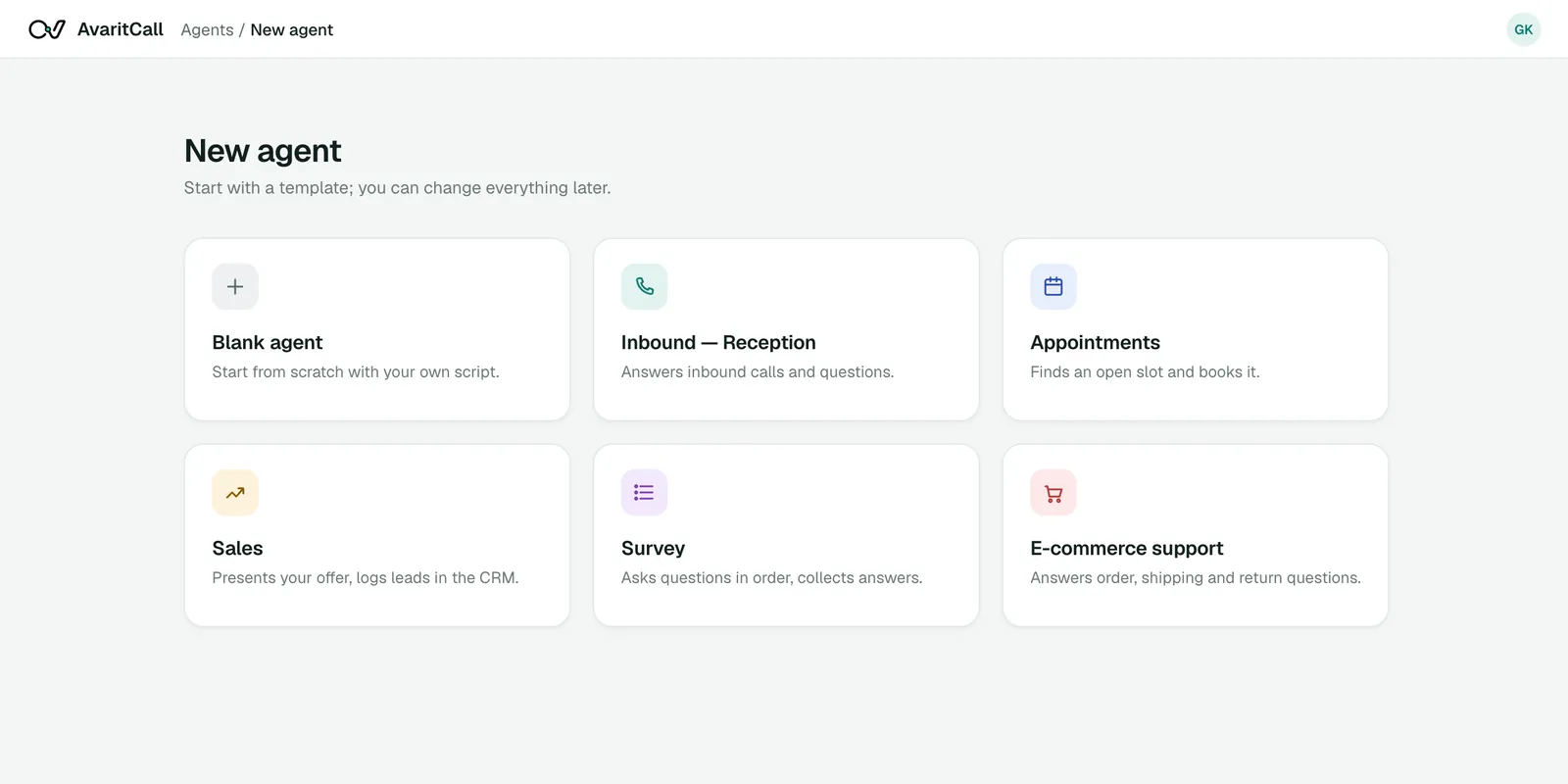
Keep post-insurance balances, past-due statements and plan installments in separate lists. Each one gets its own verification steps, the account details the agent may share and its transfer conditions.
- Separate lists for each balance type
- Verification questions, such as date of birth or ZIP code
- Account fields the agent can share after verification
- Situations that go to billing staff
Deploy
Choose When Calls Go Out
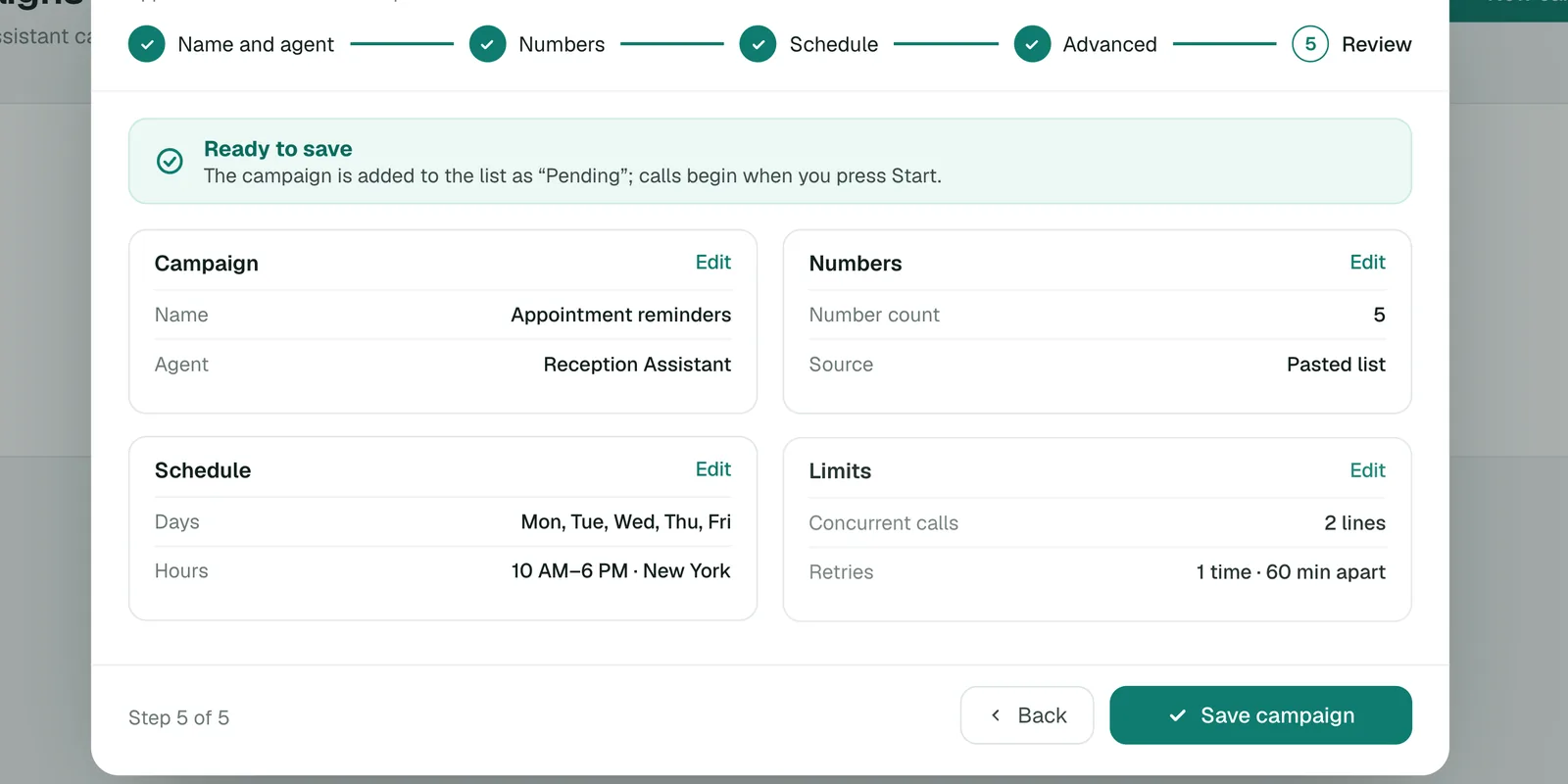
Set the calling window for each list so patients hear from you at reasonable times.
- Calling days, hours and time zone
- A retry count from 0 to 5 and the gap between attempts
- Patients who ask not to be called are marked do-not-call automatically
Monitor
Follow Each Balance to the Next Step
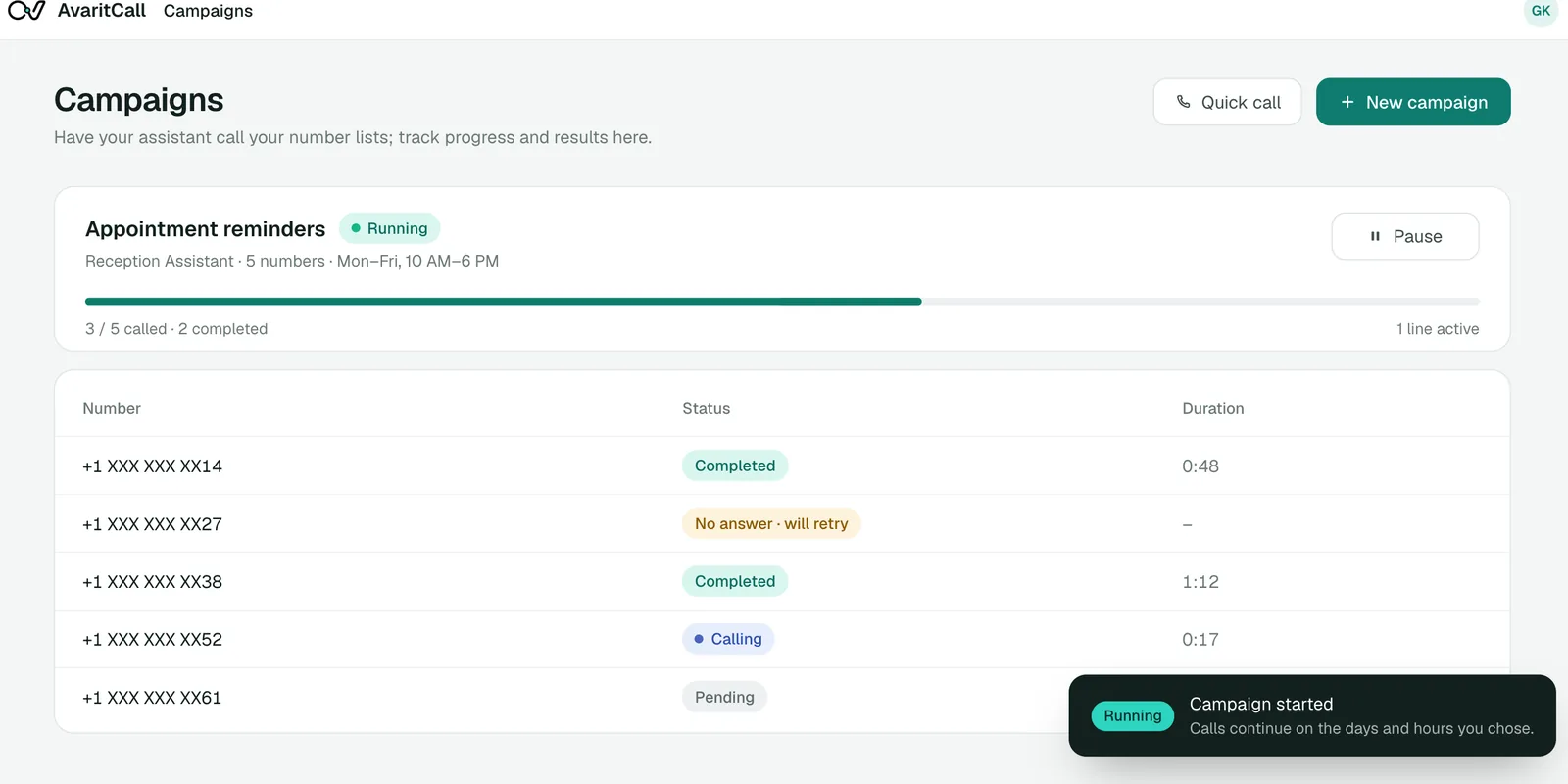
See what happened on each account after the calls. A payment confirmed by your connected billing system shows separately from a promise.
- Payment links sent
- Promised dates and amounts
- Calls transferred to billing
- Open callbacks
- Payments confirmed by your billing system (when connected)
Protect Patient Details and Route Billing Exceptions
These controls back up your own billing policies. They're product settings, not a compliance certification.
Verify the Patient Before Discussing a Balance
Your verification steps come first, before any account detail. If the patient doesn't complete them, the agent shares nothing and offers a callback. Only team members you give access to can see call records, and transcripts are deleted automatically after a set retention period. AvaritCall supports HIPAA-compliant deployments and signs a Business Associate Agreement (BAA) with healthcare customers, and our sales team reviews the details and your setup with you before go-live.
Talk to salesGive Your Billing Team the Details to Resolve the Issue
Coverage disputes, a balance the patient thinks is wrong and requests for a new plan go to the person you choose. If they're busy, a callback request is saved. These calls stay about billing, and the agent doesn't give clinical advice or discuss treatment decisions.
Example handoff
Callback Requested
- Account ref.
- PT-2208
- Balance
- $118
- Patient says
- Was told the plan covers this filling
- Transfer
- Billing line busy, callback logged
Connect Your Dental Billing and Payment Systems
Connections that work today are listed apart from those that need a custom integration. A balance counts as paid only after your billing system confirms it.
Ready
Patient Account Lists
- Account list upload
- AvaritCall CRM
Start with a call list that has the balance, due date and an account reference for each patient. Call outcomes are saved in the AvaritCall CRM.
Set up by our team
Dental Practice Management Software
Reading the current balance, checking payment status and writing the call outcome back are each looked at separately, depending on what your practice software's API allows. There's no ready-made connector.
Ready
Phone & Payment Channels
- Twilio
- Telnyx
- Plivo
- Any SIP trunk or PBX
Connect your line over SIP and transfer calls to billing staff, with a fallback number if nobody answers. Your official payment link goes out by email or a WhatsApp template our team sets up.
Upload a Patient Balance List or Connect Billing
Start with one list of balances and due dates, or have our team look at your practice software's API.
Set Calling and Verification Rules
Choose calling days and hours, retries and the questions patients answer before hearing a balance.
Configure Payment Links and Billing Transfers
Pick the channel for your payment link and the billing line that takes transfers.
Test Your Calls and Launch
Play the patient in a test call from your browser, then start the campaign.
| Connection | Read Balance & Due Date | Log Call Outcomes | Check Payment Status |
|---|---|---|---|
| Account list upload | Yes, from the uploaded list | Yes, in the AvaritCall CRM | No |
| AvaritCall CRM | No | Yes, with follow-up tasks | No |
| Custom API connection to your practice software | Depends on the API | Depends on the API | Depends on the API |
AI Dental Collections Pricing
You pay for talk time on the reminder calls. There are no plans with bundled minutes and no overage fees.
$0.08
per talk minute, billed per second
Example calculation
- 45-second call
- $0.06
- 2 min 30 s call
- $0.20
- 5-minute call
- $0.40
- Pay as you go, billed per second of talk time
- Ringing and unanswered calls are free
- Outbound campaigns run 5 concurrent calls per agent by default
- Emails and WhatsApp messages you choose to send are billed per message
- A custom connection to your practice software is scoped with you
Frequently Asked Questions
What does an AI collections agent do for a dental office?
It makes the routine billing calls your front desk rarely has time for. The agent calls patients from your list, verifies them, shares the balance and saves what they say, such as a payment date, a link request or a question for billing.
Can it call patients about balances after insurance?
Yes. Once claims are processed, put those accounts on a post-insurance list. After verification, the agent shares the patient's remaining share from your records.
Can it remind patients about installments on an existing payment plan?
Yes. Plan installments can have their own list, with calls before or after the due date. A promised date and amount are saved as a follow-up record.
How does AvaritCall verify a patient before sharing a balance?
With the steps your office defines. You choose the questions, like date of birth or ZIP code, and the check can run against your own system through a custom tool. No account details are shared until the patient passes them.
Can it send our payment link and check whether the patient paid?
It can send the link, and checking payment needs a connected billing system. Your link goes out by email or a WhatsApp template, and the patient pays on your own payment page, since AvaritCall doesn't process payments. A promise to pay stays a promise until your billing system confirms the payment, which the agent can check once that system is connected through its API.
What happens if a patient disputes a balance or asks about insurance coverage?
Your billing team takes it. The agent records the patient's explanation and transfers the call or saves a callback request with the account reference. It doesn't interpret coverage or give clinical advice.
Can we connect our dental practice management software or upload a balance list?
Both. You can start with an uploaded balance list today. A live connection to your practice software goes through its API, and our team looks at each action separately.
How are patient call records handled, and is a BAA available for our setup?
Yes, a BAA is available. AvaritCall supports HIPAA-compliant deployments and signs a Business Associate Agreement (BAA) with healthcare customers, and our sales team reviews the details with you before go-live. Transcripts are kept for a set retention period and then deleted automatically, and only team members you give access to can see them.
How much does AI dental collections cost?
It's $0.08 per talk minute, billed per second, so a balance reminder of 2 minutes 30 seconds costs $0.20. Unanswered calls are free, and you start with $5 in credit with no card required. A custom connection to your practice software is scoped separately.
Start With Your Next Batch of Patient Balance Reminders
Your billing team can start with one list of processed claims with balances coming due. After the calls, you'll see which patients asked for the payment link, who gave a payment date and which accounts went to billing for review.