


Reach More Customers with Smarter Batch Calling

Batch call a whole contact list with AvaritCall. Upload your contacts, set the goal of the call, and an AI agent holds each conversation and records the result. Transcripts, summaries and outcomes are collected per campaign, so repeat calling work runs from one place.

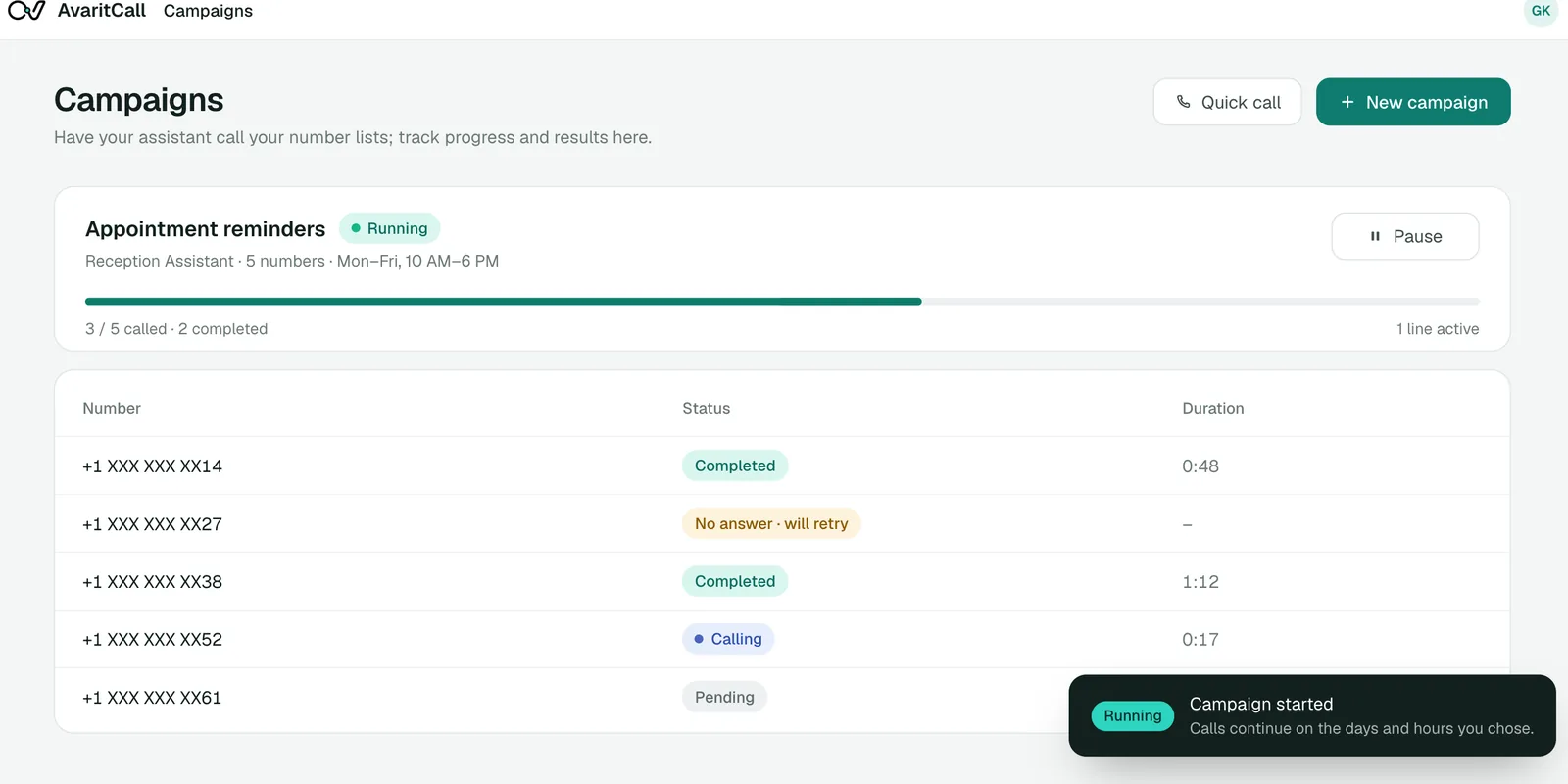
Running appointment reminder campaign with masked phone numbers

Watch an AI Calling Campaign in Action

A campaign starts with a contact list and ends with a result for every contact. Listen to three sample calls from different campaigns and see what each one records.

Outbound call

Play sample call

0:33

AI agentHello, this is the virtual assistant from Riverside Family Clinic, calling for Linda Park. You have an appointment tomorrow at 9:15 AM. Will you be able to make it?
CallerOh, I completely forgot. I have to work tomorrow morning.
AI agentNo problem. Would you like the clinic to find you a new time?
CallerYes, any afternoon later this week would be better.
AI agentI've noted that you can't attend tomorrow and that you prefer an afternoon later this week. The front desk will call you to confirm a new time.
CallerGreat, thank you.

Result

Reschedule Requested

Original time
Tomorrow, 9:15 AM
Attendance
Not attending
Preferred time
Afternoon, later this week

Next step: Front desk confirms a new time

These are fictional sample calls. Names, businesses and details are examples.

Build, Run, and Review AI Calling Campaigns

  • Contact List Upload & Management

    Upload an Excel or CSV file of up to 100,000 numbers, map the columns and validate the list before launch. Duplicates are removed, and any column, such as a name or appointment time, can be used in the call.

  • Automated Outbound Calling

    The agent calls every contact on the list during the days and hours you set. Your team no longer dials numbers one by one.

  • Campaign-Specific Conversations

    Give each campaign its own greeting, instructions and questions, so a reminder call and a feedback call each follow the right script.

  • Centralized Campaign Management

    Start, pause and track campaigns from one dashboard. Set daily limits, concurrent calls, retries and the time zone for each campaign.

  • Call Transcripts & Summaries

    Every call produces a transcript and a short summary. Your team can review what was said without reading every conversation in full.

  • Individual Call Outcomes

    Each contact gets a status, tags, a hot, warm or cold label and the fields you defined. Contacts that need another call or a staff follow-up are easy to find.

Launch Your AI Calling Campaign in Four Steps

  1. Define Your Campaign Goal

    Write what the call should achieve, what the agent should say and which details it should collect from each contact.

  2. Prepare Your Contact List

    Upload or paste your contacts with the columns the call needs. You confirm that you have the right to call the numbers you upload.

  3. Launch the Campaign

    Choose calling days, hours, time zone and retry rules, then start. The agent places the calls and holds each conversation.

  4. Review Outcomes and Next Actions

    Check each contact's result, read summaries and export the list as CSV. Contacts who asked for a callback are scheduled for one automatically.

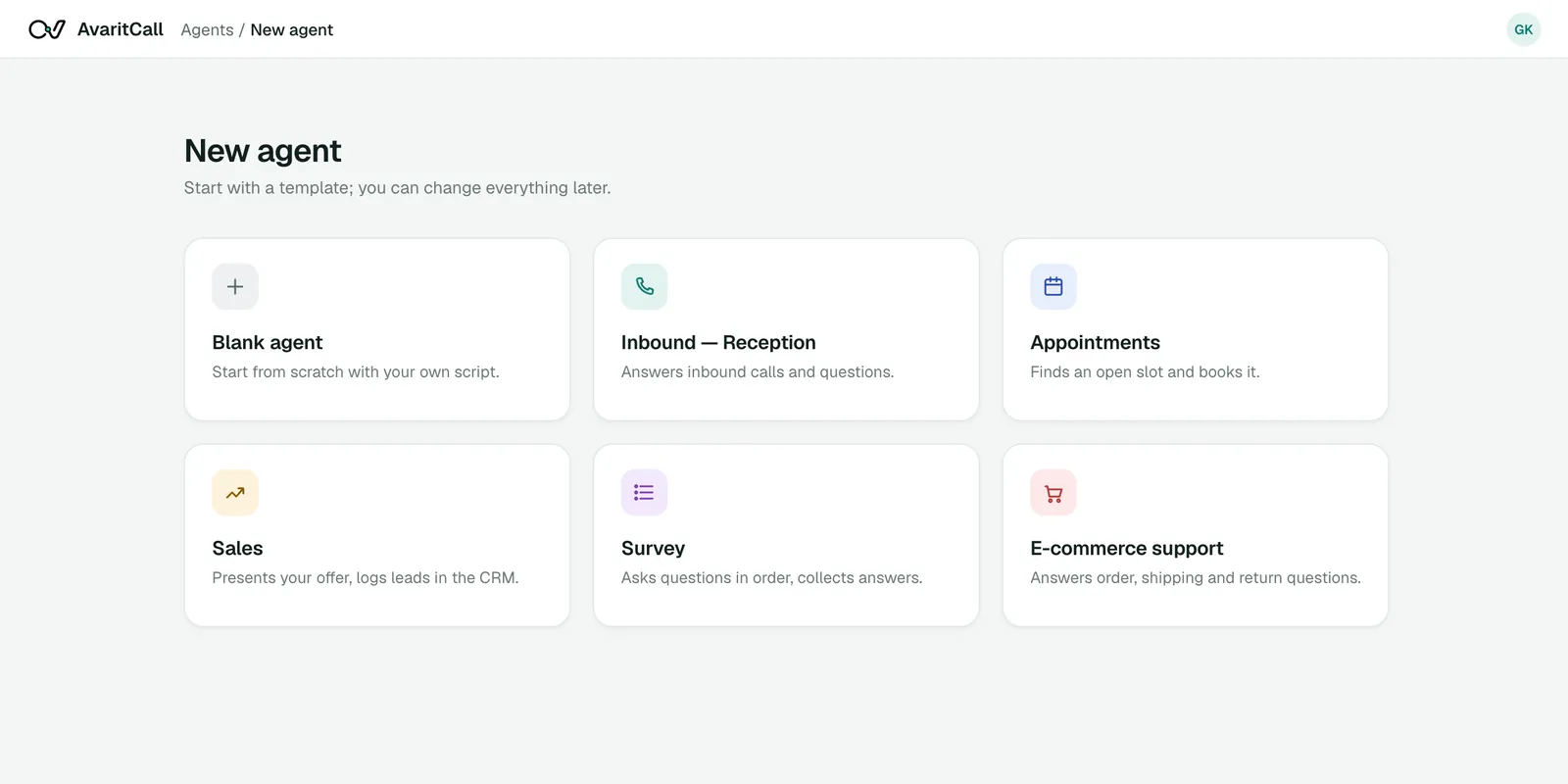
Agent template selection in the AvaritCall dashboard
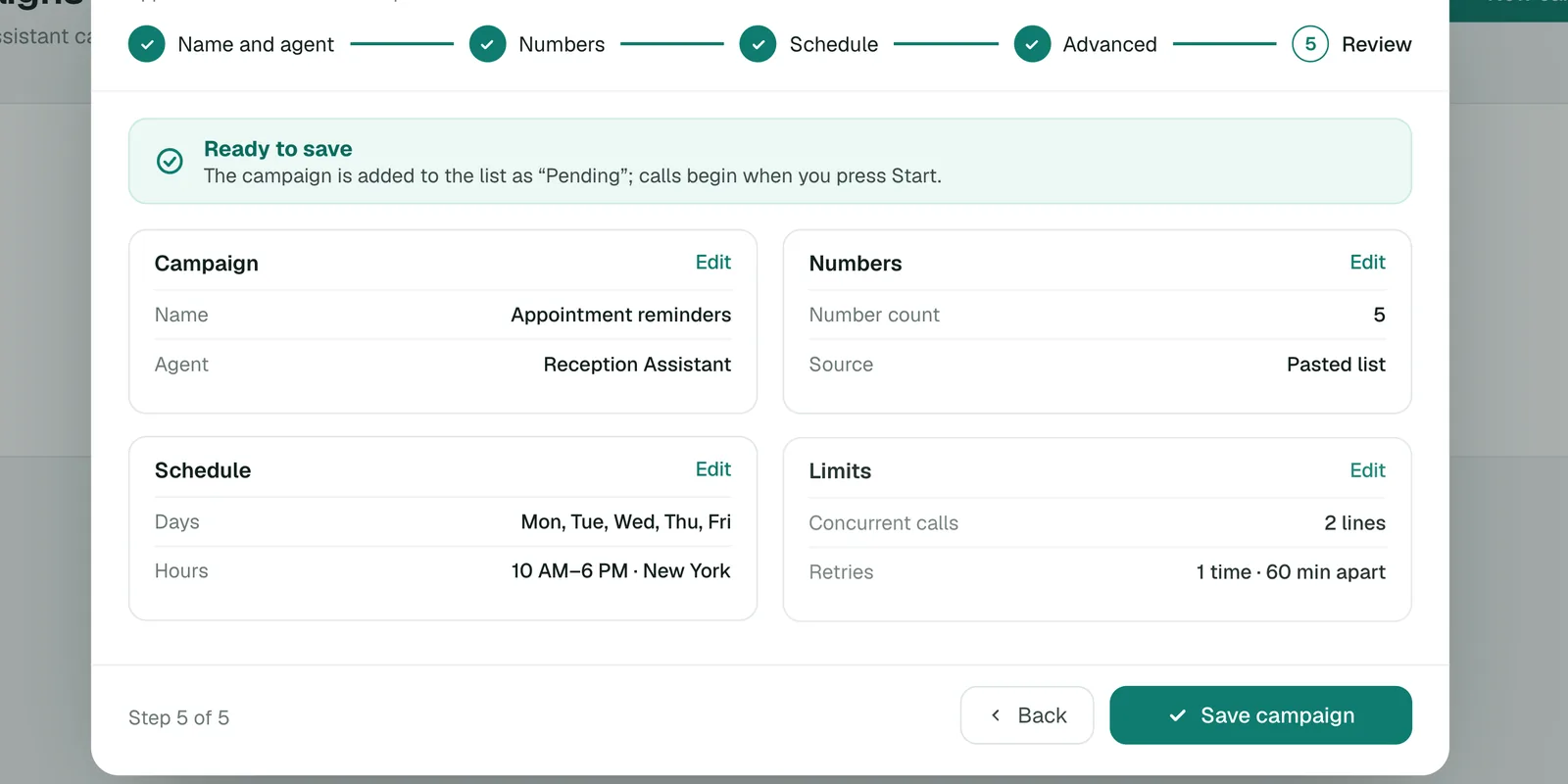
Campaign review screen before launch

See What Happens During an AI Campaign Call

A confirmation call from a service campaign, and the fields it adds to the campaign record.

Example conversation

AI agent
Hi Alex, I'm calling from Northside Auto about your service appointment tomorrow at 10 AM. Does that time still work for you?
Caller
Yes, I'll be there.
AI agent
Thank you. Is there anything you'd like the service team to know before your visit?
Caller
I'd like them to check the brakes as well.
AI agent
I've noted your request for the service team.

Campaign record

Completed

Attendance
Confirmed for tomorrow, 10 AM
Additional request
Check the brakes
Summary
Customer confirmed and asked for a brake check

Example data. The brake check is a note for the service team, not a booked job.

Put AI Batch Calling to Work Across Your Operations

  • Lead Qualification & Reactivation

    Call older leads to learn whether their needs have changed, and pass the interested ones to your sales team with a summary.

  • Appointment Confirmations & Reminders

    Call customers before their appointments, record who will attend and note reschedule requests for your staff.

  • Payment & Account Reminders

    Remind customers of an upcoming due date or account step, using the amounts and dates from your list and a script you approve.

  • Customer Follow-Ups & Feedback

    Ask a few questions after a service visit, save the answers as fields and flag customers who need help from your team.

Keep Campaign Data Connected to Your Business Tools

Bring contacts in and send results out. Each card shows whether the connection is ready, in beta or set up with our team.

  • Ready

    CRM & Contact Data

    • AvaritCall CRM
    • Excel and CSV upload

    Every campaign call is logged to the built-in AvaritCall CRM, and CRM stages can start calls automatically. Beta connectors for HubSpot, Pipedrive, Salesforce, Zoho CRM, Bitrix24 and HighLevel can create a contact or lead from call results.

  • Ready

    REST API & Webhooks

    • REST API
    • Webhooks

    Add numbers to a campaign through the REST API and receive a signed webhook when each call ends, with its status, summary and fields.

  • Beta

    Workflow Automation

    • n8n
    • Zapier
    • Make
    • Slack
    • Microsoft Teams

    Use a call result to create a task, send a notification or start the next step in your workflow tools.

  • Ready

    Reporting & Data Export

    • CSV export
    • Excel export

    Export campaign results as CSV, with phone, name, status, attempts, tags, lead score, summary and your custom fields.

How Teams Use AvaritCall for Outbound Campaigns

An Example AI Batch Calling Campaign

  1. The goal

    A home services company wants to confirm next week's maintenance visits. Two staff members used to spend most of Monday on these calls.

  2. The setup

    The team uploads a CSV with names, addresses and visit times, writes a short confirmation script and sets calling hours from 10 AM to 6 PM.

  3. The results

    Contacts end up in clear groups: confirmed, reschedule requested, no answer after retries, and asked not to be called again.

  4. What the team does next

    Staff call back only the reschedule requests, check the no-answer list and export the rest of the results to their scheduling sheet.

Frequently Asked Questions

What is AI batch calling?

AI batch calling means an AI agent calls a whole contact list as one campaign and holds each conversation itself. AvaritCall records a transcript, a summary and an outcome for every contact.

How does an AI outbound calling campaign work?

You write the agent's instructions, upload a contact list and set calling hours, limits and retries. The agent calls each contact, follows the script and saves the result, and you review everything in the campaign dashboard.

What is the difference between AI batch calling and manual calling?

With manual calling, a person dials each number and takes notes. With AI batch calling, the agent places the calls, holds the conversations and records structured results, so your team spends its time on the contacts who need a person.

Can AI handle multiple outbound calls at the same time?

Yes. Campaigns run 5 concurrent calls per agent by default, and you can request more from the dashboard. You also set a daily limit and the retry interval for each campaign.

How do I upload a contact list to AvaritCall?

Paste numbers or upload an Excel or CSV file of up to 10 MB, 100,000 numbers and 200 columns. You map the columns, the list is validated and duplicates are removed before launch. You can also add numbers through the REST API.

Can I customize the conversation for each AvaritCall campaign?

Yes. Each campaign can have its own greeting and instructions, and any column in your list can be used in the call, such as the contact's name or appointment time. You can also A/B test greetings or instructions.

Can AvaritCall track individual call results and transcripts?

Yes. Every contact has a status, transcript, summary, tags, a hot, warm or cold label and a 0–10 lead score. You can filter results in the dashboard and export them as CSV.

How is AI batch calling priced with AvaritCall?

You pay $0.08 per talk minute, billed per second, with speech recognition, response generation and voice included. Ringing and unanswered calls are free, and there is no setup fee or commitment. New accounts get $5 in credit, no card required.

Launch Your Next Calling Campaign with AvaritCall

Start from a contact list, let the agent hold the conversations and review every result in one dashboard. Repeat calling work becomes a campaign your team can manage.

Start Calling with AI