
AI Answering Service for 24/7 Business Call Handling

The AvaritCall AI answering service picks up your business calls, answers common questions and takes clear messages with the caller's contact details. It covers the hours when your team is busy or the office is closed. When a caller needs a person, the call is transferred to the number you choose.

Customer making an evening phone call from home

Sample call

Message Taken

Topic
Proposal, delivery timeline
Call time
After hours

Next step: Message and summary sent to the team

Hear Your AI Answering Service in Action

Listen to a question, an after-hours message and a transfer, and see the information each call leaves for your team.

Inbound call

Play sample call

0:38

AI agentThank you for calling Hughes Law Group. I'm the virtual assistant. How can I help?
CallerDo you handle estate planning, like wills and trusts?
AI agentYes, the firm handles wills, trusts and powers of attorney. A first consultation takes about thirty minutes.
CallerIs there a fee for that first meeting?
AI agentThe first consultation is free. The office is open Monday to Friday, 9 AM to 5 PM.
CallerOkay. Can someone call me to set it up?
AI agentOf course. May I have your name and the best number to reach you?
CallerAnna Lopez, and this number is fine.

Result

Callback Requested

Topic
Estate planning consultation
Caller
Anna Lopez
Phone
+1 XXX XXX XXXX

Next step: Office staff call back to schedule

These are fictional sample calls. Names, businesses and addresses are examples.

Keep Customer Calls Covered When Your Team Is Unavailable

  • Flexible Call Coverage

    Send all calls, only after-hours calls or only overflow calls to the answering service using your carrier's or PBX's forwarding rules. You pick the coverage that fits how you work.

  • Business FAQs & Information

    Callers get answers about services, location, hours and how things work, taken from the knowledge you add. Repeat questions stop reaching your staff.

  • Structured Message Taking

    Each message includes the caller's name, number, reason for calling and any other fields you define, so whoever calls back knows what the request is.

  • Call Routing & Human Transfers

    Callers are transferred to the right person or department based on your rules. If the transfer isn't answered, a fallback number can be dialed, or the agent takes a message.

  • Callback & Appointment Requests

    Callback requests are recorded with the caller's preferred time. With the AvaritCall calendar or Cal.com (beta) connected, the agent can also book appointments directly.

  • Call Summaries & Team Notifications

    Every call has a summary in the dashboard. Your team is notified in the dashboard and by email, and Slack or Microsoft Teams notifications are available in beta.

From an Incoming Call to a Clear Message for Your Team

  1. Your Call Coverage Rule Takes Effect

    Calls reach AvaritCall according to the forwarding rule in your phone system: all the time, only after hours, or only when your line is busy or unanswered.

  2. AI Learns Why the Customer Is Calling

    The agent finds out the reason for the call and asks clarifying questions when needed.

  3. The Request Is Answered or Recorded

    The agent shares the information, takes a message or transfers the call, following your instructions.

  4. Your Team Reviews the Outcome

    The summary, caller details and any follow-up request are saved and your team is notified.

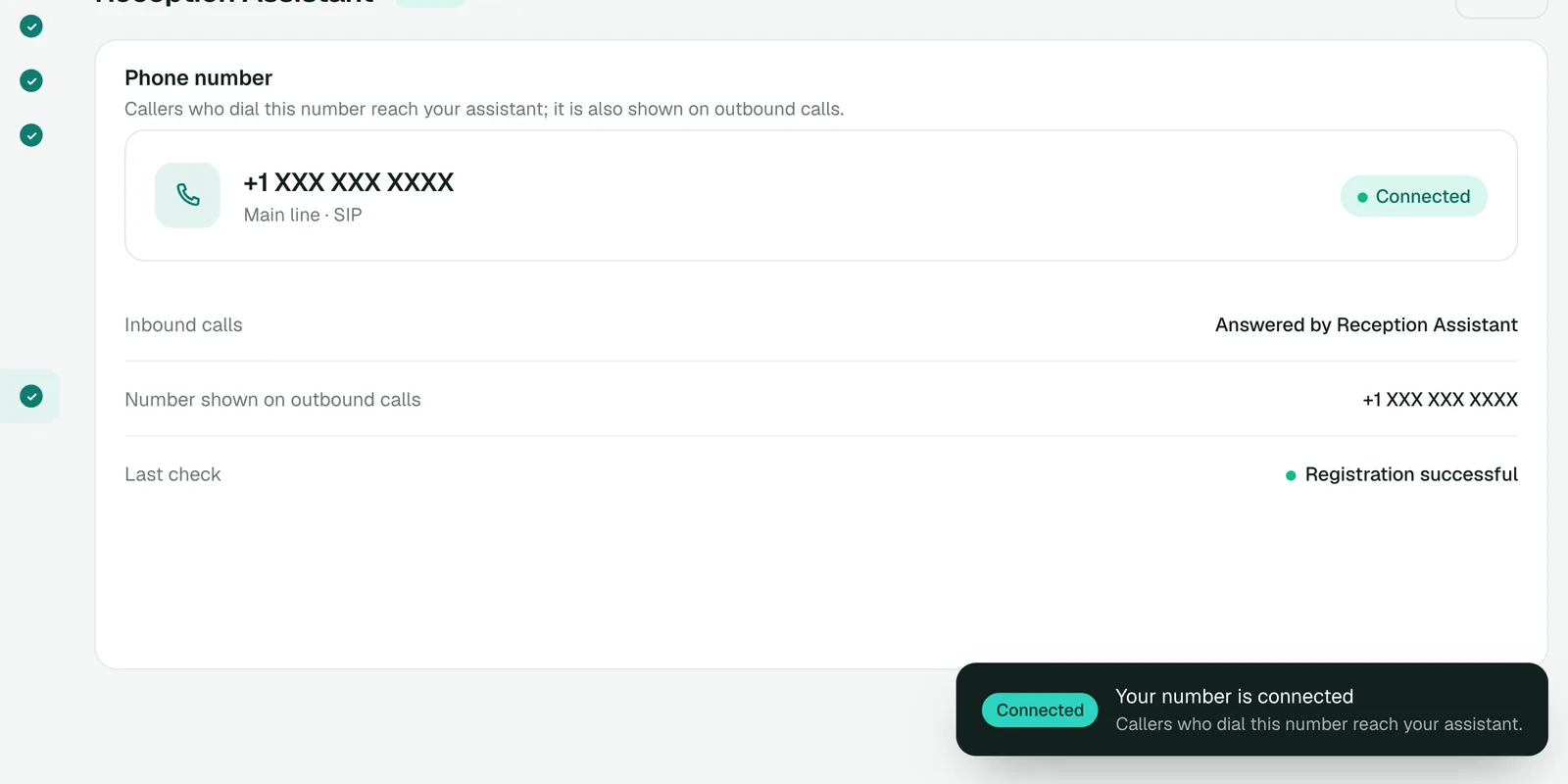
Phone number connected over SIP in the AvaritCall dashboard

See How an After-Hours Call Becomes a Useful Message

A late call turns into a message your team can act on first thing in the morning.

Example conversation

Caller
Hi, I'd like to ask about the proposal your team sent me.
AI agent
The office is currently closed, but I can take a message. What would you like the team to know?
Caller
I have a question about the delivery timeline.
AI agent
May I have your name and the best number to reach you?
Caller
Sam Taylor. My number is 555-0142.
AI agent
Thank you. Is there a convenient time for the team to call you?
Caller
Tomorrow morning would be best.

Message for the team

Message Taken

Caller
Sam Taylor
Phone
555-0142
Question
Delivery timeline in the proposal
Preferred callback
Tomorrow morning

Example data. The preferred time is recorded for your team; no callback appointment has been booked.

Answering Support for Different Business Needs

  • Medical & Dental Clinics

    Answer questions about the clinic, take appointment requests and administrative messages, and transfer calls that need staff.

  • Home Service Businesses

    Record the service needed, the address and contact details, and pass the request to the right crew.

  • Real Estate & Property Management

    Collect listing questions, showing requests and maintenance reports, each with the details your team needs.

  • Professional Services

    Take first calls for law, accounting and consulting offices and leave the right person a clear call summary.

Connect Answered Calls to Your Existing Tools

Each card shows what the connection does and whether it is ready, in beta or set up with our team.

  • Ready

    Phone Systems & Call Forwarding

    • Twilio
    • Telnyx
    • Plivo
    • Any SIP trunk or PBX

    Keep your business number and connect it over SIP. Use your carrier's or PBX's forwarding rules to decide which calls reach the answering service.

  • Ready

    CRM & Customer Records

    • AvaritCall CRM

    Each caller is matched to a contact in the built-in AvaritCall CRM, and the message and outcome are added to their timeline. Beta connectors for HubSpot, Pipedrive, Salesforce, Zoho CRM, Bitrix24 and HighLevel can create a contact or lead.

  • Ready

    Calendars & Appointment Requests

    • Cal.com (beta)
    • AvaritCall calendar

    Book appointments in the AvaritCall calendar, or in Cal.com (beta). Without a calendar, appointment requests are recorded for your team.

  • Ready

    API & Workflow Notifications

    • Webhooks
    • REST API
    • Email reports

    Send callback requests and call results to your own systems with signed webhooks, or notify your team in Slack, Microsoft Teams or Telegram (beta).

How Businesses Keep Calls Covered with AvaritCall

An Example Call Coverage Workflow

  1. The setup

    A small accounting office forwards calls to the answering service when its line is busy and after 5 PM.

  2. A busy hour

    During tax season, two calls come in while both staff members are on the phone. The agent answers both, shares office hours and takes a message.

  3. After hours

    At 8 PM, a client asks about a missing document. The agent records the question and the client's preferred callback time.

  4. The follow-up

    In the morning, staff see each message with its summary in the dashboard and return the calls in order.

Frequently Asked Questions

What is an AI answering service?

An AI answering service answers your business calls with a voice agent, responds to common questions and takes messages when your team is unavailable. AvaritCall saves every call with a summary and notifies your team.

How is an AI answering service different from voicemail or an auto attendant?

Voicemail only records a message, and an auto attendant only routes calls through a keypad menu. An AI answering service talks with the caller, answers questions, asks for the details your team needs and transfers the call when necessary.

What is the difference between an AI answering service and an AI receptionist?

An AI answering service focuses on covering calls when your team can't, with answers, messages and transfers. An AI receptionist acts as your front desk for every call and usually books appointments as well. AvaritCall can be set up either way.

Can AvaritCall answer only missed calls or after-hours calls?

Yes. Use your carrier's or PBX's forwarding rules to send only after-hours calls, or only calls that are busy or unanswered, to AvaritCall. Your team keeps answering the rest.

Can I keep my existing business phone number with AvaritCall?

Yes. You connect your existing number over SIP, with presets for Twilio, Telnyx and Plivo, or any SIP trunk or PBX. AvaritCall charges no number or line fees.

What happens if AvaritCall cannot answer a question or the caller requests a person?

The agent transfers the call to the number you choose, based on your rules. If the first destination does not answer, a fallback number can be dialed; if the transfer fails, the caller stays with the agent, who takes a message and a callback request.

How does AvaritCall manage messages, call summaries, and caller information?

Every call is saved with a transcript, summary and the fields you define, and linked to the caller's contact in the AvaritCall CRM. Card numbers and other supported personal data formats are masked before text reaches the language model. Transcripts are kept for a defined retention period, deleted automatically after it and can be deleted on request.

How much does an AI answering service cost, and what does setup involve?

You pay $0.08 per talk minute, billed per second, with no setup fee or commitment, and new accounts get $5 in credit. Setup means adding your business information and call rules, testing in your browser and connecting your number over SIP.

Keep Your Business Available Beyond Office Hours

Answer calls around the clock, respond to common questions and turn the rest into clear requests your team can follow up on.

Get Started