

AI Telemarketing for Smarter Sales Campaigns

AI telemarketing with AvaritCall calls the contacts you choose, shares the product and offer details you approve and adjusts to each answer. The agent learns what the contact needs and when, then books a meeting or transfers interested prospects to your sales team. Every call ends with a summary and a clear next step.

Prospect taking a sales call at home with a laptop open

Sample call

Caller
Six.

Sales Meeting Requested

Need
Multi-location request management
Locations
6

Next step: Sales team follows up

Hear an AI Telemarketing Conversation

Listen to how the agent follows up on an inquiry, explains an approved offer and books a meeting, and see what each call records.

Outbound call

Play sample call

0:40

AI agentHi, is this Olivia? This is the virtual assistant from Bluepeak Coffee Supply. You asked about our office coffee service last week. Do you have a minute?
CallerSure, a quick one.
AI agentThanks. How many people are in your office, and what do you use for coffee right now?
CallerAbout forty people. We just buy coffee pods from the store.
AI agentGot it. Is the main goal to lower the cost, or to have one less thing to manage?
CallerMostly one less thing. Someone always has to go shopping.
AI agentThat's what our monthly delivery plan is for. Would you like a sales rep to send you a proposal?
CallerYes, please send it by email.

Result

Proposal Requested

Office size
About 40 people
Current setup
Store-bought coffee pods
Main need
Less to manage
Lead label
Hot

Next step: Sales rep sends a proposal

These are fictional sample calls. Names, businesses and offers are examples.

Give Every Sales Conversation a Relevant Next Step

  • Personalized Sales Conversations

    Each call opens with the contact's name, their earlier request or any column from your list, so the contact knows right away why you're calling.

  • Approved Product & Offer Information

    The agent uses only the product details and offer terms you provide. You set what it may say about prices, discounts and commitments.

  • Needs Discovery & Lead Qualification

    Questions about need, interest and timing are built into the call. Each contact gets a hot, warm or cold label and a 0–10 lead score for your sales team.

  • Sales Questions & Objection Responses

    Common questions and objections are answered with the responses you approve. Anything outside them, such as a custom price, goes to a person.

  • Meeting Booking & Sales Transfers

    Interested contacts can book a meeting in your connected calendar or be transferred to a rep, so the call ends with a clear next step.

  • CRM Notes & Follow-Up Outcomes

    Needs, questions and the outcome are saved to the built-in AvaritCall CRM. Callback requests are scheduled automatically, and opt-outs are marked do-not-call.

Build an AI Sales Campaign Around Your Audience

  1. Define the Audience and Goal

    Choose who to call, what the campaign should achieve and what the right next step is for an interested contact.

  2. Prepare the Sales Conversation

    Write the discovery questions, product details, approved objection responses and the limits the agent must stay within.

  3. Test Different Customer Responses

    Test the flow in your browser as an interested, unsure or uninterested contact, and as someone who asks for a person. Then set calling hours, retries and which contacts to skip.

  4. Launch and Share Sales Opportunities

    Start the campaign, review outcomes in the dashboard and pass qualified contacts to your sales team.

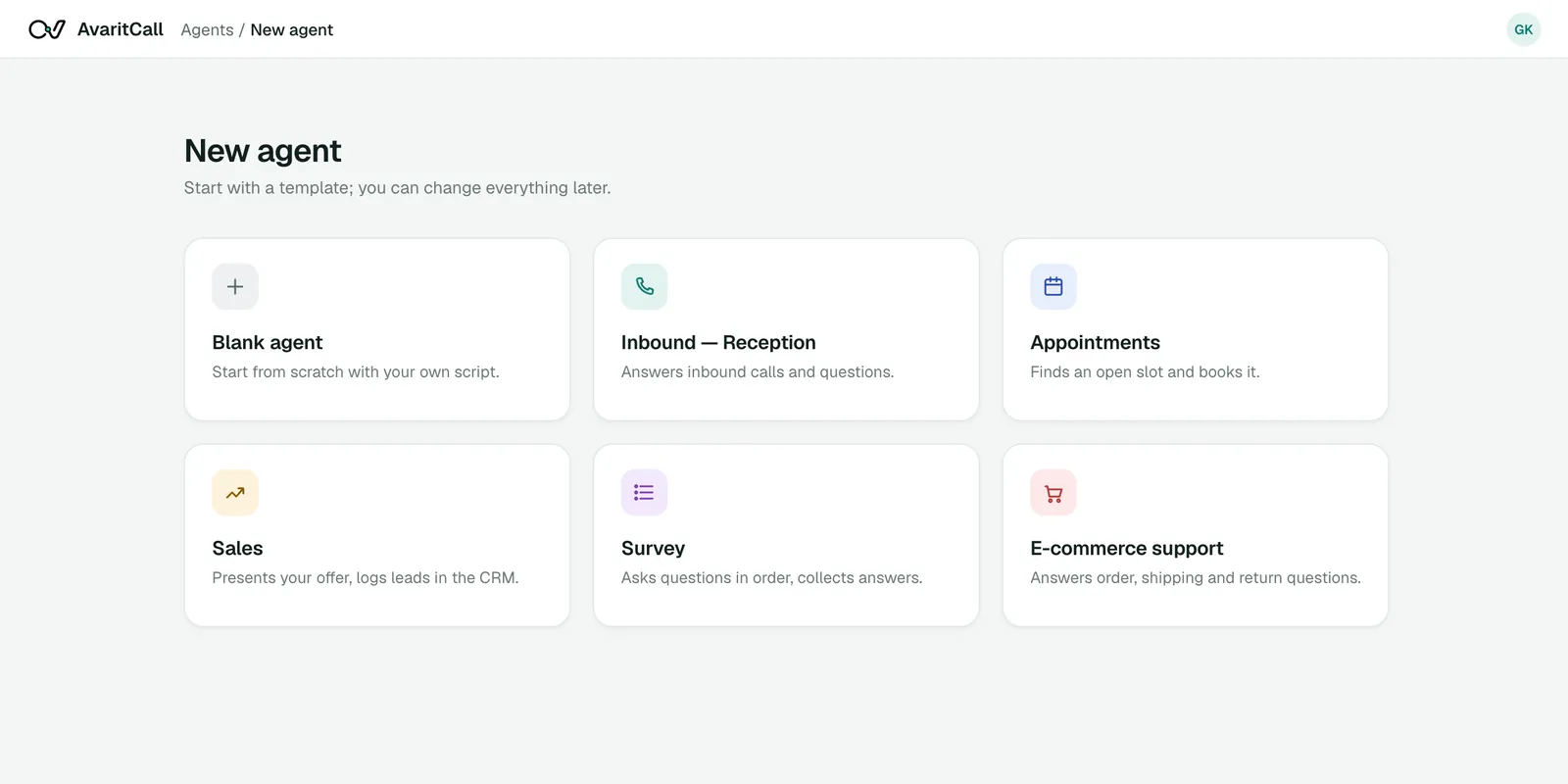
Agent template selection in the AvaritCall dashboard
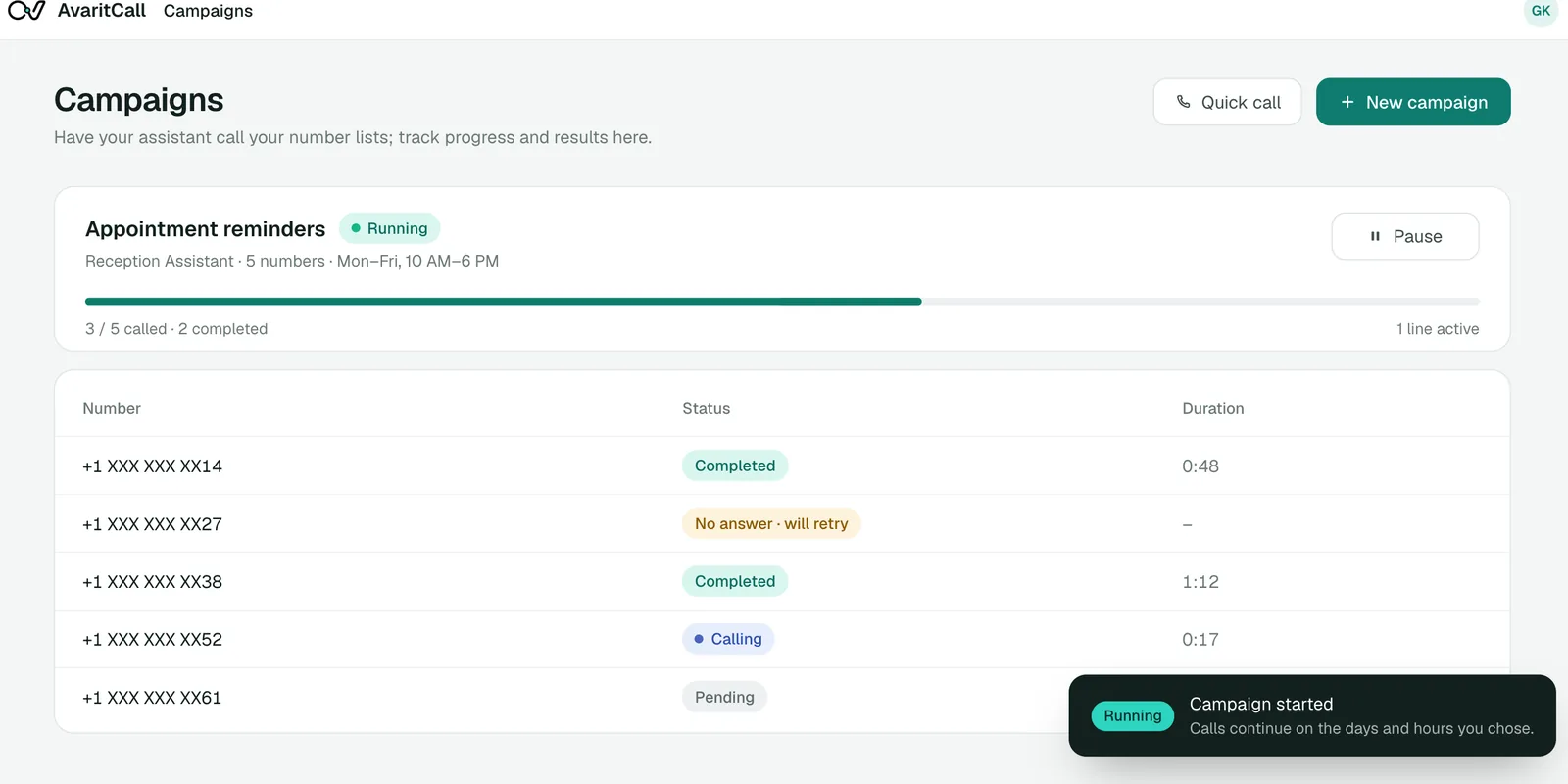
Running outbound campaign with masked phone numbers

See How AI Handles a Sales Question Without Overpromising

When a prospect asks for something outside the approved offer, the agent says so and hands the question to sales.

Example conversation

AI agent
Hi Morgan, I'm following up on your request for information about our business plans. What are you hoping to improve?
Caller
We need one place to manage requests from several locations.
AI agent
Our business plan supports multiple locations. How many would your team need to manage?
Caller
Six. Do you offer a custom discount for that?
AI agent
I can't confirm a custom discount, but I can arrange a conversation with the sales team about your requirements.
Caller
Yes, that would be helpful.

Sales follow-up

Sales Meeting Requested

Need
One place for requests from several locations
Locations
6
Special request
Custom discount
Interest
Wants to talk with sales

Example data. Product details in a live campaign come from the offer you approve.

AI Telemarketing for Different Sales Campaign Goals

  • Follow Up with Interested Leads

    Call people who asked for product information, learn what they need and book a sales conversation for those who are ready.

  • Introduce Relevant Products & Offers

    Present a product or seasonal offer to the right customer group and record each contact's questions and interest.

  • Discuss Renewals & Continued Service

    Call customers before a renewal date, ask whether they plan to continue and pass special requests to your account team.

  • Reconnect with Inactive Customers

    Check in with former customers about their current needs and schedule a new conversation with those who are interested.

Connect AI Telemarketing to Your Sales Tools

Each card shows what data moves and whether the connection is ready, in beta or set up with our team.

  • Ready

    CRM & Sales Pipelines

    • AvaritCall CRM

    Results are logged to the built-in AvaritCall CRM, where rules move contacts between pipeline stages by outcome. Beta connectors for HubSpot, Pipedrive, Salesforce, Zoho CRM, Bitrix24 and HighLevel create a contact or lead; they do not update stages in those systems.

  • Ready

    Calendars & Meeting Scheduling

    • Cal.com (beta)
    • AvaritCall calendar

    The agent checks open times and books meetings in the AvaritCall calendar. Cal.com is available in beta.

  • Ready

    Phone Systems & SIP

    • Twilio
    • Telnyx
    • Plivo
    • Any SIP trunk or PBX

    Call from your own number over SIP and transfer interested prospects to your reps' numbers.

  • Ready

    APIs & Workflow Automation

    • Zapier (beta)
    • Make (beta)
    • REST API
    • Webhooks

    Let a form submission or CRM event add a contact to a campaign through the REST API, and send results to other systems with signed webhooks. Zapier, Make and n8n connections are in beta.

How Sales Teams Use AvaritCall for Telemarketing

An Example Product Inquiry Follow-Up Campaign

  1. The audience

    A B2B supplier has a list of companies that asked for product information in the last month but never booked a call.

  2. The conversation

    The agent asks about team size, current setup and timing, explains the approved offer and answers common questions.

  3. The outcomes

    Contacts end up as meeting booked, callback requested, not interested or opted out. A booked meeting is recorded as a meeting, not as a sale.

  4. The handoff

    Reps review summaries before each meeting and call back the contacts who asked for one. Opted-out contacts are skipped in future campaigns.

Frequently Asked Questions

What is AI telemarketing?

AI telemarketing uses a voice agent to make outbound sales calls, share approved product information and learn what each contact needs. AvaritCall books meetings or transfers interested contacts to your sales team and records every outcome.

How is AI telemarketing different from an AI auto dialer?

An AI auto dialer is the calling engine: it starts calls automatically for any purpose, such as reminders or follow-ups. AI telemarketing is a sales use of it, with discovery questions, approved offers and objection responses built into the conversation.

Can an AI telemarketer hold a two-way sales conversation?

Yes. The agent listens to each answer, asks follow-up questions and responds to common questions. Contacts can interrupt, and the agent stops and responds.

Can I customize AvaritCall's product information, sales questions, and offer limits?

Yes. You write the product details, discovery questions, approved responses and the limits on prices, discounts and commitments. Campaigns can have their own greeting and instructions, and you can A/B test them.

How does AvaritCall respond to objections or questions it cannot answer?

It answers common objections with the responses you approve. For anything else, it says it can't confirm and offers a callback from your team or a transfer to a rep.

Can AvaritCall qualify leads, book meetings, and transfer interested prospects?

Yes. Each call gets a lead label and a 0–10 lead score, meetings can be booked in the AvaritCall calendar or Cal.com (beta), and interested contacts can be transferred to a rep's number.

How are calling preferences and opt-out requests managed?

You set calling days, hours, time zone, daily limits and retries for each campaign. Contacts who say they don't want to be called are marked do-not-call automatically and skipped in every campaign. You remain responsible for the calling rules that apply to your business.

How much does AI telemarketing cost, and what is needed to get started?

You pay $0.08 per talk minute, billed per second, and ringing or unanswered calls are free. To start, you need a contact list you have the right to call, your product and offer details, and a phone number connected over SIP. New accounts get $5 in credit, no card required.

Start Your Next Sales Campaign with AI Telemarketing

Reach your contacts, learn what they need, share the offer you approve and pass the right opportunities to your sales team.

Get Started