

AI Appointment Setter to Qualify Leads and Book Sales Meetings

The AvaritCall AI appointment setter talks with new and returning leads, asks the qualification questions you define and books a sales meeting when a lead meets your criteria. Every call ends with a summary, a lead score and the answers your reps need, so the first sales conversation starts with context.

Two sales team members reviewing a lead on screen

Sample call

Meeting Booked

Call volume
About 150 per day
Timeline
Next month
Lead label
Hot

Next step: Rep reviews the summary before the demo

Hear How AI Turns an Inquiry Into a Sales Meeting

The agent qualifies first and schedules second. Listen to how it asks about need, size and timing, then books a meeting only when the lead fits your criteria.

Inbound call

Play sample call

0:35

AI agentThanks for calling Brightline Software. I'm the virtual assistant. How can I help?
CallerHi, I'd like to see a demo of your scheduling tool for our clinics.
AI agentHappy to set that up. How many locations would use it?
CallerFour, with about thirty staff in total.
AI agentThanks. Are you planning to switch soon, or still comparing options?
CallerWe want something in place by the end of next quarter.
AI agentThat works. I have Tuesday at 11 AM or Wednesday at 3 PM with a product specialist. Which is better for you?
CallerWednesday at three.

Result

Meeting Booked

Need
Scheduling for 4 clinic locations
Team size
About 30 staff
Timeline
End of next quarter
Meeting
Wednesday, 3:00 PM

Next step: Product specialist gets the call summary

These are fictional sample calls. Names, businesses and figures are examples.

Qualify Prospects and Schedule the Right Meetings

  • Criteria-Based Lead Qualification

    The agent asks the qualification questions you set, such as need, company size, budget range or timeline. Reps know the basics before they ever pick up the phone.

  • Inbound & Outbound Lead Conversations

    One agent can answer sales calls and also call new or older leads from a list, the API or a CRM stage, with separate instructions for each direction.

  • Context-Aware Follow-Up Questions

    When an answer is vague or opens a new topic, the agent asks a relevant follow-up question. The need is recorded in the lead's own words.

  • Sales Meeting Scheduling

    Qualified leads are offered open times for a sales call, product demo or consultation, and the meeting is booked in your connected calendar.

  • Qualification Results & Lead Status

    Every call ends with the answers you asked for, tags, a hot, warm or cold label and a 0–10 lead score. Leads that don't meet your criteria are recorded too, without a meeting.

  • Sales Context & Human Handoff

    The lead's needs, answers and call summary are saved in the CRM and sent to your team in notifications. If a lead wants to talk now, the agent transfers the call to a rep.

Set Up Your AI Appointment Setting Workflow

  1. Define Your Ideal Meeting Criteria

    Decide which leads should get a meeting and which answers the agent must collect, such as need, size, budget or timing.

  2. Connect Your Lead Sources

    Bring leads in through inbound calls, contact lists, the REST API or supported connections such as Meta lead forms and Google Sheets, which our team sets up.

  3. Let AI Qualify and Schedule

    The agent holds the conversation, compares the answers with your criteria and books a meeting for leads that fit.

  4. Give Sales the Full Context

    Answers, the call summary and meeting details are saved to the CRM, so the rep can review them before the meeting.

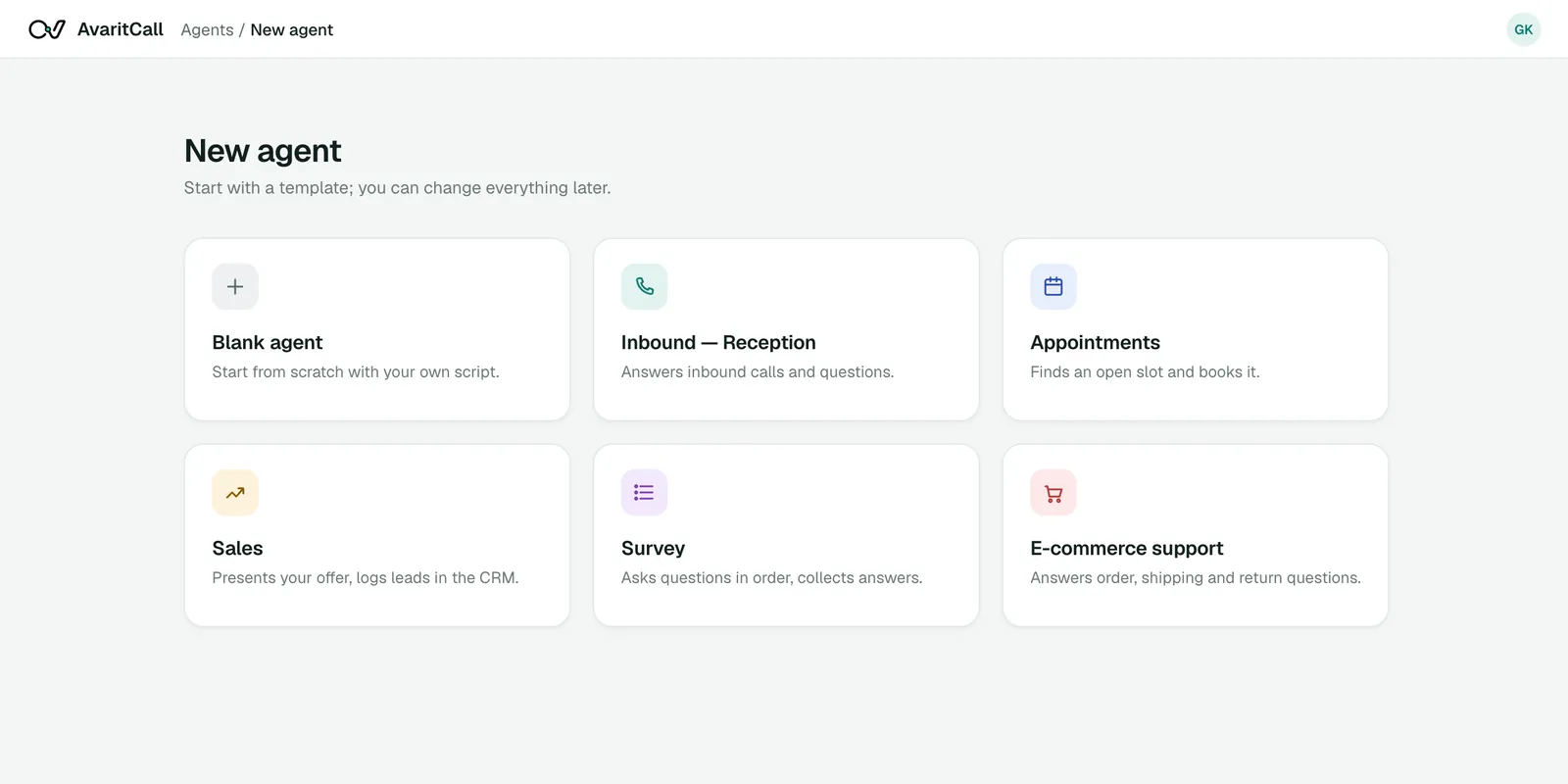
Agent template selection in the AvaritCall dashboard

Follow a Lead Qualification Conversation

A short B2B discovery call and the record it leaves for the sales team.

Example conversation

AI agent
What are you looking to improve in your customer support process?
Caller
We're missing calls when our team is busy.
AI agent
About how many calls does your business receive each day?
Caller
Around 150.
AI agent
Are you exploring a solution for the near future or researching for later?
Caller
We'd like to get something running next month.
AI agent
Would you like to schedule a demo with our team to discuss your call flow?

Lead record

Qualified, demo offered

Need
Missed calls during busy hours
Call volume
About 150 per day
Timeline
Next month
Meeting
Demo time offered

Example data. Qualification follows the rules you set in the agent's instructions.

Reach Prospects at Key Moments in the Sales Journey

  • Inbound Sales Inquiries

    A software company's sales line is answered at any hour. The agent learns what the caller needs and books a call with the right rep.

  • Web Form Follow-Ups

    New form leads are added to an always-on campaign through the API or a supported connection, and the agent calls them while their interest is fresh.

  • Dormant Lead Reactivation

    A real estate team calls older inquiries to ask whether they are still looking, and schedules a new conversation with those who are.

  • Demo & Consultation Requests

    A consulting firm collects company size and goals before booking a first meeting, so the consultant arrives prepared.

Connect Lead Conversations to Your Sales Workflow

Each card shows whether the connection is ready, in beta or set up with our team.

  • Ready

    CRM & Lead Management

    • AvaritCall CRM

    Every call is logged to the built-in AvaritCall CRM with answers, summary, tags and lead score, and sales pipeline rules can move the lead by outcome. Beta connectors for HubSpot, Pipedrive, Salesforce, Zoho CRM, Bitrix24 and HighLevel create a contact or lead.

  • Ready

    Calendar & Meeting Scheduling

    • Cal.com (beta)
    • AvaritCall calendar

    The agent checks open times and books meetings in the AvaritCall calendar. Cal.com is available in beta, and a HighLevel calendar can be connected with our team.

  • Ready

    REST API & Webhooks

    • REST API
    • Webhooks
    • Custom HTTP tools

    Start calls and add leads through the REST API, and receive a signed webhook with the outcome when each call ends.

  • Beta

    Forms & Workflow Automation

    • Zapier
    • Make
    • n8n

    Send new leads to a campaign from Zapier, Make or n8n. Our team can set up Google Sheets and Meta lead form connections that add new leads to an outbound campaign.

How Sales Teams Use AvaritCall to Book Qualified Meetings

An Example Lead-to-Meeting Workflow

  1. The lead arrives

    A prospect fills out a demo form on a B2B software website. The lead is added to an always-on outbound campaign.

  2. The qualification call

    The agent calls, asks about team size, current tools and timing, and records the answers against the team's criteria.

  3. The meeting

    The lead fits the criteria, so the agent offers two times and books a demo. A meeting booked is recorded as its own result.

  4. The handoff

    The rep reviews the summary and answers before the demo. Whether the lead attends and whether a sale follows are tracked separately by the sales team.

Frequently Asked Questions

What is an AI appointment setter?

An AI appointment setter is a voice agent that talks with leads, checks whether they fit your criteria and books a sales meeting for those who do. AvaritCall records the answers and a summary for the rep.

How does AI appointment setting work?

You define the qualification questions and meeting rules, then connect your lead sources and calendar. The agent calls or answers leads, asks the questions, books meetings for qualified leads and saves everything to the CRM.

What is the difference between appointment setting and appointment booking?

Appointment setting qualifies a lead before a sales meeting is booked. Appointment booking schedules a service visit for a customer who already knows what they want, such as a cleaning or a haircut.

Can an AI appointment setter qualify leads before scheduling a meeting?

Yes. The agent asks your qualification questions first and offers a meeting only when the answers meet the rules in its instructions. Every call also gets a hot, warm or cold label and a 0–10 lead score.

Can AvaritCall handle inbound and outbound lead conversations?

Yes. One agent can answer inbound sales calls and call leads from a list, the API or a CRM stage, with separate instructions for each direction.

Can AvaritCall follow up with leads from website forms?

Yes, with a connection in place. New leads can be added to an always-on campaign through the REST API or through Zapier or Make (beta), and our team can set up Google Sheets and Meta lead form connections.

Can I customize AvaritCall's qualification questions and meeting criteria?

Yes. You write the questions, the criteria and what the agent should do when a lead does not qualify. You can also choose which fields are captured after every call, such as budget or timeline.

Can AvaritCall connect to my CRM and sales calendar?

Yes. Calls are logged to the built-in AvaritCall CRM, and beta connectors for HubSpot, Pipedrive, Salesforce, Zoho CRM, Bitrix24 and HighLevel create a contact or lead. Meetings are booked in the AvaritCall calendar or Cal.com (beta).

Bring Better Context to Your Next Sales Meeting

Learn what each lead needs before the first meeting, book time only with leads that fit and give your reps a summary to prepare with.

Get Started