
Accounting Answering Service That Keeps Your Firm Reachable After Hours
AvaritCall's accounting answering service is an AI receptionist that picks up incoming calls for accounting and bookkeeping firms. It takes new client inquiries, books first consultations in your calendar and sends existing clients to the accountant who handles their work. When filing deadlines stack up, or a client calls at 7 p.m. about a letter they just opened, your line still gets answered.

Sample call
- Caller
- Hi, I own a small restaurant, and I need someone to take over our payroll.
- AI agent
- We can help with that. Would you like to set up a first consultation?
- Caller
- Yes, early next week if you can.
- AI agent
- Monday at 10 AM is open. I'll book it and send the details to our payroll team.
Consultation Booked
- Service
- Payroll
- Caller
- Restaurant owner, new client
- Time
- Monday, 10:00 AM
Next step: Payroll team reads the intake notes before the call
Hear How AvaritCall Handles Accounting Client Calls
Pick a scenario to read the call. You'll see what the caller asked for, the details the agent took down and how the call ended.
Inbound call
New Client Consultation
Result
Consultation Booked
- Client
- Tom Brennan, Brennan Landscaping
- Service
- Monthly bookkeeping
- Time
- Thursday, 2:00 PM
- Calendar
- AvaritCall calendar
Next step: Intake notes go to the accountant taking the meeting
These calls are made up for the demo. Your AI receptionist doesn't give tax, legal or accounting advice, and your firm decides what it can say and when a call goes to an accountant.
Inbound call
Document Submission Question
Result
Upload Steps Shared
- Question
- How to send tax documents
- Shared
- Client portal, Upload Documents page
- Documents
- W-2 and 1099 forms
Next step: No staff action needed
These calls are made up for the demo. Your AI receptionist doesn't give tax, legal or accounting advice, and your firm decides what it can say and when a call goes to an accountant.
Inbound call
Time-Sensitive Tax Notice
Result
Priority Callback Requested
- Client
- Linda Park
- Notice
- IRS CP2000, as read by the caller
- Response date
- June 14, as stated by the caller
- Callback
- +1 XXX XXX XXXX
Next step: An accountant calls back to go over the notice
These calls are made up for the demo. Your AI receptionist doesn't give tax, legal or accounting advice, and your firm decides what it can say and when a call goes to an accountant.
Handle New Client Inquiries and Everyday Accounting Calls
New Client & Service Inquiries
Someone needs a tax return prepared, help with the books or a payroll service. You get the service they asked about and their contact details. They hear your approved answers on whether you're taking new clients and what each service covers.
Consultations & Client Meetings
First consultations and meetings with current clients go into the calendar after a check for open times. If the calendar can't be reached, the caller's preferred time goes into a callback request instead.
AI appointment schedulingDocument Submission & Status Requests
Callers hear how to reach your client portal or other approved upload channel. A question like "did you get my 1099?" is answered only when your system shares that status through an API and the caller has passed your verification steps. Otherwise it goes to the right person on your staff.
Payroll, Billing & Client Follow-Ups
A client calls about a payroll run, an invoice or a request that's still open. Their reason for calling goes into a message for the person or team responsible.
Tax Notices & Filing Deadline Calls
Your accountants get the notice type and the date the caller reads out. Anything that needs someone to read the document, talk through an extension or weigh in on tax matters stays with them. The AI receptionist doesn't give tax, legal or financial advice.
Route Client Calls to the Right Accountant
Your firm sets the rules. Some calls go straight to an accountant, some trigger a priority alert, and some become a callback request. If nobody answers a transfer, a fallback number can be dialed, or the agent logs a callback request and the call summary sits right next to it in your dashboard. When a client needs to share documents, they're pointed to the channel your office approves.
Example conversation
- Caller
- Hi, this is Dana Ruiz from Ruiz Floral. We got a letter from the state about our sales tax filing.
- AI agent
- Thanks, Dana. Does the letter give a date you need to respond by?
- Caller
- It says May 30.
- AI agent
- Got it. What's the best number to reach you if the team needs to call back?
- Caller
- This cell number works.
- AI agent
- Thanks. I'm connecting you with the team that handles your sales tax now.
Client request
Transferred to Tax Team
- Client
- Dana Ruiz, Ruiz Floral
- Callback number
- +1 XXX XXX XXXX
- Reason
- State letter about a sales tax filing
- Date given by the caller
- May 30
- Routed to
- Sales tax team
- Transfer
- Connected to the accountant on duty
Example only. The letter itself stays with your accountants, since the AI doesn't read or interpret it. Only team members you give access to this agent can see call records and summaries.
Configure and Monitor Your Accounting Answering Service
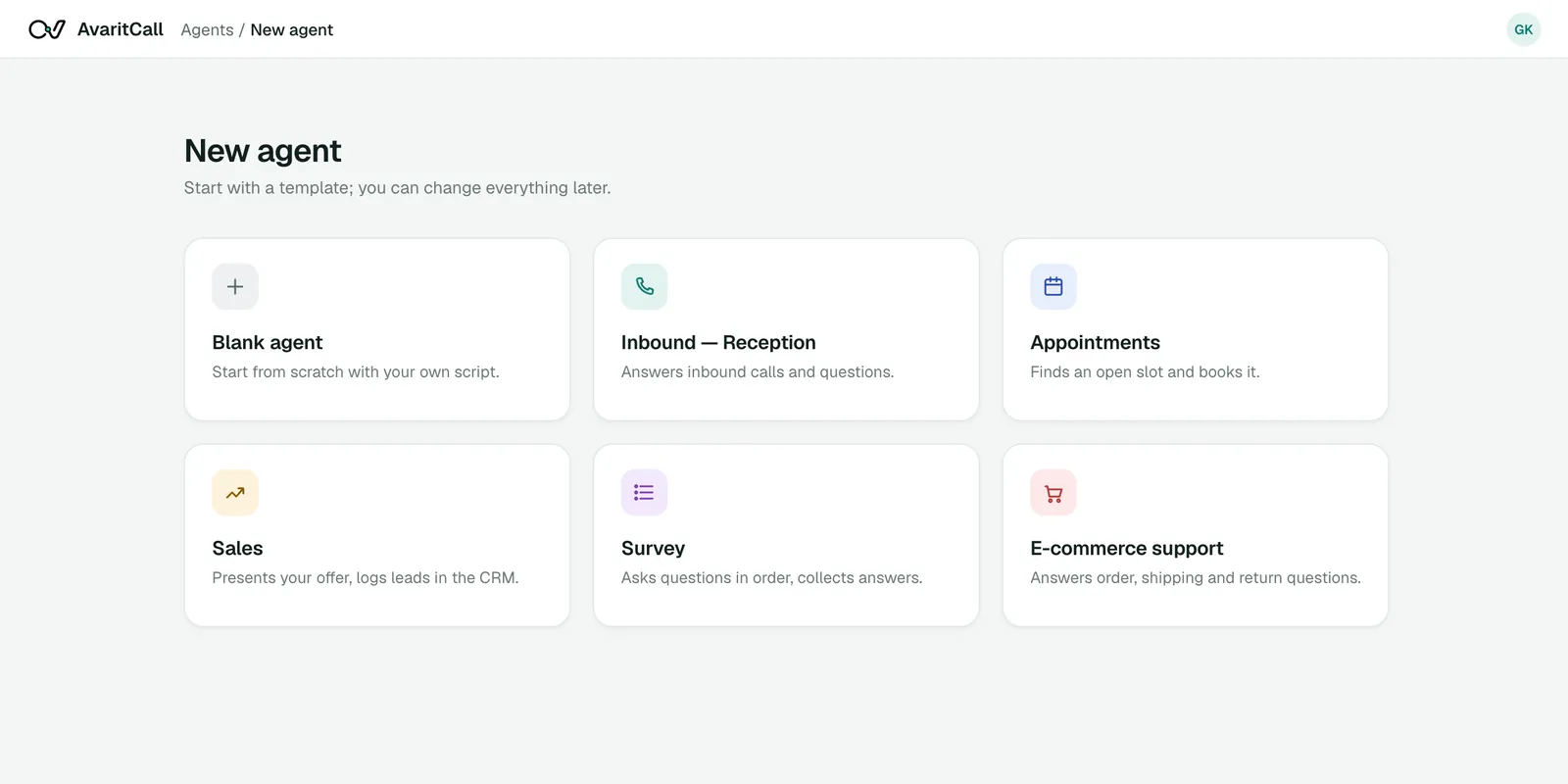
Build
Set Your Firm's Call Rules
Tell the agent what your firm offers and what to collect on a call.
- Services you offer, such as tax prep, bookkeeping and payroll
- Consultation types and who takes them
- Details to collect from new and current clients
- Transfer rules for each accountant or team, with a fallback number
Deploy
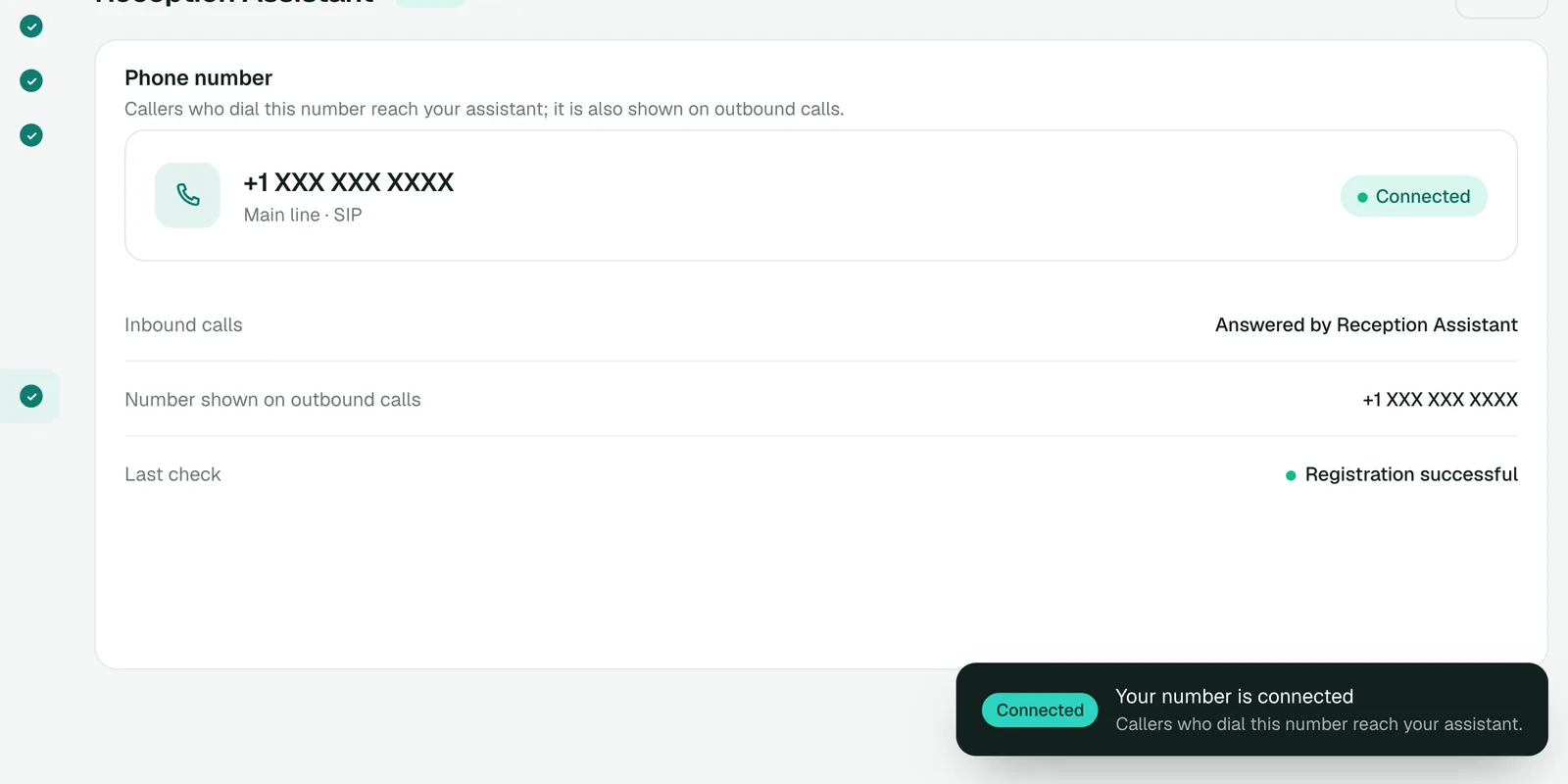
Route Calls to the Agent
Your carrier's or phone system's forwarding rules decide which calls the agent takes. You can widen them for filing season and narrow them again afterward.
- Keep your existing number and connect it over SIP
- Send all calls, unanswered calls or after-hours calls
Monitor
Track Client Requests
See what happened on each call and which requests still need a reply.
- Call summaries and transcripts
- Booked consultations
- Transfer results
- Callback requests waiting for follow-up
Sample calls
New Client ConsultationTom Brennan, Brennan Landscaping
Consultation Booked
Next step: Intake notes go to the accountant taking the meeting
Document Submission QuestionHow to send tax documents
Upload Steps Shared
Next step: No staff action needed
Time-Sensitive Tax NoticeLinda Park
Priority Callback Requested
Next step: An accountant calls back to go over the notice
Connect Your Accounting Firm's Phone, Calendar, and CRM
Ready
Phone Systems & Existing Numbers
- Twilio
- Telnyx
- Plivo
- Any SIP trunk or PBX
Keep your firm's number and connect it over SIP or through your PBX. Forwarding rules decide which calls reach the agent.
Ready
Calendars & Client Records
 Cal.com (beta)
- AvaritCall calendar
- AvaritCall CRM
Consultations go into the built-in AvaritCall calendar, or into Cal.com in beta. Each call is logged to the AvaritCall CRM under the caller's number. Beta connectors for HubSpot, Pipedrive, Salesforce, Zoho CRM, Bitrix24 and HighLevel can create a contact or lead from the call.
Ready
Notifications & Custom Integrations
- Dashboard notifications
- Webhooks
- REST API
Webhooks and the REST API pass call results to your own workflow, and your team hears about new requests by email or in the dashboard. Accounting and practice management software has no ready-made connector. Our team can connect yours through its API once we've checked what that API allows.
Add Firm Services & FAQs
Add the services you offer, your office hours and the answers the agent may give.
Set Booking & Transfer Rules
Choose consultation times, which calls go to which accountant and what happens when nobody picks up.
Connect Your Phone & Calendar
Connect your number over SIP and pick the calendar for consultations.
Test Calls & Review Outcomes
Try a new client call, a document question and a tax notice call in your browser, then go live on the calls you choose.
Accounting Answering Service Pricing
You pay for talk time, billed by the second. There are no plans with bundled minutes and no overage fees.
$0.08
per talk minute, billed per second
Example calculation
- 45-second call
- $0.06
- 2 min 30 s call
- $0.20
- 5-minute call
- $0.40
- Pay as you go, billed per second of talk time
- Ringing and unanswered calls are free, and billing stops when a call is transferred
- Email notifications and WhatsApp messages are billed per message, and dashboard notifications are included
- In filing season, inbound calls are answered at the same time up to your line's channel count
- No setup fee for self-serve. A connection to your accounting software built by our team is scoped with you
Frequently Asked Questions
What does an AI answering service for accounting firms do?
It answers your firm's phone, takes new client inquiries, books consultations and passes client messages to the right person. AvaritCall does this with an AI voice agent and logs each call with a summary and a transcript.
Can AvaritCall handle overflow and after-hours calls during tax season?
Yes. Your forwarding rules decide whether the agent takes calls nobody answers, calls after hours or all calls. Inbound calls are answered at the same time up to your line's channel count.
Can AvaritCall book consultations for different accountants on our team?
Yes, within limits. You can set rules per accountant or consultation type in the agent's instructions, or use separate Cal.com event types or separate agents. Requests that need a partner's approval are saved as requests, not bookings.
How does it handle calls about tax notices and filing deadlines?
It records the details and gets them to your team fast. It notes the notice type and the date the caller reads out, then transfers the call or logs a priority callback under your rules. Reading the notice, talking through extensions and tax advice stay with your accountants.
Can clients ask whether the firm has received their documents?
Only if your system can answer that. When your client portal or practice software shares document status through an API, the agent can check it after the verification steps you set. Otherwise it shares your approved upload channel and passes the question to your staff.
What client information is collected during a call?
The details you choose. A common setup asks for the caller's name, company, callback number, the service they need and the reason for the call. Transcripts are kept for a set retention period and then deleted automatically, and supported personal data formats are masked before the text reaches the language model.
Can we keep our existing number and connect our accounting software?
Your number, yes. You keep it and connect it over SIP. Accounting software has no ready-made connector, but our team can connect yours through its API, and webhooks can send call results to your own systems.
How much does an accounting answering service cost, and how is it set up?
It's $0.08 per talk minute, billed per second, so a two-minute call costs $0.16. Self-serve has no setup fee, and you start with $5 in credit with no card required. Setup means adding your services and FAQs, setting booking and transfer rules, connecting your phone and calendar and testing.
Keep Client Calls Moving During Tax Season and Beyond
While your team is in client meetings or deep in returns, AvaritCall answers new inquiries and books consultations. Messages from current clients reach the accountant who handles their work.