
24/7 Dental Office Answering Service
AvaritCall answers your dental office's calls with AI, on the phone line you already have. It picks up when the front desk is busy with another patient and when the office is closed. Callers can book a visit, leave a message for the team or reach the dentist on call.

Sample call
- Caller
- Hi, I'd like to book a cleaning. Anything next week?
- AI agent
- Tuesday at 3 PM is open. Shall I book it?
- Caller
- Yes, please.
Cleaning Booked
- Answered
- While the front desk was on another call
- Reason
- Routine cleaning
- Appointment
- Tuesday, 3:00 PM
Next step: Front desk sees it in the call log
Hear What Happens When Your Front Desk Can't Pick Up
Pick a scenario to read the call. Each one shows why the patient called, how the call ends and what your office sees next.
Inbound call
New Patient Call During the Morning Rush
Result
First Visit Booked
- Patient
- Olivia Hart (new)
- Visit
- New patient exam
- Time
- Monday, 8:30 AM
- Calendar
- AvaritCall calendar
Next step: Front desk sees the new booking
The calls and patient details are made up. Each office sets its own booking rules, its transfer conditions and its after-hours protocol.
Inbound call
Weekend Appointment Change
Result
Reschedule Request Logged
- Patient
- Marcus Hill
- Current visit
- Cleaning, Monday 10:00 AM
- Preferred
- Thursday or Friday afternoon
- Calendar
- Cal.com (beta), change confirmed by staff
Next step: Front desk confirms a new time Monday morning
The calls and patient details are made up. Each office sets its own booking rules, its transfer conditions and its after-hours protocol.
Inbound call
After-Hours Call for the On-Call Dentist
Result
Transferred to the On-Call Dentist
- Patient
- Ethan Ross
- Patient's words
- Part of a tooth broke off at dinner, sore with a sharp edge
- Rule
- After-hours transfer to the on-call dentist
- Transfer
- Connected
Next step: On-call dentist takes it from here
The calls and patient details are made up. Each office sets its own booking rules, its transfer conditions and its after-hours protocol.
Cover the Calls Your Dental Office Gets Throughout the Day
Overflow Calls When the Front Desk Is Busy
At 8 a.m. your front desk is checking in patients with two lines ringing. Calls they can't reach go to the answering service, which finds out why the patient is calling and answers, starts a booking or takes a message.
Evening, Weekend, and Holiday Answering
Greetings and routing rules change with your office hours. Patients hear clearly whether their request is done on the call or whether someone from your team will call back.
First Visits and Routine Appointment Booking
For new patient exams and routine check-ups you open for booking, callers pick from open times. Once it's booked, they hear the visit type, date and time again.
AI dental receptionistAppointment Changes and Cancellations
What happens to a change or cancellation depends on your calendar connection. In the AvaritCall calendar it's done on the call. When staff approval is needed, the request and the patient's preferred new time are saved.
Practice Hours, Directions, and New Patient Questions
Callers ask about hours, the address, parking and what to bring to a first visit. If you have more than one location, they hear the details for the office they called.
Patient Messages and On-Call Transfers
Patients who want a call back leave their name, number and reason. Calls that meet your transfer rules go to the on-call team, and if nobody answers, your fallback number or callback flow takes over.
AI answering service
Set Call Coverage Around Your Office Hours
Build
Write Rules for Each Time of Day
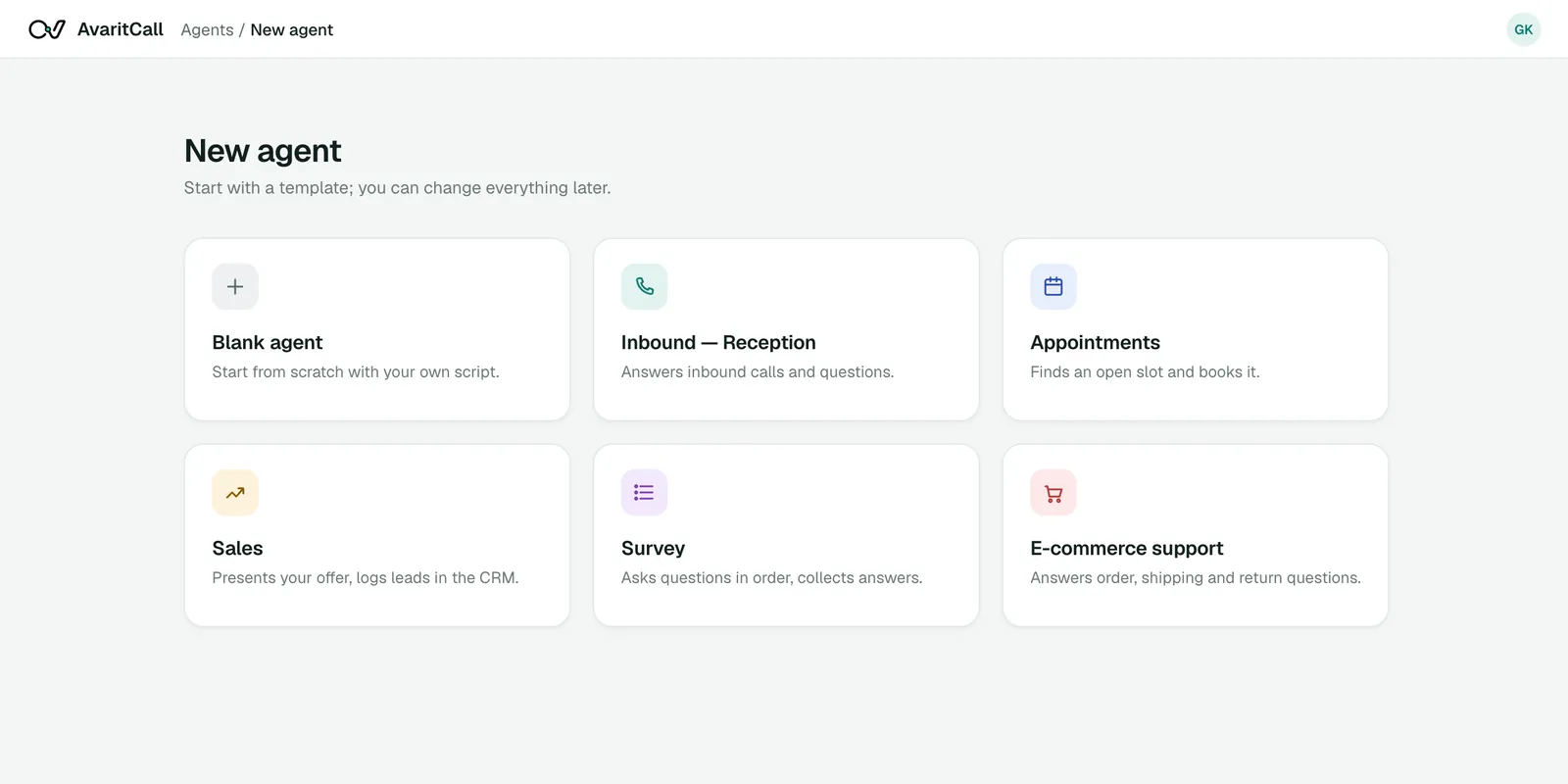
Set separate greetings, booking rules and transfer conditions for office hours, after hours and holidays.
- Greetings for open, closed and holiday hours
- Visit types that can be booked on the call
- When a call goes to the on-call dentist
- What to collect in a patient message
Deploy
Choose Which Calls It Answers
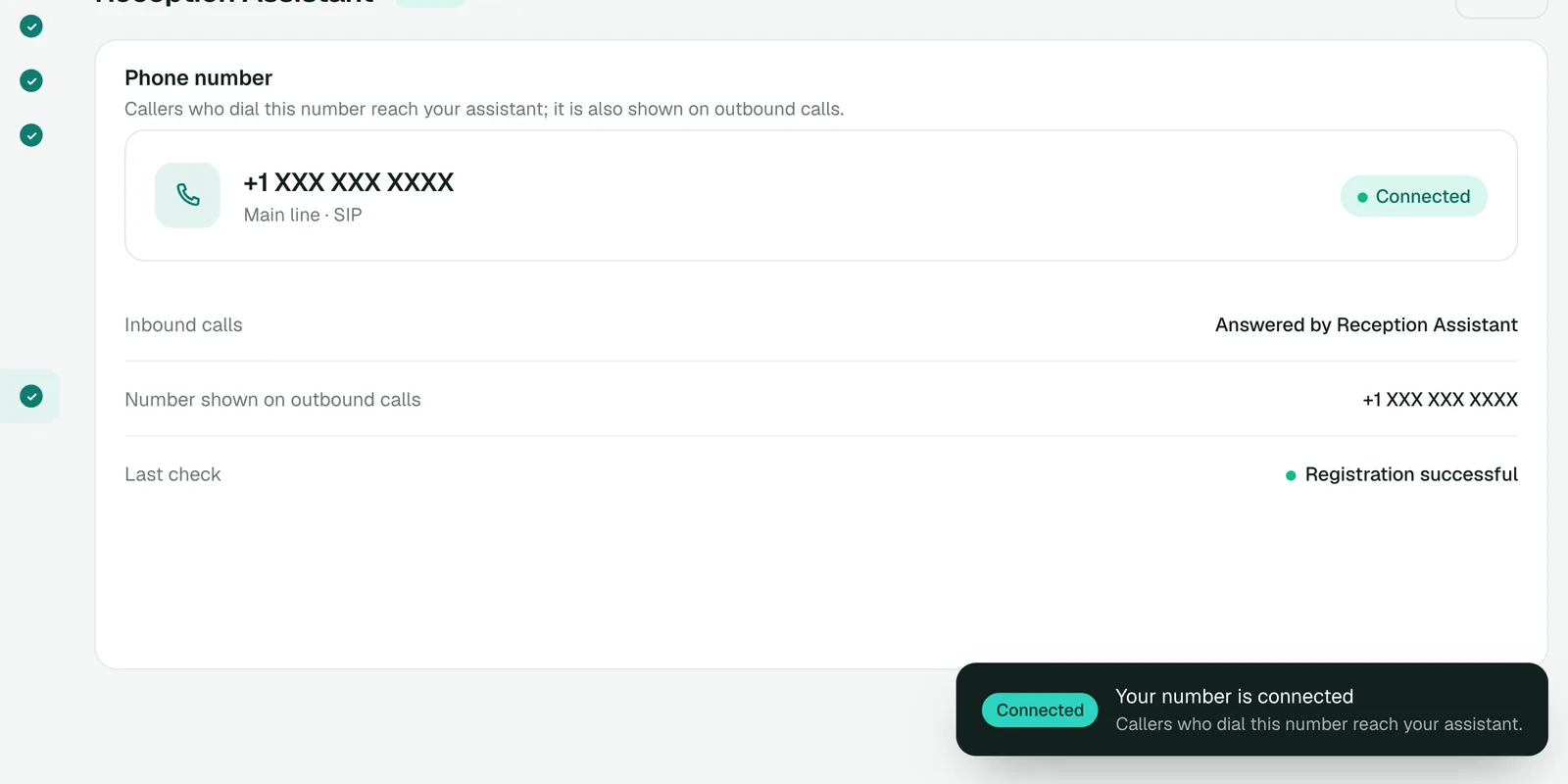
Depending on your phone setup, the answering service takes all calls, only busy or unanswered ones, or only after-hours calls.
- Keep your number and connect it over SIP
- Send all calls, unanswered calls or after-hours calls
Monitor
Review the Morning Summary
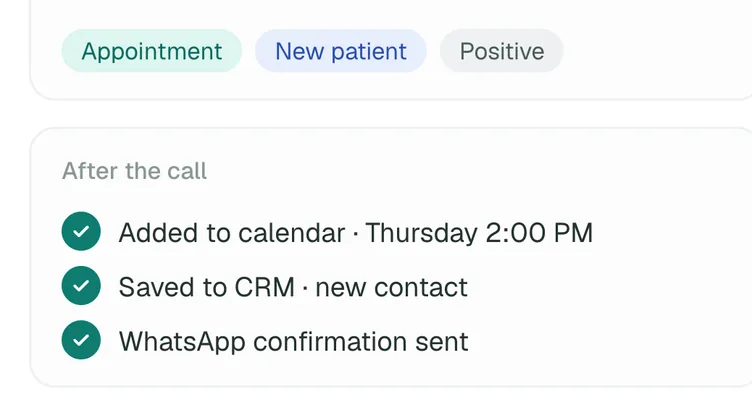
See what came in overnight and during busy hours, and what's still on your front desk's list.
- Confirmed appointments
- Change requests
- Patient messages
- Calls transferred to the on-call team
- Pending callbacks
Hand Off Patient Calls With the Details Your Team Needs
Verify the Caller Before Sharing Appointment Details
Before talking about an existing appointment or anything specific to a patient, the answering service runs your verification steps. Only team members you give access to can see call records, and transcripts are deleted automatically after a set retention period. AvaritCall supports HIPAA-compliant deployments and signs a Business Associate Agreement (BAA) with healthcare customers, and our sales team reviews the details and your setup with you before go-live.
Talk to salesTransfer Calls or Leave a Callback for the Right Team
Set different routing for the front desk and the on-call team. If a transfer doesn't go through, the team sees the patient's contact details and reason in a callback request. The answering service doesn't diagnose or give treatment advice, and your protocol can tell callers to hang up and dial 911.
Example handoff
Callback Requested
- Reason
- Swelling near a wisdom tooth
- Patient's words
- My jaw has been swelling since this afternoon
- Target team
- On-call dentist
- Transfer
- No answer, priority callback logged
Keep Your Dental Office Number and Connect Your Calendar
Each connection below says what it can do today. Dental practice management software connects through its API, and there's no ready-made connector for it.
Ready
Existing Phone Line
- Twilio
- Telnyx
- Plivo
- Any SIP trunk or PBX
Connect your office number over SIP. Your phone setup decides which calls reach the answering service.
Ready
Appointment Calendar
 Cal.com (beta)
- AvaritCall calendar
In the AvaritCall calendar, the answering service books, moves and cancels visits on the call. With Cal.com (beta), it checks availability and books, and change or cancellation requests wait for your staff.
Set up by our team
Dental Practice Management Software
Reading open times from your practice software and writing the call outcome back go through its API. Our team looks at each action for your setup.
Choose Which Calls AI Should Answer
Start with after-hours calls, busy and unanswered calls, or all of them.
Connect Your Office Number and Calendar
Connect your number over SIP and pick the calendar visits are booked into.
Set Booking and On-Call Transfer Rules
Choose which visits book on the call, what waits for staff and when the on-call dentist gets the call.
Test Your Call Flows and Launch
Try a new patient call, a change request and an after-hours call in your browser, then go live.
| System | Connection type | Check Availability | Book an Appointment | Reschedule or Cancel |
|---|---|---|---|---|
| AvaritCall calendar | Ready | Yes | Yes | Yes |
| Cal.com | Beta | Yes | Yes | Request recorded for staff |
| Your practice management software | Through its API, with our team | Depends on the API | Depends on the API | Depends on the API |
Dental Office Answering Service Pricing
You pay for the minutes the answering service spends on the phone. There are no plans with bundled minutes and no overage fees.
$0.08
per talk minute, billed per second
Example calculation
- 45-second call
- $0.06
- 2 min 30 s call
- $0.20
- 5-minute call
- $0.40
- Pay as you go, billed per second of talk time
- Ringing and unanswered calls are free, and billing stops when a call is transferred
- Inbound calls are answered at the same time up to your line's channel count
- Emails and WhatsApp messages you choose to send are billed per message
- No setup fee for self-serve. A connection to your practice software built by our team is scoped with you
Frequently Asked Questions
How does a dental office answering service work?
It answers the calls your front desk can't get to. AvaritCall picks up on your existing number, finds out why the patient is calling and then books a visit, takes a message or transfers the call by your rules.
Can it answer only when our front desk is busy or the office is closed?
Yes. Your phone system's forwarding rules decide which calls reach it, so you can send only busy, unanswered or after-hours calls.
Can we keep our existing dental office phone number?
Yes. You keep your number and connect it over SIP, and patients call the number they already know.
Can it book first visits and routine dental appointments?
Yes, for the visit types you open for booking. A new patient exam booked in the AvaritCall calendar is confirmed on the call, and the patient hears the date and time again. Visits that need approval are saved as requests for your staff.
Can it reschedule or cancel an existing appointment?
Yes. In the AvaritCall calendar the change happens on the call. With Cal.com (beta), the patient's request and preferred time go to your front desk to confirm, and the patient hears which of the two applies.
What happens when a patient needs the on-call dentist?
If the call matches your transfer rules, it goes to the dentist on call. If nobody answers, your fallback number or a priority callback request takes over, with the patient's own words attached. The answering service doesn't diagnose.
Can it connect to our calendar or dental practice management software?
Your calendar, yes. The AvaritCall calendar is ready to use and Cal.com is in beta. Practice software connects through its API with our team.
How are patient call records handled, and is a BAA available?
Yes, a BAA is available. AvaritCall supports HIPAA-compliant deployments and signs a Business Associate Agreement (BAA) with healthcare customers, and our sales team reviews the details with you before go-live. Transcripts are kept for a set retention period and then deleted automatically, and only team members you give access to can see them.
How much does a dental office answering service cost?
It's $0.08 per talk minute, billed per second, so a booking call of 2 minutes 30 seconds costs $0.20. Self-serve has no setup fee, and you start with $5 in credit with no card required. A custom connection to your practice software is scoped with our team.
Start With After-Hours Coverage on Your Existing Number
Keep your number and send only after-hours calls at first. The next morning's summary shows a confirmed first visit, a change request waiting for the front desk and a call that went to the on-call dentist.