AvaritCall · Editorial team
Getting started with AvaritCall: from the first call to daily operations
Explore AvaritCall from the live demo to your own assistant. Connect the first conversation, the request in the dashboard and your team’s next step.
The exciting part of getting started with AvaritCall is hearing voice AI in a phone conversation. We also care about what follows that first experience: bringing a business’s own information, conversational style and follow-up work into the product. Inbound and outbound workflows, assistant configuration and call review are parts of that journey. [1] A small task your team encounters every day can become the starting point for an understandable working routine.
A product experience that begins with a familiar task
A person calling a business usually wants an answer or a next step. They may need opening hours, a particular team or a callback at a convenient time. AvaritCall’s configurable assistant can begin with that familiar job. Consider the request “I want to speak with sales about my quote.” The subject, responsible team and callback expectation all matter. Exploring the product through a conversation close to your own work makes its features easier to understand.
Preparing the first assistant is also a useful moment to organize business information. Opening hours, service names and team responsibilities can be brought together. Explaining an unclear phrase again or asking about a changed preference may belong to the workflow you prepare. Indicating which actions need staff confirmation completes that picture. Starting with AvaritCall therefore includes bringing the team’s working language into the product, alongside choosing a voice and hearing the conversation.
The live demo lets you hear the first conversation
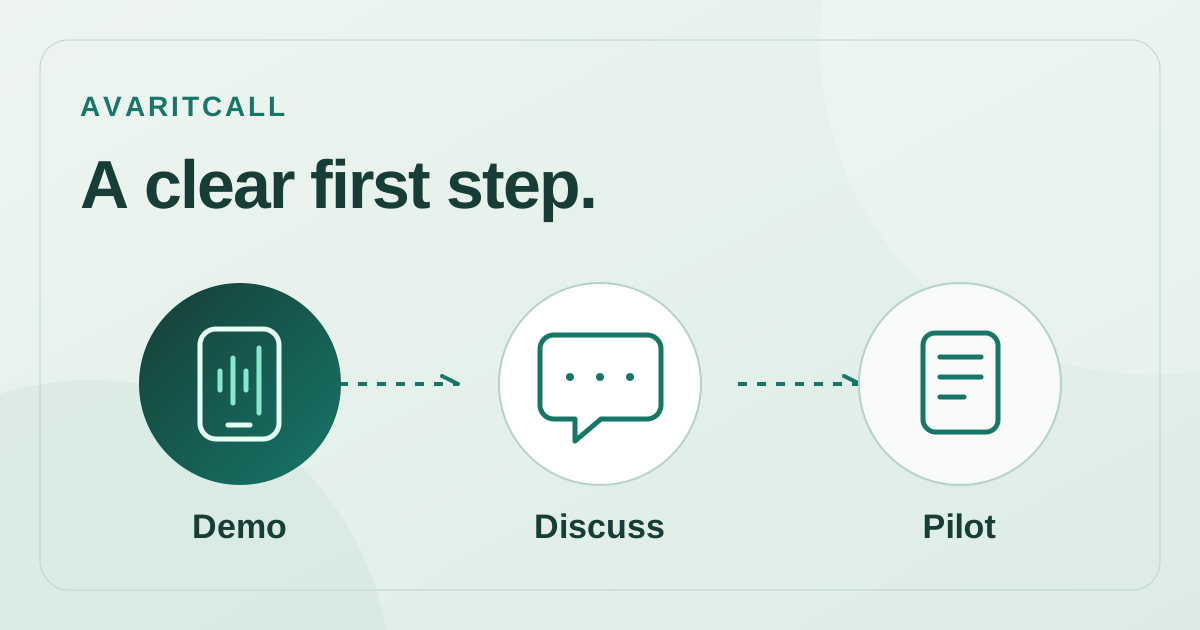
The live-call area on the homepage offers available example scenarios you can choose and hear. Its visible form uses a Turkish mobile number with the +90 country code. [1] This demo provides a first impression of voice and dialogue. Work with your own business information, calendar or records is assessed through your configured assistant. The demo introduces the product; the configured assistant connects it with the job your business has chosen.
| Product step | What you see | Business connection |
|---|---|---|
| Live demo | Voice and dialogue in available examples | First conversation experience |
| Your assistant | Selected information and workflow | Your business phone task |
| Dashboard review | Transcripts and reporting | The team’s next task |
The first conversation can reveal small details alongside the voice: understandable questions, a changed preference and the next step at closing. Those impressions become concrete notes when preparing your own assistant’s wording. The product experience starts connecting with the team’s everyday expectations.
The small story inside a callback request
In an illustrative reception example, a caller asks for a sales representative and wants an afternoon callback. Later they correct the time: “Actually, after five would work better than four.” The workflow can be designed to consider the final preference alongside the subject. A note intended for sales can become more useful than “a customer called”: the quote topic, callback request and last stated time describe a clearer task.
The appealing product idea is to consider the work after the conversation. The employee making the callback can review its subject and the final stated preference. Team connections and available actions depend on the selected configuration. This illustrative example provides an understandable framework for the information a workflow should make usable when a phone request reaches the next member of the team.
The dashboard makes the next part visible
- Transcripts help you review the request after the conversation.
- Call analysis and reports bring follow-up work into the product experience.
- Information and dialogue are prepared around the business task you choose.
- CRM, calendar, API and webhook connections are planned for the selected scope.
AvaritCall offers transcripts, call analytics and reporting tools. [4] For us, that visibility belongs to an understandable working routine after the assistant is introduced. Questions raised by the first conversation can inform the next wording change. As a team improves its service names and explanations, preparing the assistant also becomes a way to express the business’s knowledge more clearly.
Continue the first experience with understandable usage
The published conversation rate is USD 0.08 per minute, including STT, LLM and TTS. There is USD 5 signup credit and a USD 10 minimum top-up to continue. Selected email reports, WhatsApp reports and IVR generation, plus applicable taxes, are calculated separately. [2] Initial trial minutes and the volume expected in daily use can therefore be considered using the same starting arithmetic.
To get to know AvaritCall, hear the currently available live examples and then prepare an assistant with your own business information. The solutions pages support the task you choose, and pricing supports the usage calculation. Our starting point connects voice AI with an actual business phone job: from the first conversation to the dashboard, then to the next task for the team.
- [1]AvaritCall — sesli yapay zekâ telefon asistanı — AvaritCall (accessed: 2026-10-02)
- [2]AvaritCall — fiyatlandırma — AvaritCall (accessed: 2026-10-02)
- [3]AvaritCall — sektörel çözümler — AvaritCall (accessed: 2026-10-02)
- [4]AvaritCall — AI Info — AvaritCall (accessed: 2026-10-02)