AvaritCall · Editorial team
How RTP packetization changes bandwidth and delay
RTP packetization changes header overhead and when audio can leave the sender, even with the same codec. Compare 10, 20 and 40 ms G.711 examples to plan call capacity.
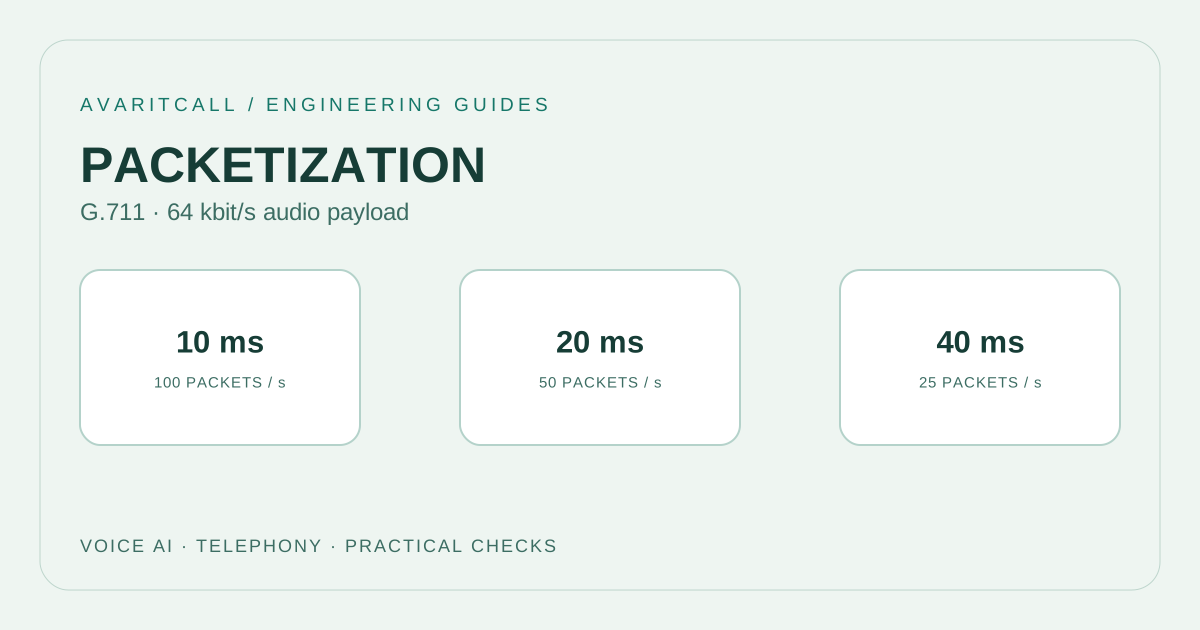
Shorter RTP packetization sends audio in smaller pieces and increases the number of packets and headers per second. Longer packetization reduces header overhead but waits longer to collect the audio being sent. This setting alone does not explain total voice AI response latency. Choose it by considering call volume, the actual network path and the measured flow of conversation together.
1. Define the boundary of the calculation
This example assumes continuous, single channel G.711 payload at 64 kbit/s. [2] Headers are 12 bytes for RTP, 8 for UDP and 20 for IPv4 without options; RTP extensions and CSRC entries are absent. [1][3][4] Each packet therefore carries 40 bytes beyond its audio payload. Put these assumptions at the beginning of a capacity document so different teams attach the same meaning to the figures.
The calculation covers RTP media at the IP layer. It excludes Ethernet and other link layer overhead, SRTP additions, tunnels, RTCP and signaling. An interface counter may include different parts of that traffic. Record the counter’s layer and observation window when comparing a calculation with a measurement. Document silence handling separately: this example does not assume that traffic decreases during quiet periods.
2. Apply the same calculation to 10, 20 and 40 ms
Packets per second equal 1,000 / ptime(ms). Audio bytes per packet equal 64,000 × ptime(s) / 8. Header bit rate equals packets/s × 40 × 8. Units are decimal: 1 kbit/s means 1,000 bits per second.
| ptime | Packets/s | Audio/packet | Header overhead | Total |
|---|---|---|---|---|
| 10 ms | 100 | 80 bytes | 32 kbit/s | 96 kbit/s |
| 20 ms | 50 | 160 bytes | 16 kbit/s | 80 kbit/s |
| 40 ms | 25 | 320 bytes | 8 kbit/s | 72 kbit/s |
At 20 ms, the audio payload is 160 bytes and the IP packet is 200 bytes. Two directions with identical settings total approximately 160 kbit/s. The corresponding two way totals at 10 and 40 ms are 192 and 144 kbit/s. Budget ingress and egress separately on a full duplex link; their combined total is not the capacity needed in one direction.
3. Separate packetization, codec processing and playout
ptime describes the audio duration represented by an RTP packet. It need not equal the codec’s coding unit or frame duration: a packet can carry multiple coding units. In this G.711 example, 20 ms describes the grouping of audio samples. The sender collects audio to complete a packet, while the receiver can apply a separate wait before playing it.
Do not interpret ptime as the overall round trip delay. Network travel, queues, receiver buffering, speech endpoint detection, STT, model processing and speech generation are other stages. Instrument their boundaries to locate a slow response. Measure the time between the user’s final audible speech and the response’s first audible sound as well. The arrival time of the first network packet only describes part of the conversational experience.
4. Check capacity for a busy support line
Consider a support line with 200 simultaneous calls and one bidirectional media leg per call. The 20 ms example produces approximately 16 Mbit/s ingress, 16 Mbit/s egress and 32 Mbit/s combined RTP/IP traffic. That interface receives about 10,000 packets/s and sends another 10,000 packets/s. These planning figures precede additional overhead and capacity headroom.
Checking link speed alone is insufficient. Observe the media system’s work per packet, concurrent transcription load and queue behavior. A 10 ms trial doubles the packet rate while increasing bit rate less dramatically. A 40 ms trial sends fewer packets, but losing one packet affects a longer segment of audio. Start with controlled calls, then reproduce realistic concurrency. Keep the measurement points identical so the results explain the setting’s effect.
5. Checklist before changing the setting
- Record the actual codec and represented audio duration on every call leg; a configuration screen is insufficient evidence.
- Compare ingress and egress bit rate, packet rate and simultaneous call count over the same observation window.
- Inspect loss, late packets, growing queues and audible breaks together. Average bandwidth does not reveal every failure.
- Use the same test phrases and network route, changing only packetization. Avoid combining several configuration changes in one trial.
- Write acceptance criteria and a rollback setting beforehand. Evaluate audible conversation, task completion and measured timing rather than bandwidth alone.
6. Frequently asked questions
Is 20 ms best everywhere? No. It is a useful comparison starting point. Settings accepted by the actual endpoints and the measured experience should determine the choice. Smaller packets do not automatically mean better audio.
Does switching to 40 ms reduce latency? It reduces header overhead but collects a longer span of audio. Measure the overall response time before claiming an improvement.
Is traffic above the calculation an error? First inspect the counter’s scope. Encapsulation, control traffic, additional media legs or repacketization may explain it. Identify the component with a packet capture instead of adding an unexplained difference to the capacity budget.
- [1]RFC 3550: RTP: A Transport Protocol for Real-Time Applications — IETF / RFC Editor, 2003-07 (accessed: 2026-10-01)
- [2]RFC 3551: RTP Profile for Audio and Video Conferences with Minimal Control — IETF / RFC Editor, 2003-07 (accessed: 2026-10-01)
- [3]RFC 768: User Datagram Protocol — IETF / RFC Editor, 1980-08 (accessed: 2026-10-01)
- [4]RFC 791: Internet Protocol — IETF / RFC Editor, 1981-09 (accessed: 2026-10-01)