AvaritCall · Editorial team
8, 16 and 48 kHz: a reliable STT path from μ-law to PCM
Changing a sample-rate label is not enough for reliable STT input. Verify μ-law decoding, PCM representation, container handling and the audio contract shared with your recognition provider.
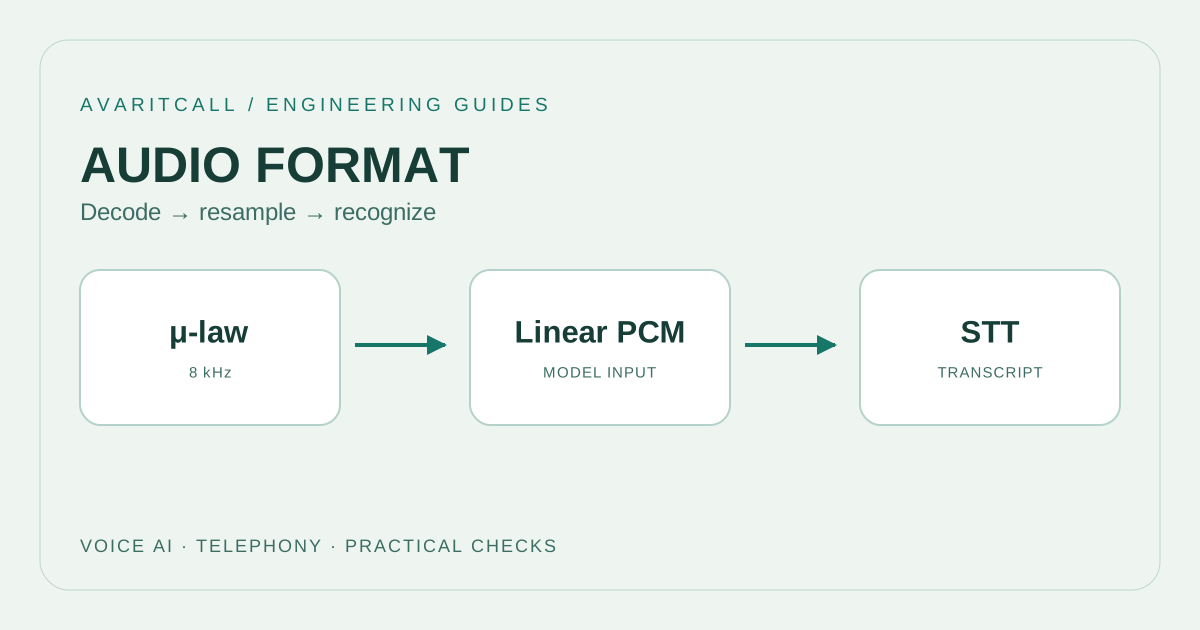
Short answer: preserve μ-law when the STT service accepts it directly. Decode to linear PCM when PCM is required; resample only if the target also requires another rate. Update the input contract to describe the bytes actually sent. Changing a filename or rate label performs no transformation. A reliable pipeline explains what enters and leaves each boundary.
What do 8, 16 and 48 kHz describe?
Sampling rate is the number of samples per channel per second. [1] That number does not describe the encoding or channel layout. Keep these fields separate in an engineering contract. A human-readable label such as “telephone audio” is insufficient to interpret raw bytes. When the producer changes, check that its description still means the same byte representation.
| Actual sampling rate | Hz field | First engineering decision |
|---|---|---|
| 8 kHz | 8000 | Preserve it when the source format is accepted |
| 16 kHz | 16000 | Verify the model and input representation together |
| 48 kHz | 48000 | Assess the target before adding conversion |
Distinguish the container from the codec
WAV is a file container; its audio is not necessarily linear PCM. [1] Likewise, a transport envelope does not establish whether the enclosed audio needs decoding. Inspect headers and the producer’s format description instead of guessing from the filename or HTTP content type. For headerless audio, the necessary description must come from elsewhere. Keeping that description alongside the stream makes a later investigation much easier.
Decode μ-law before any required resampling
μ-law bytes are not linear amplitude values; decoding converts them into linear samples. [3] This conceptual distinction is separate from choosing a production library. Identify the decoder’s input and output explicitly. Our recommended sequence is to unwrap the transport envelope, decode the audio, resample if necessary, and package the target representation. An explicit sequence makes a stage that accidentally treats encoded bytes as PCM samples easier to detect.
FFmpeg’s resampler interface defines input and output sample rates, sample formats and channel layouts separately. [6] Use that separation in your own adapter. Writing a conversion into configuration is insufficient: the output must actually follow those settings. Name what each stage changes so that a failure can be investigated without redesigning the complete pipeline.
Write the STT input contract
Include encoding, actual sampling rate, channel count, sample representation, byte order and container. Add application context identifying the speaker or call leg. Google Cloud describes raw LINEAR16 as signed, 16-bit, little-endian samples. [5] This is a provider-specific example, not a rule for every STT service. Check the input expected by the API version and model your integration actually uses.
Where the source rate is accepted, avoid unnecessary conversion. Google recommends sending telephone audio at its native rate. [4] If the target requires another rate, document that reason. Resampling cannot restore frequency information previously removed; that is the engineering implication of preserving the native source. Producing a different sample rate does not amount to making a new microphone recording.
Implementation example: telephone audio to STT
Twilio Media Streams declares μ-law, 8000 Hz and one channel in its start message; its audio payload uses base64. [2] Our hypothetical adapter validates that description and unwraps base64 into bytes. It then branches according to the target contract: if STT accepts μ-law, it sends the encoded bytes directly. If PCM is required, it uses samples decoded by a μ-law decoder. If a different sampling rate is also required, it resamples the PCM before packaging the target format.
At every output, verify that the contract describes that output. Keeping the old “MULAW” field after decoding to PCM describes different data from what is sent. Make the transition to the target format a visible application boundary.
Investigate audio and metadata together
For an empty or nonsensical transcript, first listen to the same data using its correct format description. If the source plays properly but the target does not, inspect the conversion boundary. If duration changes, compare the label, sample count and timeline. If speakers merge unexpectedly, revisit the channel decision. Logging format fields and transformation names can help investigate the technical issue with less data than logging the conversation itself.
Checklist
- Verify the source encoding, channel count and actual sampling rate.
- Keep base64 unwrapping separate from audio decoding.
- Document the reason for resampling and the intended output format.
- Match the PCM contract after decoding to the bytes actually sent.
- Review how converter state is retained between stream chunks.
- Listen to a short utterance at input and output and compare duration.
Frequently asked questions
Does replacing 8000 with 16000 convert audio? No. It changes an interpretation instruction. The samples must actually be converted before the new rate is declared. Otherwise metadata and audio describe different things.
Does decoding to PCM restore lost detail? A decoder presents the available encoded audio in a linear representation. It cannot create a new source for information already lost. Treat decoding, resampling and recognition model selection as separate decisions.
Should all audio use one internal format? A common representation can simplify maintenance, but document it as an architectural choice. When source and destination already agree, the additional transformation still needs a concrete reason.
- [1]Introduction to audio encoding for Cloud Speech-to-Text — Google Cloud, 2026-09-30 (accessed: 2026-10-01)
- [2]Media Streams: WebSocket Messages — Twilio (accessed: 2026-10-01)
- [3]FFmpeg: libavcodec/pcm.c source (μ-law decoder) — FFmpeg project, 2026-09-27 (accessed: 2026-10-01)
- [4]Best practices: Cloud Speech-to-Text — Google Cloud, 2026-09-30 (accessed: 2026-10-01)
- [5]Troubleshooting: Cloud Speech-to-Text — Google Cloud, 2026-09-30 (accessed: 2026-10-01)
- [6]FFmpeg Resampler Documentation — FFmpeg project (accessed: 2026-10-01)